



A file manager is a must on your Android device. These days, the stock file manager does everything that I want it to, but I remember there was a time when I used to have to download a third-party option. Google Files is a fantastic option if your device isn't one of those that comes with it as the stock option.
Google's software is great, and that applies to the Files app too. However, it's about to get a little better. You will soon be able to compress files into an archive. That's going to help with sending multiple files to people and keeping things organized. Let's talk about it.
You Can Now Create ZIP Archives In Addition To Being Able To Extract Them
Google Files has had a feature that lets you extract ZIP archives for as long as I can remember — it can't do RAR archives unfortunately, and I always had to download WinRAR for that. That's convenient because it means that you don't need to download a third-party app or transfer files to your computer to be able to unzip them. However, while you've always been able to extract these archives, it hasn't been possible to compress files and folders into a ZIP archive.
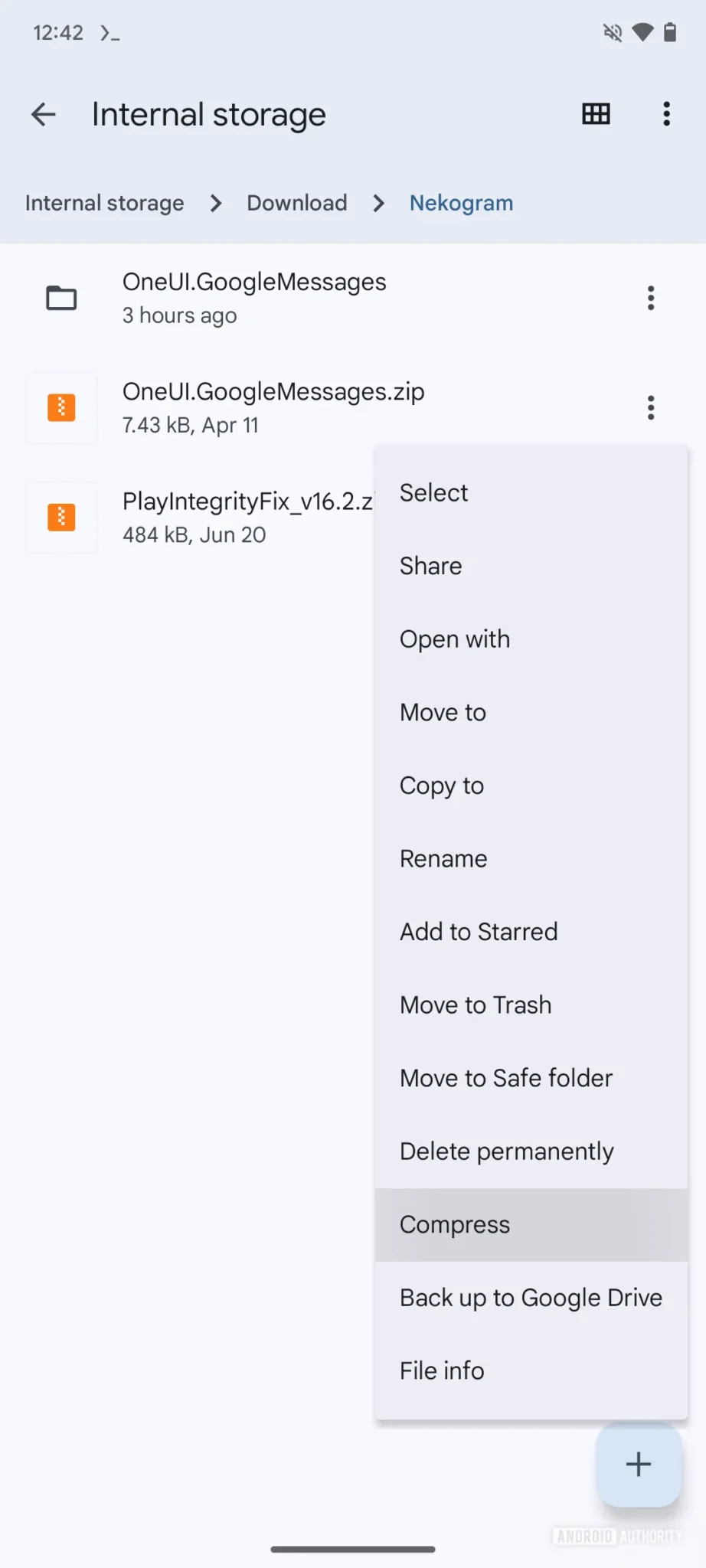
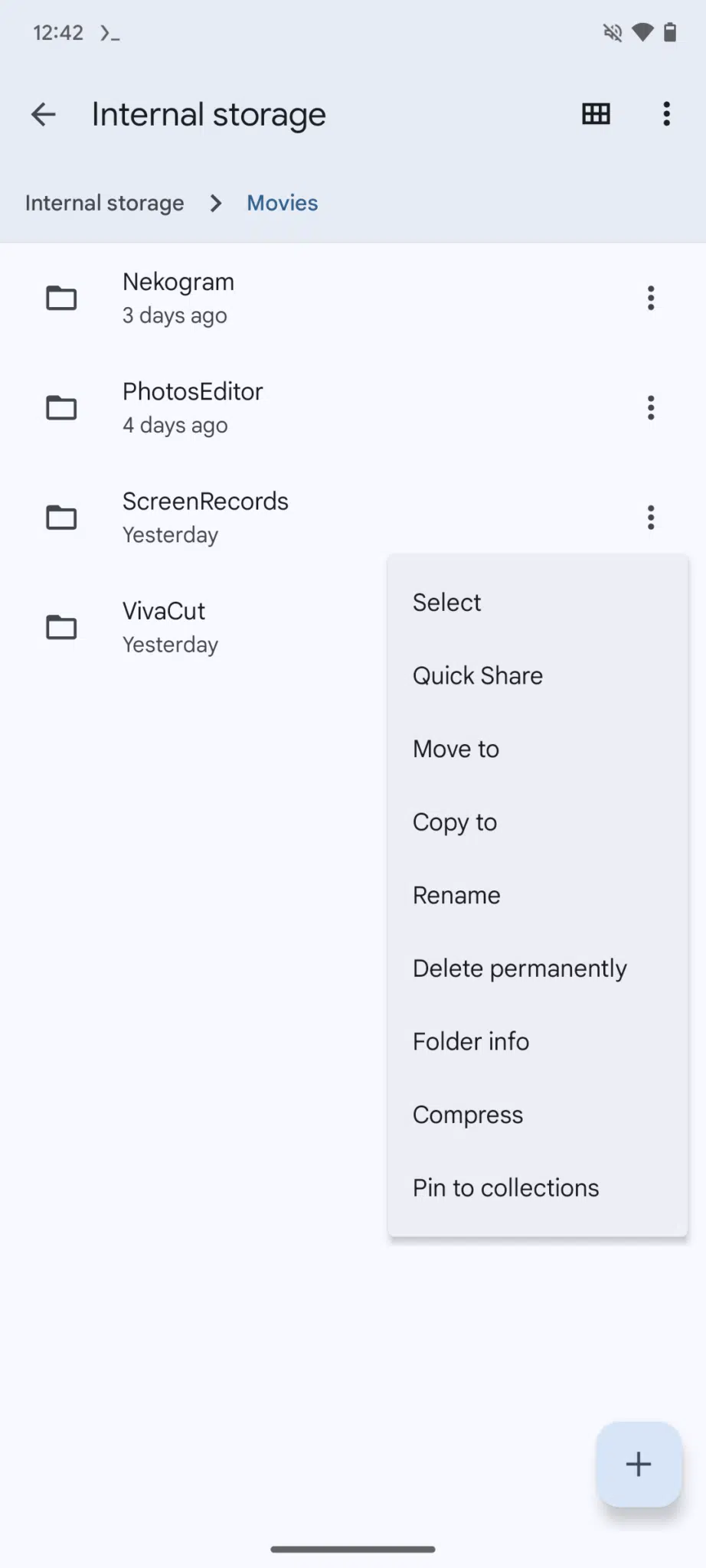
Well, until now at least. According to Android Authority, a teardown of the most recent beta for the Files By Google app shows that a “Compress” feature is in the works. As expected, by selecting one or multiple files and hitting the new Compress option that shows up, you'll be able to create a ZIP archive from the comfort of your smartphone. No need to download the WinZip app anymore.
Personally, if you use your phone for the most basic things, you might not be able to appreciate why you'd need a feature like this. However, I feel like it can make a lot of daily tasks easier. For instance, if you want to send a vacation pictures folder with multiple subfolders and hundreds of files to a friend via email or any other app, there's no easier way to do it than to create an archive, which is one convenient file, and send it to that person. It can also help you organize things on your phone into archives instead of having loose files everywhere.
Google Files Now Also Has An “Add To Collection” Option
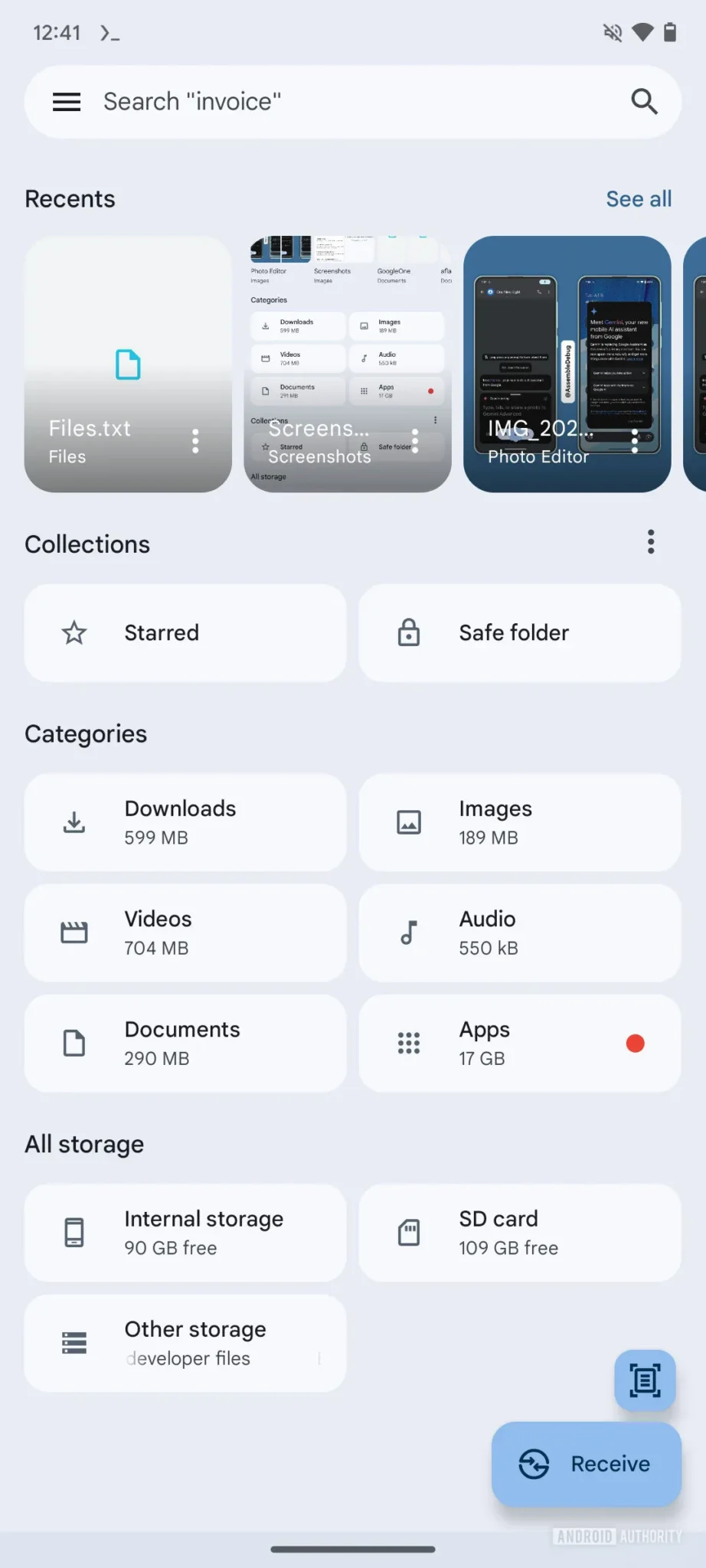
Another feature that was spotted in the beta for Files by Google is an Add to Collection button. This will basically give you a way to pin a folder to the “Collections” tab that you find on the homepage of the Files app. At the moment, the only things that you'll find in the Collections tab are your safe folder and a starred files shortcut. With this coming addition, you'll be able to get convenient access to folders that you care about more.
This feature is still locked behind flags in the beta version of Files By Google, so it isn't quite ready to be thrown out to the world. However, Google is bound to let it out into the wild relatively soon and I'm sure it'll get a lot of use fresh out the gate.