




Are you tired of the constant subscription price increases that the streaming services are forcing us to deal with? Same here. While some people choose to grin and bear it, others look for platforms that can offer them access to TV shows and movies for streaming without paying as much.
How about paying nothing? Plex offers free access to movies, TV shows, and live TV channels in the tens of thousands. You can use it on your Android and the best part is that getting it set up for the first time isn't complex at all and I'm going to prove that to you with this guide.
Downloading Plex And Signing In
The first thing that you need to do, quite obviously, if you've never used Plex before, is to download it from the Google Play Store. Of course, this is rather easy, and I've made it even easier because you can click on the link right here.

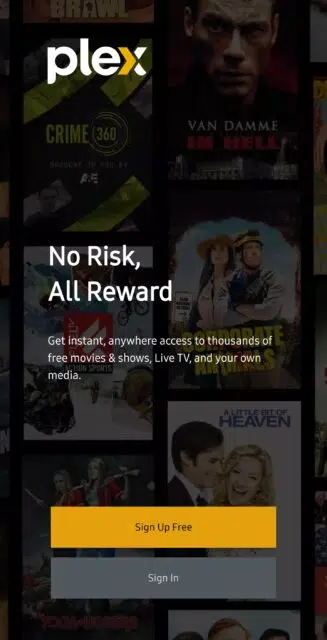
Once you've downloaded and installed Plex from the Play Store, you can open it, and you'll be greeted with a screen asking you to either register for a new account or sign in if you already have an account. Either way, I'm sure you don't need my help to get past this part.
Time To Do A Little Bit Of Basic Setup For Plex
Now that you've successfully signed in or set up your Plex account, you'll have to do some very basic customization for the application. Don't worry, it's nothing too complex.
The first step that I was greeted with was a screen asking me to choose a default server because it detected more than one. However, in my case, I use Plex Media Server, and I reckon you won't see this as a new user (though I might be wrong and you may be asked to set up a server). Anyhow, after that, I was told to customize my sidebar.

Personally, I don't expect to be listening to music through Plex, so I removed the Tidal option from the list. However, for the most part, I think the rest of them might be somewhat relevant to how I intend to use Plex, so I left the rest in.

Navigating The Interface And Watching Content
Once that's done, it's time to actually dive into Plex, and this is the fun part. The homepage will show you several different lists of content, such as the ones most popular in your region, “binge-worthy” shows, comedies, etc.

It's easy to get started from the homepage, but the sidebar gives you more power to select exactly what you want, and the sidebar you see will be based on whatever you customized in the previous section.

Notice how there's a Watchlist section in the sidebar? Adding films to your watchlist when you like what they look like but you can't watch them right away is very simple. All you need to do is long press on the film on the homepage and then tap on Add to Watchlist.

When you actually see a movie or a TV show that you like, watching it is pretty intuitive. First, you need to tap on it, which will give you the option to see more details about the film, such as members of the cast and crew, ratings, the runtime, and a synopsis.

Then, finally, once you're ready to actually get to watching, just press that big orange Play button and you can get right into it. Below is me watching The Killer (which I recommend).

You Can Get Some Pretty Cool Perks With Plex Pass
Plex Pass is the subscription service that Plex offers. First off, it doesn't lock any actual content from you, which is fantastic, but it does give you access to several pretty useful features that you'll be glad to have. Here are some of the benefits that come with Plex Pass:
- Video and movie downloads
- Exclusive interface themes
- Hardware (GPU) transcoding for better performance
- Enables Skip Intro and Skip Credits
- Skip ads
- Watch movie trailers, cast interviews, deleted scenes, and other extra content
- Get a Tidal subscription discount
- View lyrics synced to your music
Plex Pass is available in monthly, annual, and lifetime plans. Monthly costs $4.99 a month, annual is $39.99 a year (saving you $20), and the lifetime plan costs $119.99 which is perfect if you expect to use Plex for over three years.