



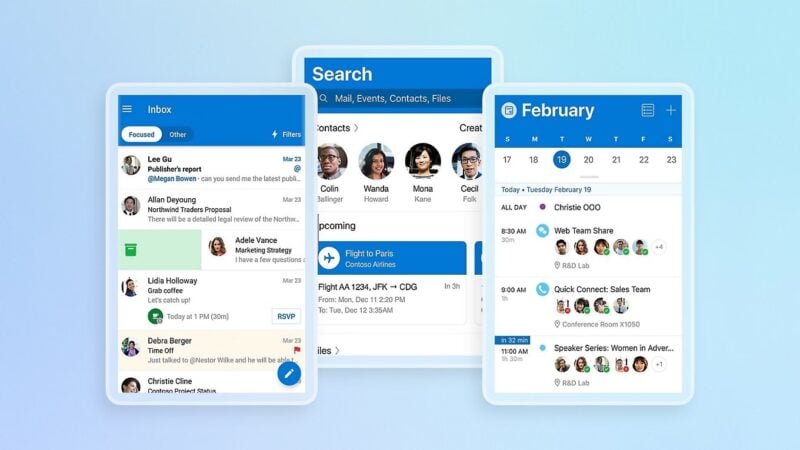
Microsoft Outlook is down for a large number of users on Thursday, November 12, 2026, after a failure in Exchange Online, the cloud service that handles Outlook mail, calendars and contacts. Microsoft first said the problem was in the Americas but now says it can affect Microsoft 365 users in any region. That includes people checking work or personal Outlook mail on Android phones.
On Thursday afternoon, Downdetector showed well over 100,000 reports of Outlook problems. Users say they're shut out of their mailboxes in the desktop app, in web browsers and in mobile apps, often stuck on loading screens that never finish.
What Microsoft has said so far

Microsoft has been posting updates through its Microsoft 365 Status account on X. The company first said it was looking into reports of people having trouble reaching Exchange Online mailboxes “through multiple connection methods in the Americas.” It's tracking the problem as incident EX1550543 in the Microsoft 365 admin center.
A later post said the problem could affect Microsoft 365 connections for users anywhere in the world. Microsoft then said part of its infrastructure was under heavy load in several regions and that this was probably behind the connection errors. Here's how its updates have played out so far:
- Microsoft began moving connection traffic onto other parts of its global infrastructure to spread out the load.
- It stopped all deployments and configuration changes while it checks whether a recent change caused the outage.
- It found that the extra load wasn't coming from more traffic. A large number of servers had gone offline unexpectedly, pushing their work onto the servers that were still running.
- In its latest update, Microsoft says it's testing a configuration change to fix a problem that makes servers fail automated health checks and drop out of service. At the same time, it's restarting all affected servers and watching them as they come back online.
“We determined the elevated load isn't driven by an increase in traffic, but by a number of servers being unexpectedly unavailable; straining the remaining infrastructure,” Microsoft's status account wrote. A second incident, MO1550821, also covers the problem. Microsoft says admins who can't open the admin center can check status.cloud.microsoft instead.
It's not just Outlook

Other Microsoft services are affected too. Microsoft's service health page has shown problems with Microsoft Teams, SharePoint Online, Copilot 365 and Microsoft Defender XDR, along with Exchange Online. Because so many people are trying to load the status page, it has itself been slow or unavailable at times.
Exchange Online is hit hardest. However, any Microsoft 365 app that depends on the same connections may run slowly or show errors until the servers are back. For businesses, that can mean email, chat, shared documents and security tools all failing at the same time.
What it means if you use Outlook on Android

Microsoft says the problem is on its servers, so there's nothing wrong with your phone or the Outlook app. Reinstalling Outlook, clearing its data or signing out and back in won't fix it, and signing out could leave you having to set up your account again once service returns.
Microsoft says Exchange Online mailboxes are failing across multiple connection methods. That means the problem isn't limited to Microsoft's own apps. Other Android email apps that sync with an Exchange or Microsoft 365 account may also fail to fetch new mail or send messages until the servers are working again.
Some people have found that mail already on their device can still be opened and searched even though new messages aren't coming in or going out. If something is urgent, a phone call or another email account is the safer choice for now.
What happens next

As of Thursday afternoon, November 12, Microsoft hasn't said when it expects a full fix. It's restarting servers and testing a configuration change, so service may come back gradually by region and by app rather than everywhere at once. Microsoft also hasn't said what caused the servers to go offline.
The Microsoft 365 Status account on X and status.cloud.microsoft are the best places to check for progress. Microsoft has also paused deployments while it reviews recent changes, so it may later confirm whether a change on its end caused the outage. We'll update this story when service is restored.