



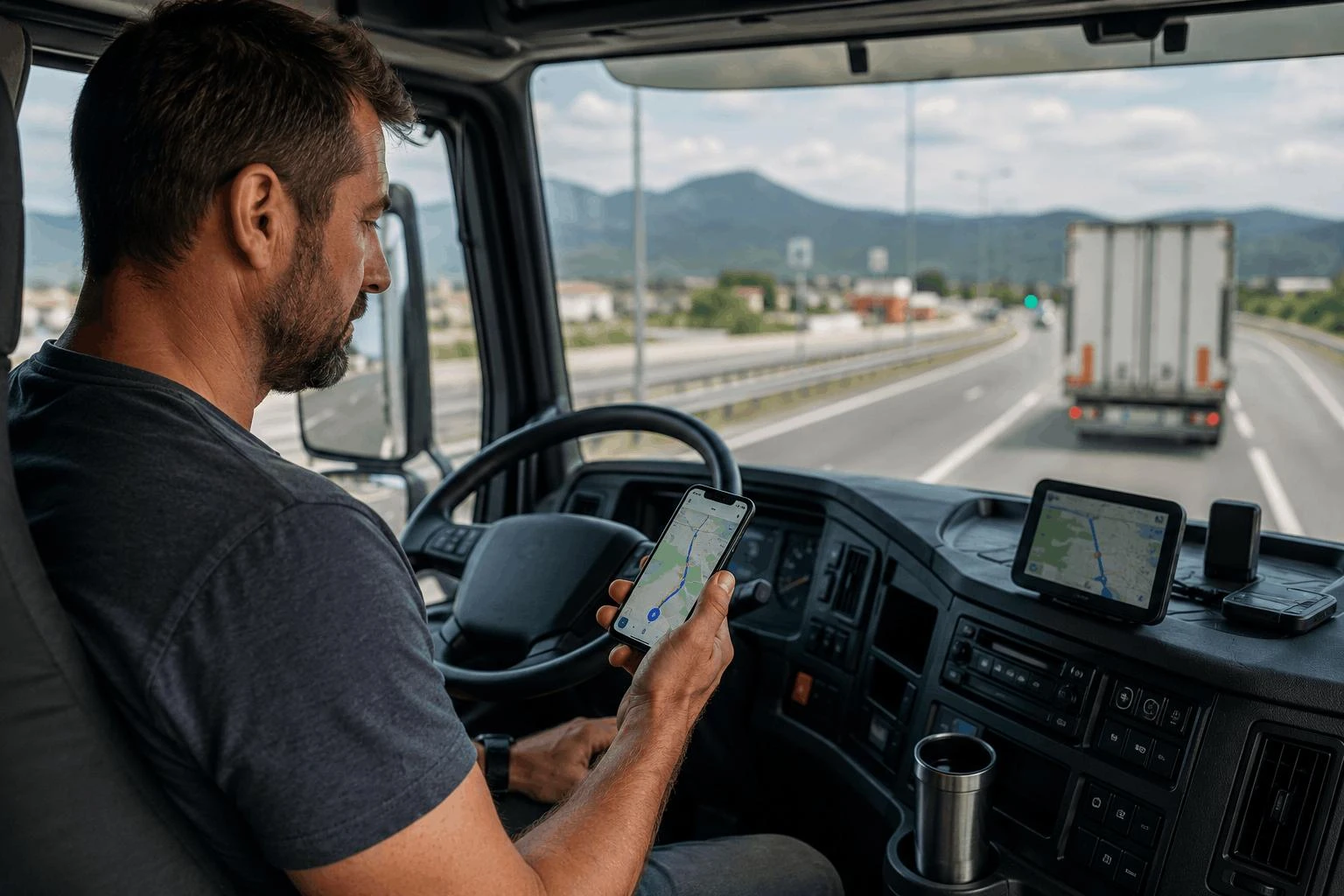
An Android phone can be used to plan your route, store key points, view information about roads, and make sure you have everything organised before you set off on a long drive. Although using Google Maps can be helpful, professional truck drivers will often require extra information.
This is where special apps can become very useful. Trucker Guide is an application specifically designed for truckers. It has been created to allow truckers to navigate easily whilst also providing information about parking, fuelling, truck stops, and road conditions. This, in conjunction with Android features, can help you plan your journey.
Why General Navigation Is Not Always Enough
Not every route will be suitable for your passenger car but may not work for a commercial truck. This could be due to low bridges, weight limits, road access conditions, and vehicle size. A generic navigation system can give you routes and approximate time of arrival, but truck drivers must consider these factors.
Trucker Guide provides commercial vehicle-based routing. This allows drivers to plan their route around commercial vehicles, especially when they are travelling into unknown areas or across multiple states.
For example, someone preparing to travel through Illinois can also consult Trucker Guide's directory of Illinois road cameras to identify listed camera locations along the journey. This adds another source of road information to consider when preparing a route.
Plan Fuel and Parking Stops Before Departure
Selecting appropriate routes is just one factor that drivers need to take into account. They also have to think about where they will refuel, park, and take required breaks. This can be complicated if there are limited places to park and you are driving through unfamiliar areas.
In the Federal Highway Administration's Status of the Nation's Highways, Bridges, and Transit report, it was noted that there are almost 313,000 truck parking spaces across the nation. However, over 98% of truck drivers surveyed regularly have issues finding safe parking spaces, and over 90% have issues finding safe parking spaces at night. Therefore, it is important to know where you may be able to stop.
Trucker Guide helps drivers search for truck stops, parking areas, fuel stations, and rest areas. Drivers traveling through Indiana, for instance, can consult the directory of live traffic cameras in Indiana as another part of their route preparation.
A practical stop-planning checklist includes:
- Identifying fuel stations along the planned route.
- Reviewing potential truck parking and rest locations.
- Considering where breaks may fit into the driving schedule.
- Checking locations near delivery points and unfamiliar highway sections.
Trucker Guide does not guarantee that a listed parking location will have an available space, but reviewing potential stops gives drivers more options to consider before they need them.
Use Offline Navigation When Mobile Coverage Is Limited
Mobile coverage can sometimes be unreliable on country roads, mountainous regions, or areas that are far away from major populated locations. However, it shouldn't stop you from getting essential information on your route.
Trucker Guide has an offline navigation feature so you can plan in areas that might have less connectivity. This is especially useful for long-distance journeys that go through remote areas or multiple states. This means that you can plan your journey.
Google Maps has an offline map feature. However, there are some features you won't be able to use, such as the live traffic feature and alternate routes. Trucker Guide has offline navigation features to give you an extra option for your vehicle-specific navigation.
Before you start your journey, ensure that the maps and information you need for your route are available offline and your phone is fully charged. This will help make your navigation more reliable whilst you lose mobile coverage.
Account for Hours-of-Service Requirements
When planning long-distance routes, you will also have to take into account Federal Driving Regulations. Under the FMCSA’s Hours of Service regulations for drivers carrying property, you are allowed to drive for a maximum of 11 hours after taking a 10-hour break.
You are also not allowed to drive past your 14th consecutive hour after starting work. Finally, after driving for 8 hours (cumulative), you must take a 30-minute break.
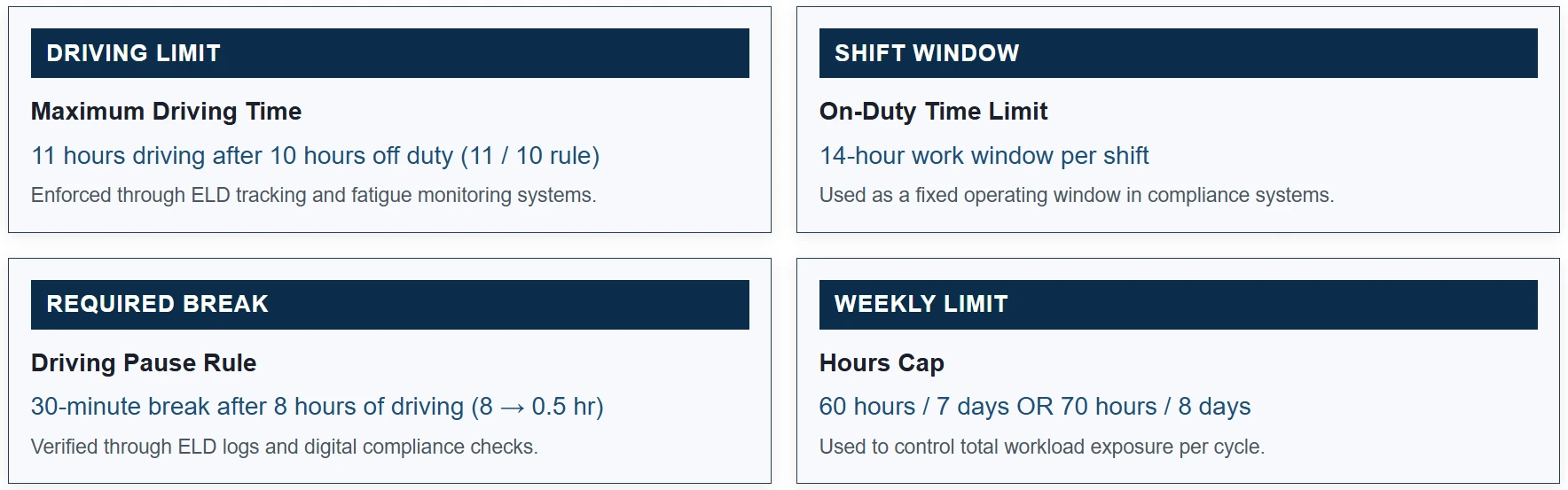
This can help to identify where drivers might be able to stop and park using the Trucker Guide. This will help to make sure that there are suitable places to park whilst still within the driving window. This tool cannot be used to track hours of service or ensure regulations are being followed, but can help with planning.
Check Road Information Across State Lines
A multistate journey can involve changing traffic conditions and unfamiliar highway sections. Trucker Guide's state-specific camera directories give drivers another way to identify available camera locations along their routes.
For drivers continuing west through Missouri, the Missouri traffic cameras live directory provides a way to look up listed locations in that state. These listings identify camera locations, but they do not guarantee that every camera provides a working live video feed. Availability and functionality can vary.
Build a More Complete Android Trip Setup
Trucker Guide can help you find the best truck routes, decide on some places to stop, and get all the information you need for the roads. Some extra steps can also help improve your phone:
- Download offline maps for the areas you are going to so you have coverage.
- Make sure that your navigation apps are up to date, and your information is accurate.
- Charge your phone – make sure you have a good method of charging your phone in your vehicle.
- Set up your voice navigation and any hands-free devices you have that are compatible.
Google Maps will help give you general directions, but long-distance truck journeys require more planning. Trucker Guide will help by providing a dedicated truck route finder and search tool. The app has been designed for professional drivers using Android devices.
This will help you plan your journey with all the features Android provides for navigation and phones.