Android Auto: Your Smartphone on the Road
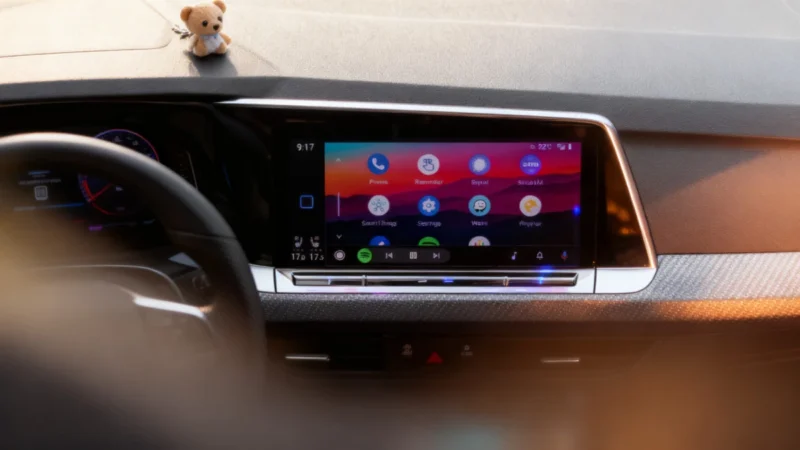
For most drivers, Android Auto is the familiar face. It’s Google’s response to Apple CarPlay. The system runs off your Android phone: plug it in with a USB cable, or connect wirelessly if your phone and car support it. Your car’s display then shows a simplified, driving-friendly interface with navigation, music, messaging, and other supported apps. You get access to tools like Google Maps and Spotify without needing to touch your device while driving.
But Android Auto doesn’t replace your car’s built-in operating system. Instead, it projects a specialized version of your phone’s interface onto the car’s screen, allowing you to use apps safely while keeping your hands on the wheel and eyes on the road. The underlying software your car came with still handles other functions in the background.
One major advantage of Android Auto is that you can bring your experience to any compatible vehicle. Hop into a rental, a friend’s car, or anything with a supported infotainment system, plug in, and your apps, accounts, and preferences are there. The car itself could be running Android, something else, or a custom system entirely—it doesn’t matter.
This phone-dependent setup is mirrored by Apple CarPlay as well. Even with CarPlay Ultra, which expanded integration with car controls and displays, an iPhone is still required for operation.
Android Automotive OS: The Embedded Car Software
Android Automotive OS (AAOS) works differently. It’s built directly into the car’s hardware, so there’s no need for a smartphone to drive its features. This means the software can be deeply integrated—not just handling your music or navigation, but running the infotainment system, digital instrument clusters, climate control, electric vehicle info, and other core vehicle functions that projection systems like Android Auto can’t reach.
Things get more complex with the introduction of Google built-in, a separate suite of apps and services such as Google Maps, Google Play, and Google Assistant. While Android Automotive OS itself is open source (so automakers can use it and adapt it as they wish), the Google built-in package is a separate, licensed add-on. Automakers can opt to include these official Google apps, but aren’t required to—they can build their own systems using AAOS as a foundation instead.
Who Uses What?
This distinction matters, especially when shopping for a new car. Some brands, like Rivian, build their own software on top of Android Automotive OS but don’t offer Android Auto or Apple CarPlay, opting instead for an in-house experience with no phone mirroring at all. Others, like Polestar, show just how flexible the system can be—their vehicles with Google built-in support both Android Auto and Apple CarPlay, so drivers don’t have to pick sides. The Polestar 2, which launched in 2020, became the first production car featuring Android Automotive OS.
The Takeaway
Android Auto delivers your phone’s apps onto your car’s screen for a seamless, personalized experience—so long as the car’s infotainment system supports it and you have your phone. Android Automotive OS, by contrast, is the standalone software running natively inside some newer cars. It’s capable of managing entertainment, climate, EV data and more, without needing a phone connected.
Whether you prefer to bring your digital life along for the ride or want your car’s core software to be smart and adaptable, automakers are offering more choices than ever. If only picking between them were as simple as asking Google Assistant…