
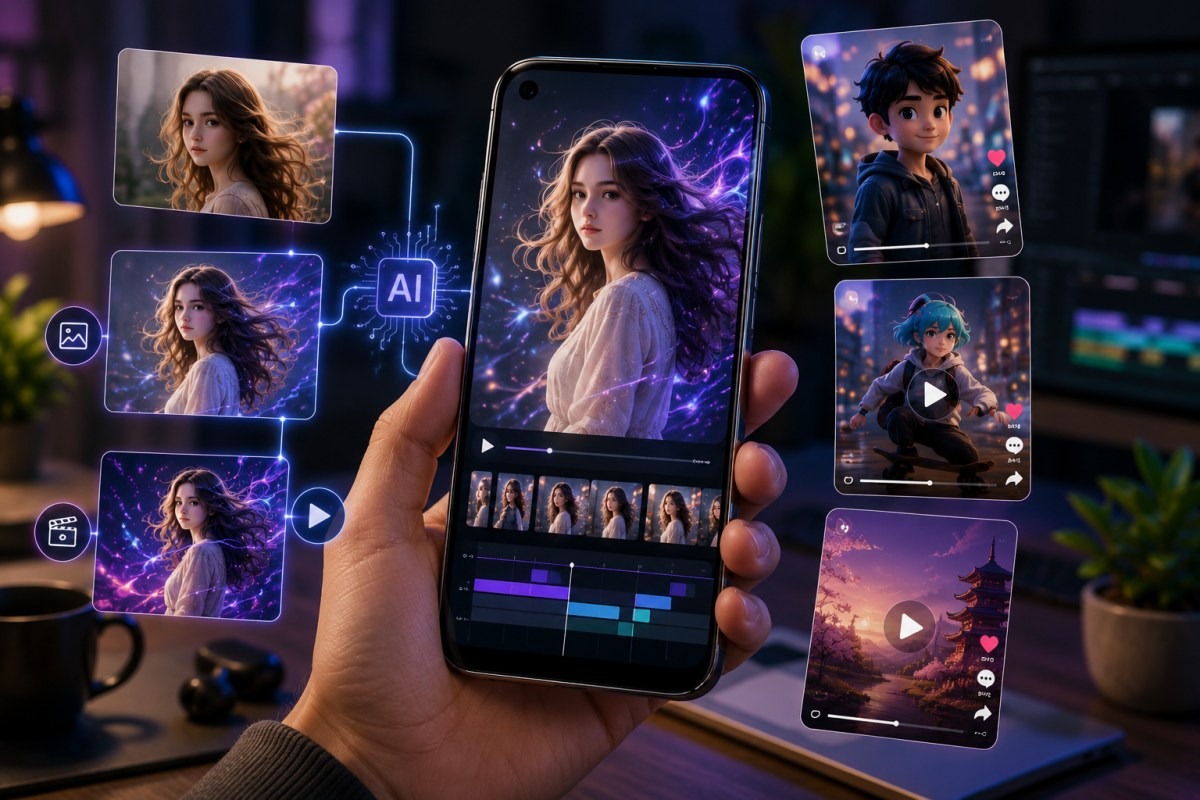
Mobile creators do not work like desktop editors. A lot of short-form content now starts on a phone, gets edited between messages, and goes live before the trend has cooled down. That shift has made lightweight creative tools more valuable than ever, especially for Android users who want more than cropping, filters, captions, and basic transitions.
The missing piece is often motion. A still portrait, product shot, gaming avatar, or character illustration may look good, but it does not always hold attention in a fast TikTok, Reels, or Shorts feed. That is where AI-assisted animation becomes useful. GoEnhance gives creators a practical way to turn static visuals into moving content, and its image animation feature is one of the more relevant tools for mobile-first workflows.
GoEnhance also provides a capable AI video generator for creators who need polished clips without a heavy editing setup.
Mobile Creators Need More Than Basic Editing Apps
Most Android editing apps are good at polishing content that already exists. They help trim a clip, adjust color, add subtitles, or place music behind a video. That works well for creators who already have footage. It becomes less helpful when the starting point is just one image.
A mobile creator might have a profile photo, a product image, a digital character, or a poster design. Turning that into a short animated clip usually requires motion design software, keyframes, or a desktop workflow. For casual creators and small teams, that is often too much friction.
The value of GoEnhance AI is not that it replaces every editing app. It sits in a different part of the workflow. It helps create movement before the final edit happens, which can make one image feel more like a short video asset.
What GoEnhance AI Offers for Image-Based Videos
GoEnhance AI is built around AI video and image creation. For mobile users, the important point is simple: it runs online and does not require a traditional editing suite. A creator can upload an image, choose a direction, and generate a moving result that can be reused in social posts, video intros, thumbnails, or short clips.
This is especially useful for creators who work with repeated visual identities. A gaming account may use the same avatar in different posts. A small business may have product photos but no video footage. An anime creator may want to bring character art into motion without redrawing frames.
The tool performs best when the source image has a clear subject. Faces, characters, product shots, and clean illustrations tend to give the AI a stronger visual structure to work with. Busy backgrounds can still work, but they usually need a little more testing.
Testing the Workflow on a Mobile Browser
A good mobile creative tool should not feel like a desktop product squeezed into a small screen. In a practical workflow, GoEnhance AI feels closer to a browser-based creator tool than a traditional video editor. The process is direct: upload the image, select the generation option, wait for the output, and review the result.
The useful part is how little setup is required. There is no timeline to manage, no layers to organize, and no need to understand motion keyframes. For Android users who create content on the move, that matters.
The results are not always identical across different source images. A clean portrait may create smoother motion than a crowded group image. A well-lit product photo may hold its shape better than a low-resolution screenshot. That is not unusual for AI video tools, but it is worth knowing before using it for brand work or client deliverables.
Where Video-to-Animation Fits Into the Workflow
Image animation is useful when the creator starts with one still image. A different problem appears when the creator already has video footage but wants it to look more stylized. That is where a video to animation converter becomes a better fit.
The difference is practical. If you have a selfie, product demo, travel clip, or short dance video, the goal is not to create motion from nothing. The goal is to transform existing motion into a new style. That can be useful for cartoon-style edits, anime-inspired clips, social media experiments, or branded short-form content.
For mobile creators, this creates a flexible two-part workflow. A still image can become a moving asset. A normal video can become an animated version. Both outputs can be brought into another editing app for captions, music, cuts, and platform-specific formatting.
Quality, Speed, and Practical Results
The strongest use case for GoEnhance AI is fast creative testing. It gives creators a way to see whether an idea has visual potential before spending time on a full edit. That is valuable because short-form platforms reward volume and experimentation.
| Test Area | What Matters for Mobile Creators | Practical Notes |
| Motion quality | Movement should feel natural enough for short clips | Clear subjects usually work best |
| Style consistency | The original image should remain recognizable | Useful for avatars and branded visuals |
| Ease of use | The workflow should not require editing experience | Browser-based generation keeps it simple |
| Output value | The result should be usable in social feeds | Best for Shorts, Reels, TikTok, and intros |
The tool is not meant to replace careful post-production. If a creator needs frame-level control, custom transitions, or advanced compositing, a dedicated editor still has a role. GoEnhance AI is stronger as a fast generation layer before final editing.
Who Should Try It?
Android creators who publish regularly will probably get the most value from GoEnhance AI. It suits creators who already have images but need motion. It also works for people building character-based accounts, small brands testing product visuals, and social media managers who need fresh creative assets without booking a video shoot.
The tool also makes sense for people who do not enjoy editing software. Some creators are good at ideas, captions, storytelling, or community building, but not technical video production. A browser-based AI workflow lowers that barrier.
What Could Be Better?
More advanced control would make the platform stronger. Some users may want finer direction over camera movement, facial motion, or background behavior. Complex source videos can also require more than one attempt, especially when several subjects move at once.
That said, this is common in AI video generation. The best results still come from choosing the right source material and reviewing outputs with a human eye.
Verdict: Is GoEnhance AI Useful for Android Creators?
GoEnhance AI is useful for Android creators who need fast, lightweight animation workflows. It is not a full editing suite, and it does not need to be. Its value sits in helping creators turn still images and regular videos into more dynamic assets without opening complex software.
For social media creators, small brands, and mobile-first editors, it is a practical tool worth testing.