



In today’s digital landscape, adding text to your visual content is no longer optional – it is considered necessary. Auto captions ensure your message is always heard loud and clear. Thanks to advanced artificial intelligence-enabled video editing software that features reliable auto caption generators, the job is easier than ever today. This comprehensive guide takes you through 10 best tools on the market that seamlessly generate automatic subtitles for your next viral hit.
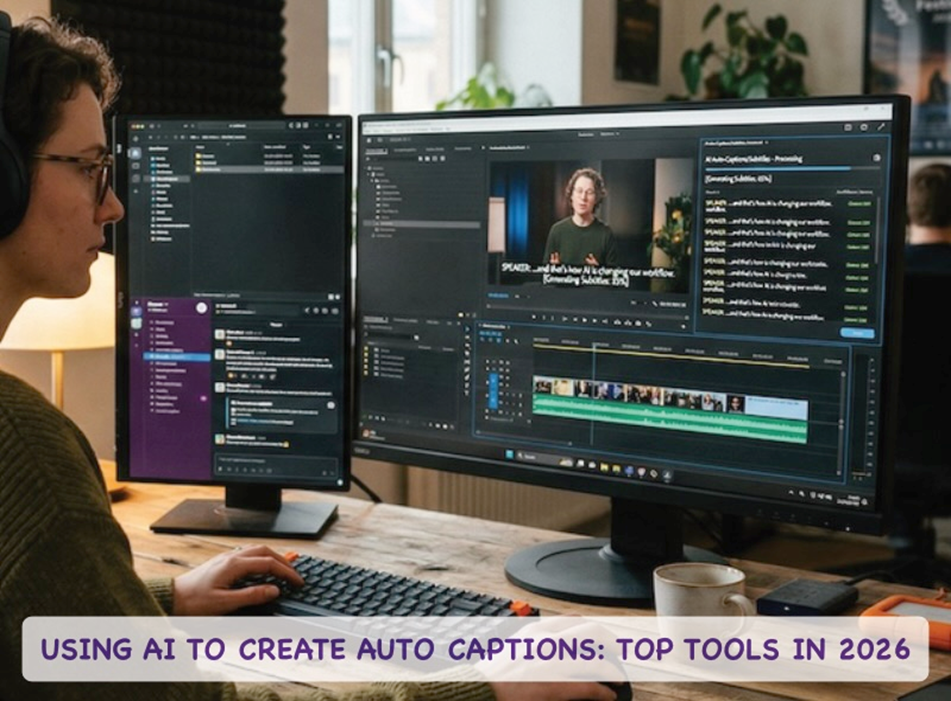
Part 1. The Power of AI Subtitling: Why You Need It
It is important to understand why every creator needs an AI subtitle generator in their workflow today.
· First reason is accessibility: Automatic captions ensure your content is inclusive for viewers who are deaf or hard of hearing.
· Second, user behavior has shifted: Today, over 80% of videos on platforms like Instagram and TikTok are watched without sound. If you don't generate subtitles for a video, you are instantly losing a massive chunk of your audience.
· SEO Boost: Furthermore, using an auto captions generator to boost your SEO. Search engines cannot “watch” videos, but they can crawl the text in your subtitles, helping your content rank higher.
Part 2. In-Depth Review of the Top 10 Subtitling Tools
Below are top 10 leading options to help you choose the right auto caption AI software.
1. Wondershare Filmora (Our #1 Pick)
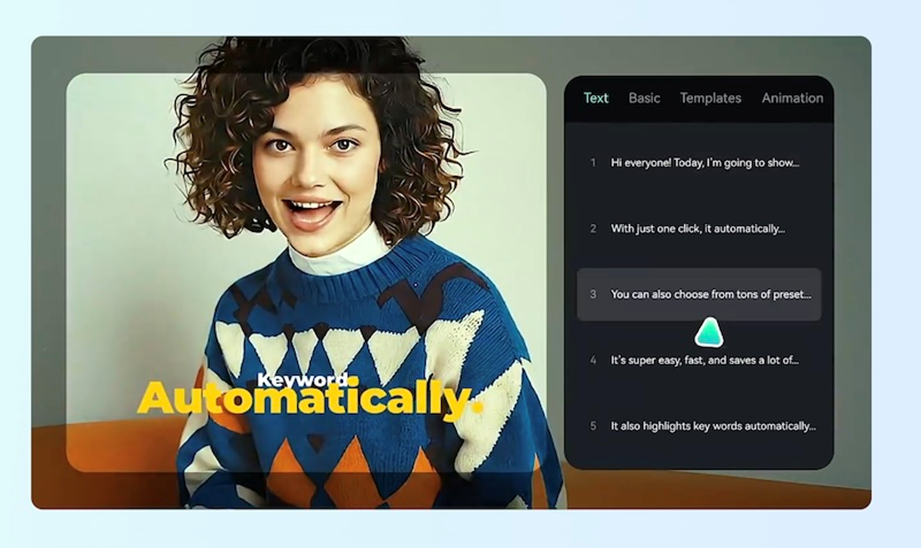
Taking the crown as the ultimate all-in-one AI video editing and auto subtitling solution is Wondershare Filmora. This comprehensive video editor goes far beyond basic cutting and trimming. It features:
· A highly accurate speech-to-text engine that allows you to generate subtitles from video with just a single click.
· The tool supports multiple languages, making it a fantastic automatic subtitle translator.
· The dynamic styling options let you customize text to match your brand perfectly. It is the perfect blend of professional editing power and intuitive AI generation.
Pros
– Superfast rendering.
– Highly intuitive interface.
– Robust all-in-one AI editing.
Cons
– Watermarked output in free version.
2. Veed.io
Veed.io is a popular web-based subtitle auto generator. It is highly praised for its user-friendly interface and quick processing speeds. If you need to quickly generate automatic subtitles for social media, Veed offers excellent templates. However, the free tier does leave a watermark on your exports.
Pros
– Browser-based.
– Excellent templates and tools.
Cons
– Browser-based, can struggle with speed and files.
– Limited free tier.
3. CapCut
If you are editing on your phone, CapCut serves as an exceptional auto caption generator for video free of charge (for basic features). It creates dynamic, engaging text that is perfect for TikTok and Reels. It is widely considered the best mobile subtitle maker free of complex learning curves.
Pros
– Excellent free version.
– Exceptional mobile-first experience.
Cons
– Might not be available in all geographies.
– Great for small edits, not so good with feature-length videos.
4. Descript
Descript takes a unique approach by letting you edit video by editing text. Its ai video caption generator is top-tier for podcast creators and long-form conversational videos. The transcription is highly accurate, though the interface takes some getting used to if you are accustomed to traditional timelines.
Pros
– Cloud-based.
– Easy, text-based video editing.
Cons
– Cloud-based; can struggle with speed.
– Users may require a learning curve.
5. Adobe Premiere Pro
For industry professionals, Adobe Premiere Pro offers a robust built-in speech-to-text feature. It is a powerful automatic caption generator that integrates perfectly with other Adobe tools. While not a free auto caption generator, its precision and customization are unmatched for high-end productions.
Pros
– Industry-leading software.
– Integration with Adobe ecosystem.
Cons
– Steep learning curve.
– Steep, recurring subscription costs.
6. Kapwing
Kapwing is an excellent browser-based auto subtitle creator. It is a strong ai subtitle generator free option for casual creators looking to quickly generate subtitles automatically. It also offers collaborative features, making it great for remote teams.
Pros
– Collaboration options.
– Web-based app allows quick auto-subtitling.
Cons
– Slow exports.
– Limited free plan.
7. Zubtitle
Designed specifically for social media creators, Zubtitle is a specialized auto subtitle generator. It automatically resizes your video and adds top-border progress bars along with your auto subtitles. It is ideal for optimizing clips for Instagram and LinkedIn.
Pros
– Highly specialized for social media edits.
Cons
– Lacks professional options.
– Extremely limited free plan.
8. Happy Scribe
Happy Scribe is an online, dedicated transcription and subtitling service. While it isn't a full video editor, it is one of the most accurate tools to generating subtitles from video. It blends AI with human review options for 99% accuracy.
Pros
– Support for over 120 languages.
– Dedicated workspace for manual refining.
Cons
– Average AI accuracy.
– Expensive human-review tier.
9. Rev
Similar to Happy Scribe, Rev is an industry standard for transcription. Their AI subtitle generator ai is incredibly fast and reliable. It is best suited for creators who need raw subtitle files (like SRTs) to upload directly to platforms.
Pros
– Industry-leading transcription accuracy with human-assisted services.
– Perfectly formatted subtitle files for any platform.
Cons
– Pay-per-minute pricing becomes expensive for long-form content.
– Pure subtitle generation service, no video editing.
10. YouTube Studio
For YouTubers on a budget, the built-in YouTube automatic captions are a lifesaver. When you upload a video, YouTube uses its own AI to create captions. While you will often need to manually tweak them for perfect accuracy, it is a highly effective auto subtitle generator free of any external software downloads.
Pros
– 100% free.
– Integrated within YouTube workflow.
– Powered by Google, continuously improved.
Cons
– Accuracy dips with accents, audio with background noise, etc.
– Non-existent styling and customization.
Part 3. Quick Feature Comparison Checklist
Here is a quick feature comparison of our top 5 contenders from above:
| TOOL | BEST FEATURE | FREE VERSION | ACCURACY |
| Filmora | All-in-one editing | Yes, watermarked | Very High |
| Veed.io | Social media templates | Yes, watermarked | Good |
| CapCut | Mobile-friendly | Yes | Good |
| Descript | Text-based video editing | Yes, but limited | High |
| Premiere Pro | Professional, production-grade software | No free version but free trial available | Industry-standard |
Part 4. Deep Dive: Why Filmora Takes the Top Spot
While there are many great tools available, Filmora stands out as the definitive “Editor's Choice.”
· Seamless, integrated workflow.
· Highly accurate built-in auto caption generator.
· Stylize text intuitively.
· Change fonts, choose from presets, adjust colors – all very easily to make your captions pop.
· Add transitions, even color-grading for professional-quality results.
Part 5. Frequently Asked Questions (FAQs)
FAQ 1: What is the best free auto caption generator?
A: There’s no ‘best’ – it is always about the best for us. Some find CapCut suits them, some like Veed.io, some swear by Kapwing and some others adore Filmora. Some daring souls require and need Adobe software!
FAQ 2: Can I generate subtitles from video automatically without internet?
A: Most advanced AI subtitle generators require an internet connection to work. However, some high-end professional software like Adobe Premiere Pro feature offline processing.
FAQ 3: Are YouTube automatic captions accurate?
A: YouTube's AI has improved significantly, but its accuracy depends heavily on audio quality and speaker clarity. Always review the output!
Conclusion
Adding text to videos is no longer tedious, whether you want to do that on a mobile app or a desktop, thanks to modern AI-powered automatic subtitle generator tools. For the best balance of powerful editing and AI-driven precision, our top recommendation remains Wondershare Filmora. Download today, save time and boost your productivity the right way!