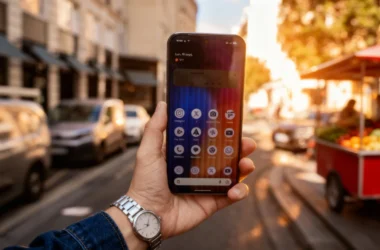



Video editing has become more accessible than ever, with powerful tools available both on mobile devices and desktop computers. Whether you’re a casual creator or a budding filmmaker, understanding when to edit videos on your phone versus your PC can help you optimize your workflow, save time, and achieve professional-looking results.
Mobile Video Editing: Free, Easy, and Fast
Editing videos on your Android device is ideal when you need speed, portability, and convenience. Many free editing apps make it possible to trim clips, add music, and apply basic effects directly from your phone. Popular options include CapCut, InShot, and KineMaster, all of which provide an intuitive, touch-friendly interface perfect for quick edits on the go.
Mobile video editing is cheap and accessible, but it comes with limitations. Screens are smaller, processing power is limited, and advanced effects like multi-track editing or complex transitions may be harder to achieve. Still, for social media content or short personal projects, mobile editing is often sufficient.
Desktop Video Editing: Power, Precision, and Flexibility
For more complex projects, desktop video editing software is usually the better choice. Programs like DaVinci Resolve, Movavi Video Editor, and Adobe Premiere Pro give you full control over multi-track editing, effects, and color correction. Desktop editing is ideal for longer videos, multi-camera projects, or anything that needs a precise touch.
At the same time, if you just need a fast and free way to make simple edits, there are several handy options. On Mac, iMovie is built-in and lets you trim, crop, add music, and apply effects quickly. Windows users can try Clipchamp, which offers basic trimming, resizing, and filters in an easy-to-use interface. For very simple tasks like cropping or trimming a clip, VLC works surprisingly well—you can check how to crop video in VLC to complete the edit quickly without needing heavy software.
A Simple Checklist to Choose Between Mobile and Desktop Video Editing
The decision between mobile and desktop editing depends on your priorities. Use this quick checklist to decide whether it’s better to edit videos on your phone or on your computer:
- You need speed and convenience → Mobile video editing
- You’re working with short clips or social media content → Mobile video editing
- You want a free, easy, and fast solution → Mobile apps or basic desktop tools
- You’re editing longer videos or multiple clips → Desktop video editing
- You need precise cuts, audio control, or color adjustments → Desktop video editing software
- You want a cleaner, more polished result → Desktop video editing
- You’re on a tight budget → Free mobile apps or free desktop options
- You edit videos regularly or for work → Desktop setup
- You want to build a consistent video editing workflow → Desktop video editing
Many creators find that combining both approaches works best: capture and rough-edit on mobile, then finish on desktop for polish. This hybrid workflow allows for fast content creation while leveraging the power of desktop video editing.
Final Thoughts
Whether you choose Android or desktop video editing, the key is to match your tools to your workflow. Mobile editing apps are perfect for fast, on-the-go projects, while desktop software offers precision and professional-grade features. By understanding your priorities—speed, complexity, budget—you can decide the best environment to edit videos efficiently and creatively.