




Tired of complicated photo editing software that costs a fortune and takes weeks to learn? You're not alone. Creating stunning images used to require expensive tools and deep technical knowledge. Thankfully, that's no longer the case. In 2026, AI-powered tools will have made it incredibly simple for anyone to edit photos like a professional, right from their web browser.
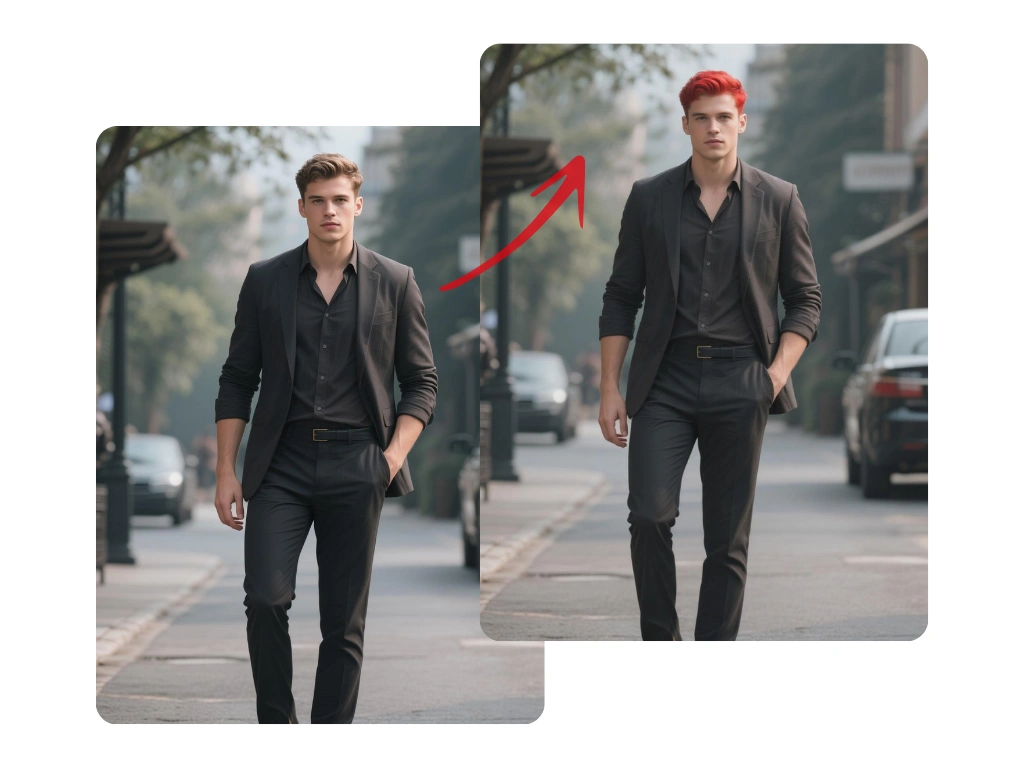
This guide will show you how to get amazing results without spending a dime. We'll walk through the features, benefits, and simple steps to transform your pictures using a powerful and intuitive Free AI image editor online. Forget about frustrating learning curves and hello to beautiful, eye-catching images in just a few clicks.
The Best Free AI Photo Editor for Instant Results
When it comes to a balance of power, ease of use, and cost, one tool stands out. PhotoEditorAI.io offers a complete suite of AI-driven features that cater to both beginners and experienced creators. It's built to handle the most common editing tasks automatically, saving you time and effort while delivering polished, high-quality images. The platform runs entirely in your browser, so there's nothing to download or install.
One of the most exciting aspects of modern AI editing is the ability to apply complex artistic styles instantly. Have you ever wanted to see your photos reimagined in a beautiful, animated movie aesthetic? The platform makes this easy with its specialized tools. You can transform any picture with the Free AI Ghibli style photo editor online, turning a simple landscape or portrait into a piece of whimsical art. It’s a fun, creative feature that shows just how powerful these online editors have become.
Why Choose an Online AI Editor in 2026?
The shift towards browser-based AI tools is about more than just convenience. It represents a fundamental change in how we approach creative work. Here’s why these editors are the go-to choice for so many people.
1. Zero Cost and Maximum Accessibility
The most obvious benefit is that they're free. You get access to sophisticated editing technology without any subscription fees or upfront costs. Since the tools are online, you can use them from any computer with an internet connection, whether it's a desktop at home or a laptop on the go. This accessibility opens up high-level photo editing to students, small business owners, social media managers, and hobbyists.
2. No Technical Skills Required
Traditional software like Photoshop is powerful, but it comes with a steep learning curve. You have to understand layers, masks, selection tools, and countless other complex features. AI editors eliminate this barrier. The AI analyzes your image and handles the complicated work for you. Tasks that once took a dozen steps can now be done with a single click. You just tell the AI what you want, and it does the rest.
3. Speed and Efficiency
Time is valuable. Manually removing a background or erasing an unwanted person from a photo could take a skilled editor 15-30 minutes. An AI tool can do it in about five seconds. This incredible speed allows you to focus on the creative side of your project instead of getting bogged down in repetitive, technical tasks. For businesses or content creators who produce a high volume of images, this efficiency is a huge advantage.
4. Consistent, Professional Results
AI algorithms are trained on millions of images, allowing them to understand context and produce clean, reliable results. Whether you're enhancing colors, sharpening details, or removing objects, the AI works with precision. This leads to a level of quality and consistency that can be difficult to achieve manually, especially for those who aren't professional photo editors.
A Step-by-Step Guide to Using a Free AI Editor
Getting started is incredibly straightforward. Here’s a simple walkthrough of how to take a photo from ordinary to extraordinary using an online AI editor.
Step 1: Upload Your Image
First, navigate to the website. You'll immediately see an option to upload your photo. You can either drag and drop a file directly onto the page or click the “Upload” button to browse the files on your computer. The platform supports common image formats like JPG, PNG, and WEBP. The upload process is quick, and your image will appear in the editor's workspace within seconds.
Step 2: Choose Your AI Tool
Once your image is loaded, you'll see a menu of available AI tools. This is where the magic happens. Your choice depends on your goal for the photo.
* For General Improvements: If your photo looks a bit dull or lacks clarity, start with an “AI Enhance” or “Auto-Adjust” tool. This will instantly balance the colors, brightness, and contrast to make the image pop.
* For Removing Distractions: If there's an unwanted object or person in your shot, select the “Object Removal” or “Erase” tool.
* For a Clean Background: To isolate a subject, use the “Background Remover” tool. The AI will automatically detect the main subject and erase everything behind it, giving you a transparent background.
* For Creative Transformations: To apply an artistic look, explore the “AI Style” or “Effects” options, such as the Ghibli style or a cartoon effect.
Step 3: Apply the AI Effect
This step is usually the simplest. After selecting your tool, you might need to perform a small action.
* For Object Removal: Simply use your cursor to “paint” over the object you want to disappear. Once you release the mouse button, the AI will analyze the surrounding area and fill in the space seamlessly.
* For Enhancement or Styles: Often, you just need to click the tool's button. The AI processes the image and shows you the result in a few moments. Many tools also offer a “before and after” slider so you can see the impact of the change.
Step 4: Fine-Tune and Download
After the AI has done its work, you can make further adjustments if needed. You might want to crop the image, add some text, or apply another effect. When you're happy with the final result, look for the “Download” or “Export” button. You can typically choose your desired file format (like JPG for photos or PNG for images with transparent backgrounds) and quality level. The edited image saves directly to your computer, ready to be used.
Common Problems Solved by AI Photo Editors
Let's look at some specific, real-world editing challenges and see how quickly a free AI editor can solve them.
Task: Removing Tourists from a Vacation Photo
The Problem: You took a beautiful picture of a landmark, but it's cluttered with other people in the background.
The AI Solution: Use the Object Removal tool. You simply highlight the people you want to remove. The AI intelligently reconstructs the background that was behind them, making it look like they were never there. What used to be a complex cloning job is now finished in seconds.
Task: Creating a Professional Product Image
The Problem: You have a photo of your product on a messy desk, but you need a clean image with a white background for your online store.
The AI Solution: Use the Background Remover tool. With one click, the AI identifies the product and perfectly cuts it out from the messy background. You can then download the image as a PNG with a transparent background and place it on a solid white or any other color you choose.
Task: Saving a Dark, Blurry Photo
The Problem: You captured a special moment, but the lighting was poor, and the photo came out dark and slightly out of focus.
The AI Solution: Use an AI Enhancement or Upscaling tool. The “Enhance” feature will automatically adjust brightness and contrast, bringing out hidden details. An “Upscale” or “Sharpen” tool can improve the image resolution and clarity, making a blurry photo much more usable.
Task: Making a Fun Social Media Profile Picture
The Problem: You want a unique profile picture that stands out, but you don't have any artistic skills.
The AI Solution: Use an AI Style Transfer tool. Upload your favorite selfie and apply a creative effect. You could turn yourself into a cartoon character, an anime hero, or a sketch. It’s an easy way to create something original and eye-catching for your social media profiles.

