




It's been three years since Elon Musk ripped Twitter from us and replaced it with X. We kept its spirit alive by retaining its former name out of rebellion and nostalgia. But Elon is determined to bury the app completely, and the final nail on the coffin has been hit.
The old twitter.com domain is being retired. The platform is no longer using anything tied to twitter.com for login, security, or authentication. The entire system is shifting fully to x.com, and the company is now forcing users to update their security settings to match the new domain. Today, November 10, marks the deadline for re-enrollment of domain-linked security methods.
Hurry and sort your Twitter 2FA settings
If you try accessing twitter.com after today and notice you can't log in to your account, it’s not a glitch. The web domain is officially being retired. X has started phasing it out completely, meaning the address we’ve all used for more than a decade is no longer the default doorway into the platform.
Before now, you could still enter it into your browser, even if it redirects you to x.com. But with the latest update, twitter.com is no longer being maintained as an active login address and won't work beyond today.
The update was announced by X’s Safety team on the platform itself, who explained that the full transition requires users with security keys or passkeys to reenroll their authentication method under x.com.
Otherwise, you'll find yourself locked out of your account until you update your two factor authentication settings. If you don’t have 2FA turned on at all, then you don’t have to do anything.
While you still can, follow these steps to perform the switch:
1. Open X on your phone or computer.
2. Tap your profile icon.
3. Go to Settings & Support > Settings and privacy > Security and account access > Security.
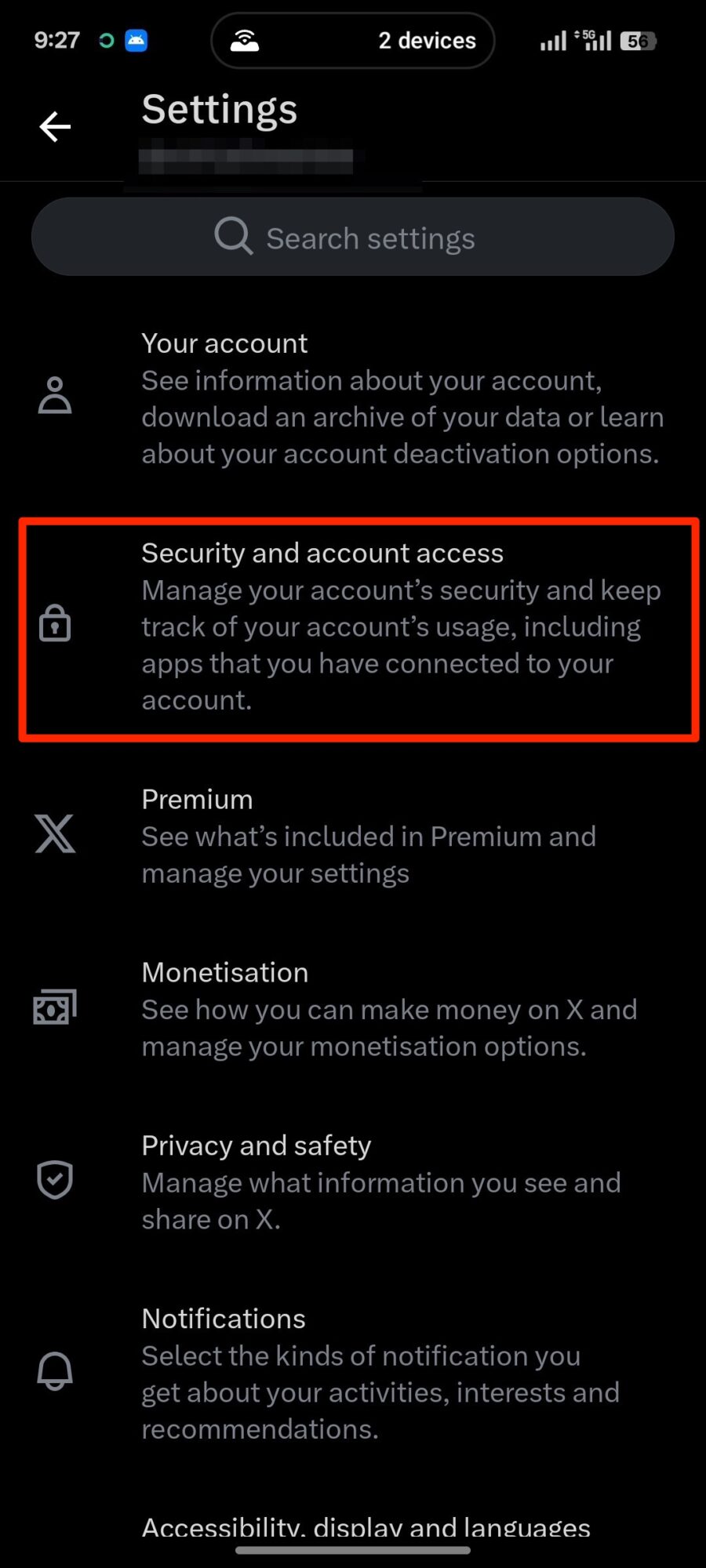
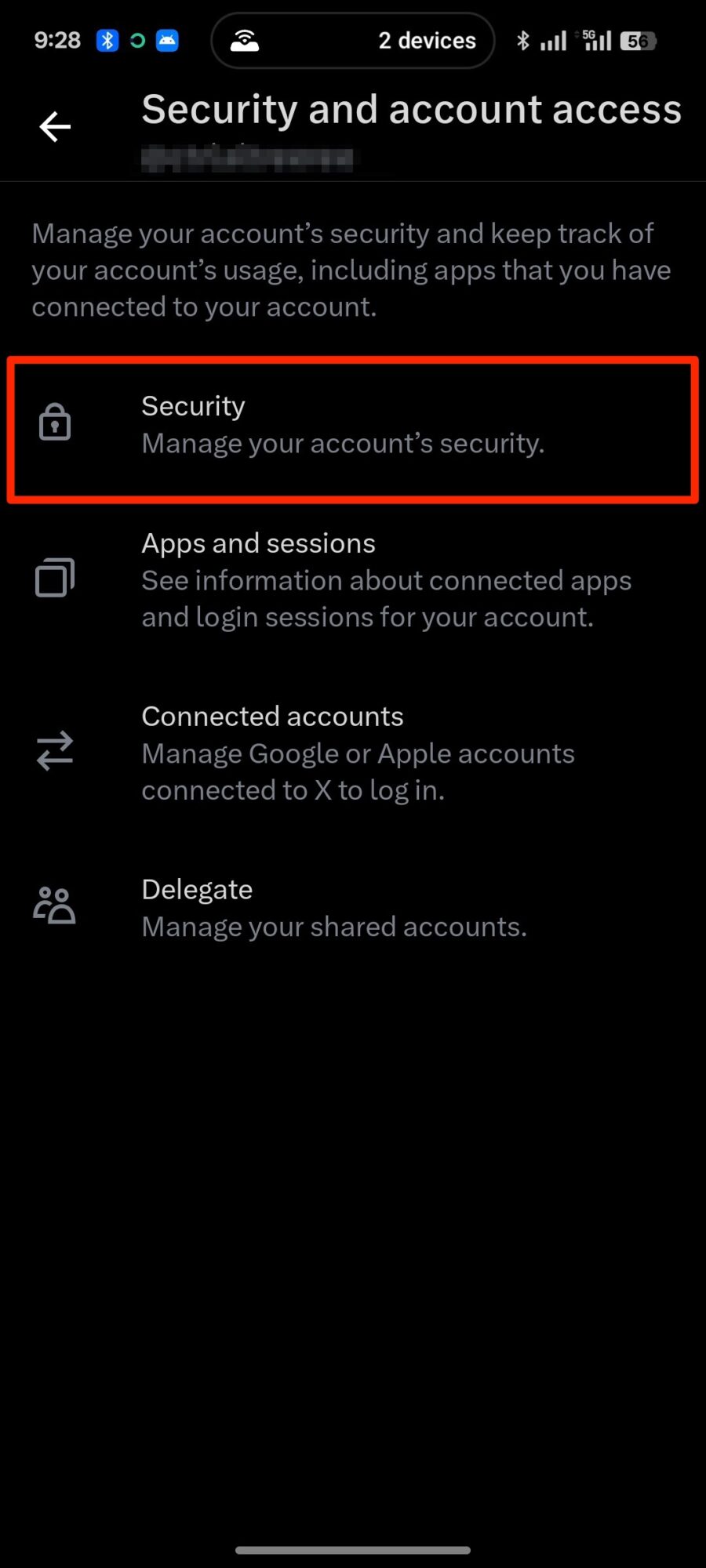
6. Select Two-factor authentication.
7. Choose Security key.
8. Tap Add or Re-enroll and follow the on-screen steps to register your key under x.com.
X isn't any better than where it left Twitter
We're probably about to see another wave of users leaving the platform the same way it happened around this time last year. Every time Elon makes a major change that makes X feel less like the Twitter they remember, a chunk of the user base gets fed up and moves somewhere else.
Last year it was the election that pushed people over the edge. As TechCrunch reported, Bluesky exploded with millions of people joining within days because they were tired of Elon’s political posts and the general direction the platform was heading.

You can’t blame anyone for leaving. X is now chaotic and full of noise. The timeline is crowded with unrelated content and no longer feels curated or personal. Worse, hate speech is on the increase.
A peer-reviewed study published in PLOS One found that racist, homophobic, and transphobic posts increased by about 50% after Elon Musk bought Twitter. The same study found that bots and fake accounts have also increased.

