



As WhatsApp users, many of us open a “View Once” photo and regret it later. These disappearing photos can feel frustrating when they expire without saving any copy. WhatsApp’s privacy system ensures such media disappears quickly, leaving no trace in your gallery. Still, some people hope there’s a way to recover or view those photos again.
Understanding how this feature truly works helps you see what recovery options may exist. A few hidden files might remain briefly before being deleted from your phone’s storage. Using a trusted Android data recovery software can sometimes detect these temporary traces. This guide clearly explains how “View Once” media works and the real recovery possibilities available.
Part 1. How WhatsApp's ‘View Once' Feature Actually Works
View Once is a feature designed to keep shared content private and temporary. When sending a photo, video, or voice message, you must select “View Once” each time. After the recipient opens it, the file is instantly removed and cannot be viewed again. Neither you nor the recipient can open it again once it’s been seen or closed. It is not saved to their gallery, and screenshots are blocked to prevent easy duplication.
Furthermore, if unopened, the media will expire automatically after 14 days from the moment it was sent. You cannot even forward, copy, save, star, or share any file sent with this privacy option. Plus, any opened “View Once” photo or video isn’t included in your WhatsApp backup files. That’s why users look for ways to learn how to view a one-time photo in WhatsApp again safely.
Part 2. Why Do Standard Methods and Screenshots Often Fail?
Many users first try simple ways to recover a disappeared “View Once” photo. They check the gallery, WhatsApp folders, or attempt to take screenshots during viewing. However, these standard methods fail because WhatsApp’s security blocks saving the media. So, this section highlights the common recovery attempts and why they fail:
| Reason | Explanation | Effect on Recovery Attempts |
| No Gallery Storage | “View Once” photos and videos are never saved to your phone’s gallery. | Users cannot find any trace of the media in the Photos or Files apps. |
| Encrypted Cache | WhatsApp temporarily stores the file in an encrypted system cache. | Regular file managers cannot access or decrypt this protected data. |
| Screenshot Blocking | The app disables screenshots and screen recording during “View Once” playback. | Prevents users from capturing or saving the image manually. |
| Automatic Deletion | Media is deleted from memory immediately after viewing. | Leaves almost no recoverable file fragments for typical recovery tools. |
| No Forwarding Option | WhatsApp disables forwarding, copying, or saving the content. | Ensures that the “View Once” privacy purpose cannot be bypassed. |
Part 3. What Advanced Theories Have Potential Loopholes?
Some users explore deeper methods to find hidden traces of “View Once” photos. These ideas sound promising, but also come with high risk and very limited success. In this section, you will discover a few advanced ways that most individuals opt for when basic methods don’t work:

- Cache Access: Some believe the image remains in your phone’s temporary cache memory. This method rarely works because the data is encrypted and quickly deleted afterward.
- Root Exploration: Accessing root folders may reveal system-level WhatsApp storage data files. Yet, rooting your phone risks software damage and voids essential security protections immediately.
- Backup Extraction: Users sometimes check old WhatsApp backups, hoping to find unopened media. Unfortunately, opened “View Once” files are never saved inside backups for later use.
- Thumbnail Recovery: Small preview images or thumbnails may remain briefly after media is closed. These thumbnails are low-quality and disappear once the app’s cache refreshes.
- External Tools: Some third-party recovery tools promise to scan deep system directories for data. Using trusted Android data recovery software is safer and more reliable than unknown apps.
Part 4. How to Use Advanced Recovery Tools for WhatsApp Data
Since recovering “View Once” photos is difficult, you can still retrieve them by using a dedicated external tool. Among these, Dr.Fone Android Data Recovery stands out for its strong reliability and precision. It works without requiring root access and keeps your phone completely safe during recovery. The software supports over 6000 Android models, including the newest phones and tablets today.
Furthermore, you can retrieve “View Once” multimedia and audio even after they’ve been opened. Real-time preview mode helps confirm recoverable items before saving them on your phone. Besides, users can export recovered WhatsApp data in readable formats like HTML or CSV files. Moreover, Dr.Fone’s smart recovery filters help you find important data instantly with simple search options.
Key Features
- Fast Recovery: Performs quick data scans to recover expired “View Once” files instantly.
- Business Chats: Restores lost WhatsApp Business conversations and contact details efficiently.
- Compatibility: Works with all major Android versions, including Android 5.0 through Android 16.
Detailed Tutorial to Use Dr.Fone Recovery Tool to Recover WhatsApp “View Once”
Before starting recovery, it’s important to understand how Dr.Fone performs safe deep scans. Its recovery process is user-friendly and guides you without needing technical skills. Follow the instructions below to learn how to view a one-time photo in WhatsApp again:
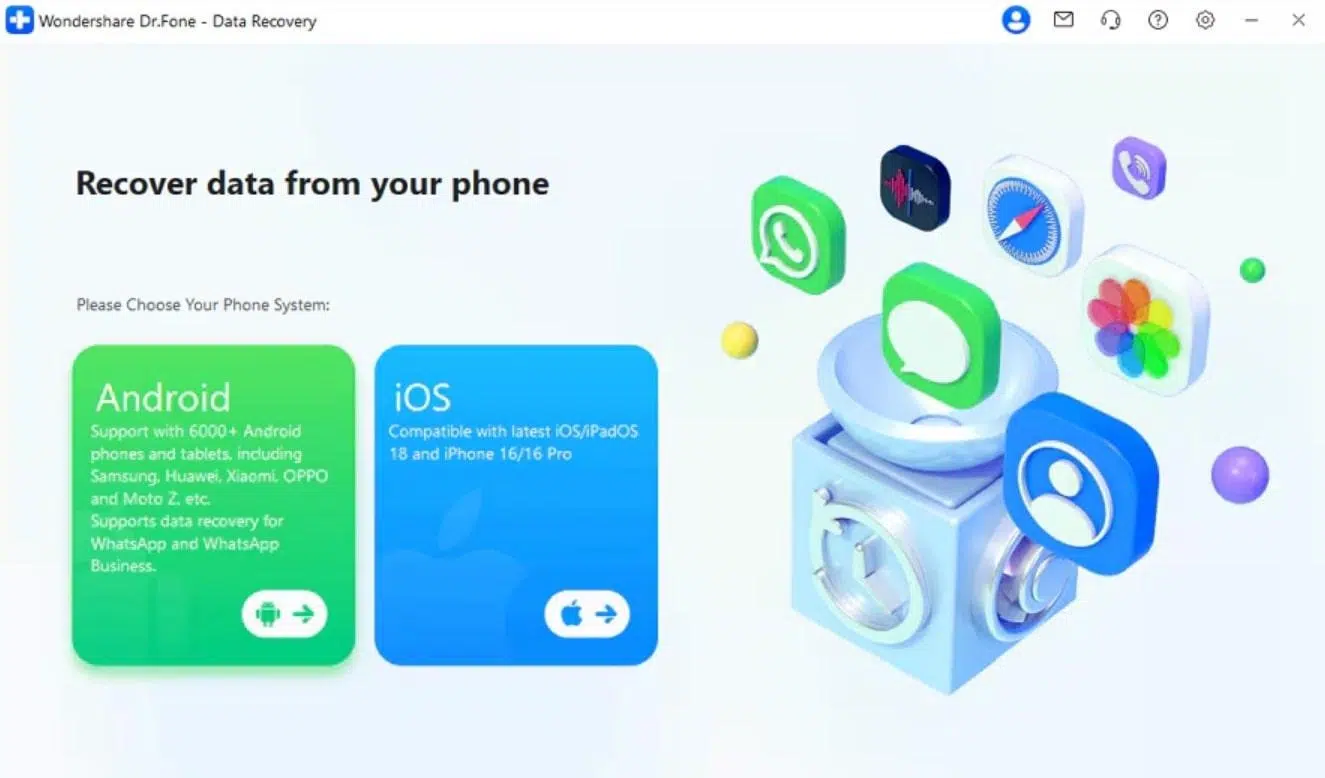
Step 1. Launch the Android Recovery Toolkit
Upon accessing the “Toolbox” section within the program, head to the “Data Recovery” feature. After that, select “Android” as your target device to continue.
Step 2. Connect WhatsApp for View Once Recovery
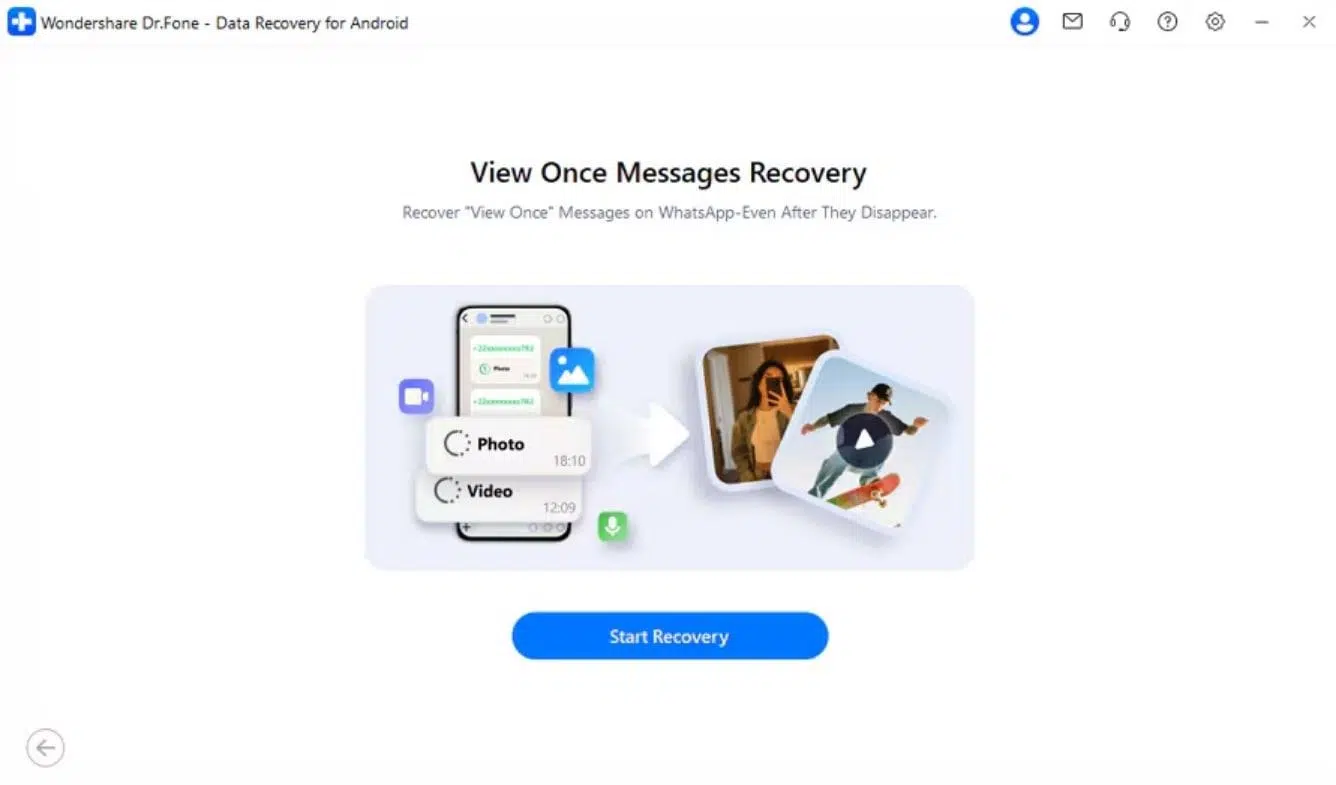
Moving ahead, pick the “Recover WhatsApp View Once Data” option and tap “Start Recovery.” Here, use your WhatsApp app to scan the on-screen QR code and establish the connection.
Step 3. Scan and Retrieve WhatsApp View Once Media
Once linked, Dr.Fone automatically scans your WhatsApp account for View Once photos or videos. When results appear, choose the files you want and click the “Export” button to save them.

Conclusion
To conclude, recovering WhatsApp “View Once” photos is never guaranteed, but smart methods can help. Even though WhatsApp removes such media quickly, some hidden traces may still exist. Using trusted Android data recovery software gives you a real chance to find them. These tools safely scan your phone and restore any recoverable “View Once” data. That’s why using Dr.Fone is highly recommended for reliable and secure media recovery.

