





If you’ve never seen an alien moon, Samsung’s latest One UI 8 Beta 4 bug makes sure that you will. Zoom past 30x on the real Moon with Intelligent Optimization maxed out, and you're in for a purple surprise. It’s a strange issue presented by the Space Zoom feature Samsung typically likes to show off.
The company’s beta team has already acknowledged the problem. But until it’s patched, the only fix is to lower Intelligent Optimization. I guess you could say this is a once-in-a-purple-moon photo opportunity.
One UI beta 4 thinks the moon is purple
One UI Beta 4 is the latest test build of Samsung’s One UI interface based on Android 16. The software lays on top of Android for Galaxy devices enrolled in their beta program.
As expected, it's where bugs occasionally pop up and provide developers time to squash them before the final release. In a surprising turn of events, one particular bug has affected the moon we all know.
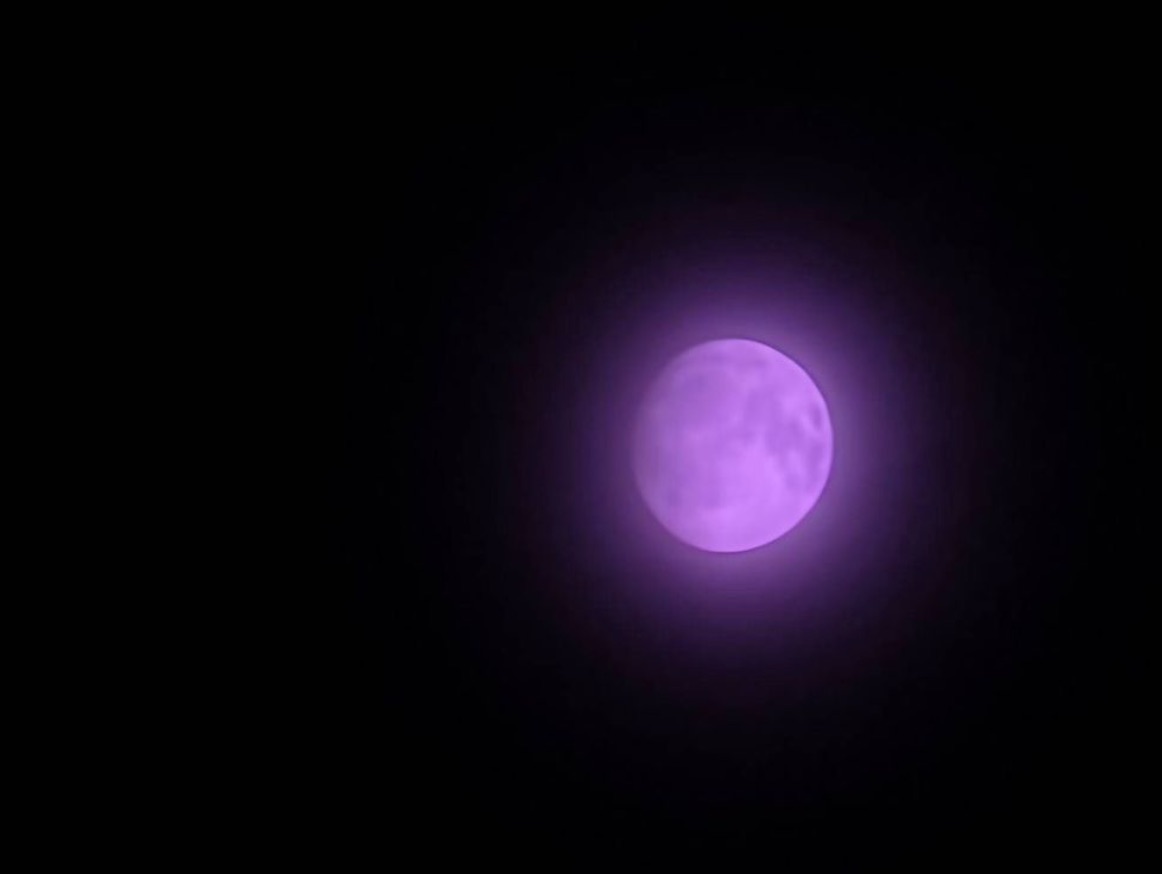
When you zoom past 30× with Intelligent Optimization set to “Maximum,” the camera preview shows the moon’s normal grey-white color. Ordinarily, the feature is supposed to adjust your photos automatically after you press the shutter.
With the help of artificial intelligence, it should tweak brightness, contrast, color balance, sharpness, and noise reduction to produce a better result. But it seems like it got a little overenthusiastic and had other ideas. The moment you take a shot of the moon and save it, the software’s post-processing changes it to a vivid purple and reduces image quality.

If you took the same 100x zoom on One UI 7, it would sharpen the craters, boost the contrast so the dark maria stand out, and keep the tone a realistic grey-white instead. Or maybe if you snapped a sunset, it might deepen the orange glow while preserving the silhouettes.
Reduce Intelligent Optimization settings
Testers in the US, UK, and India have reported the purple moon bug. Because it only happens during processing and not after, switching camera modes or disabling Scene Optimizer won’t fix it.
Affected users, who shared the discovery on the Samsung Community, have confirmed the only reliable workaround for now. You'll want to lower Intelligent Optimization from Maximum to medium or minimum settings.
Samsung typically releases three to six beta updates for each major One UI version before rolling out a stable version. Testing for each generally runs for one to two months.

For what it's worth, One UI 8 Beta 5 for the Galaxy S25, S25+, and S25 Ultra is scheduled to roll out next week. The company's notice in the Members app suggests this could be the last beta before the stable release in September. However, the broader rollout for other devices may stretch into October. Hopefully, they'll slip a patch for the purple moon bug by then.
At the same time, Samsung has launched the first One UI 8 beta for the Galaxy S24 series, Galaxy Z Fold 6, and Galaxy Z Flip 6. They plan to expand testing to more devices over the coming weeks.
