Guild of Guardians is a newly released fantasy RPG. In the world known as the Elderym, a corrupt force known as the Dread has overrun it. As commander, you will be required to restore peace to the land. Assemble and lead a group of Guardians to defeat the Dread and reach this goal.
Collect resources as you work your way through challenging dungeons while having to defeat your opponents. At the beginning of each dungeon, you will receive recommendations of what requirements to meet to beat the dungeon. Select your guardian and launch into the dungeon for battle!
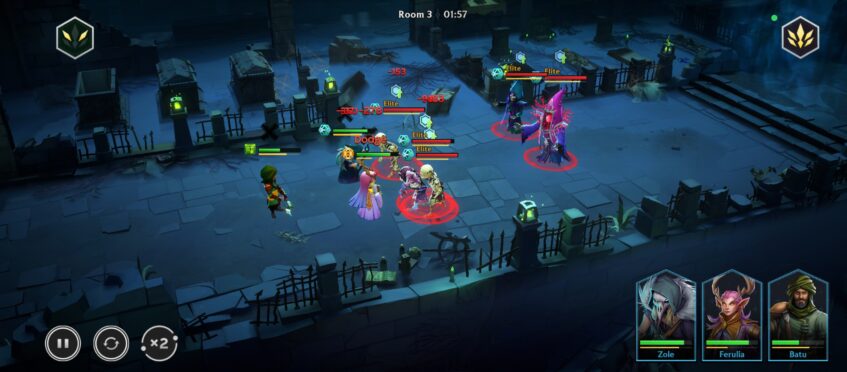
Guild of Guardians Gameplay
The Beginning
You will start the game with a short tutorial to help you understand the basics of the game. There is the option to skip this, but it can help if you are relatively new to RPG games, so I would recommend you keep this setting on!
On your main game screen, there is an Adventure icon on the lower right-hand side. Tap on it. You will enter the Elderym world map. Tap on the Requiem Ringstone area marked with two swords as can be seen in the image below:

Party
In Guild of Guardians, team strategy is of utmost importance. You will need to choose the best possible combination of guardians in order to reach the other side of the dungeon.
All the guardians will need to work together to contribute toward their party and complete the most challenging dungeons ever!
As you work your way through the dungeons, it becomes more difficult to defeat the enemies, therefore, you will be required to form the best team party possible.
You can choose a team by selecting battle and a pop-up screen will be displayed, enabling you to form your team.
Dungeons
Your first dungeon in Guild of Guardians is in the Tomb of Heroes.
The recommended guardian level is indicated on the right-hand side of your screen. Tap on the Boss icon for his info. You can also see what runes and rewards you can obtain from defeating the enemy within.
Each of the dungeons has rooms to clear. As you clear one room you unlock the next one.
Tap on the Start tab on the bottom right-hand side of your screen. You need to choose 4 guardians to join the party. Then tap start.
You will enter the first room in your dungeon. Your Guild Of Guardians party is ready for combat. Tap the fight icon on the right-hand side of the screen.
This is an automated battle, however, watch your guardian cards, when they become larger you can tap on them to unleash their special skills. Each guardian's skill will then escalate again to be used more than once.

There is a status bar on each guardian. The green bar is their health, and the yellow bar indicates how soon the guardian's skill is going to be available. Activate your guardian's skill as soon as possible for the best effect!
Runes
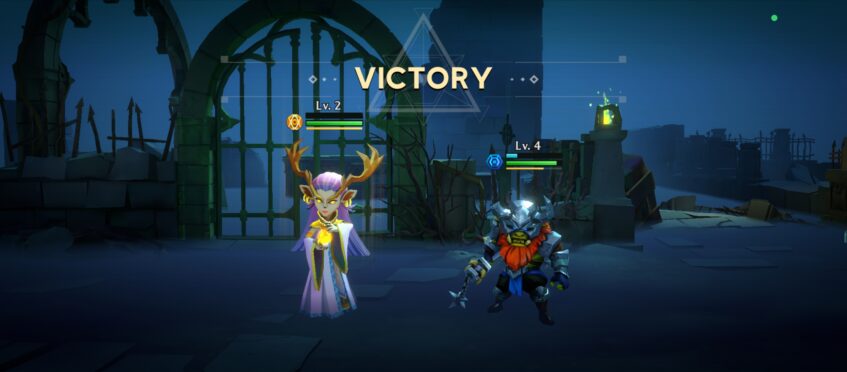
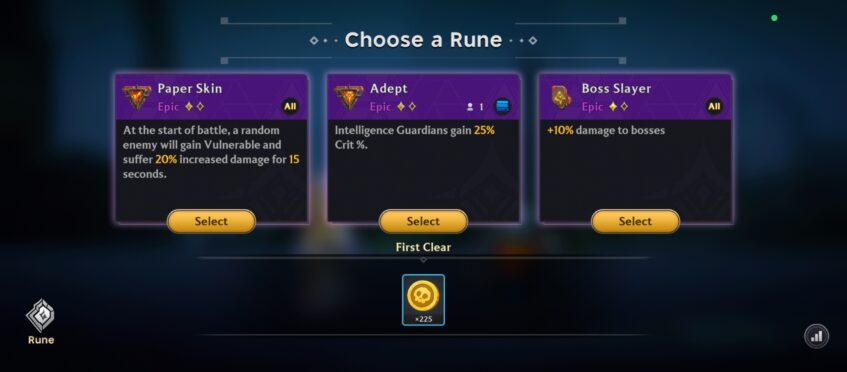
As you defeat the enemies in each of the dungeons in Guild Of Guardians, you will receive a choice of runes that can buff up your guardians or even weaken your enemies.
With each victory, you can choose a rune that will give you special buffs. Below the runes, your other rewards are shown. These rewards could be gold which can be exchanged for general goods and services.
Tap on the door to enter the next room. You will follow the same process again. The level of combat will increase in each room. Be sure to pick your best guardians at the beginning of each dungeon!
Rewards
Collect the treasure in the chest by tapping on the treasure icon on the bottom right-hand side of the screen. The treasure chest could contain treasure such as Rubies, mined from the heart of the Living Continent. These rubies are a rare and coveted currency. You could also receive gear as a reward in the chest!
Keep going to the next room. The last room of the dungeon is the boss room. Be sure to give it your all! At the end of the dungeon, you will receive another treasure chest with more rewards for you to utilize.

Guild of Guardians Icons
Commander info is located on the top left-hand corner of your device screen. Here you will see your commander information, orders, and your game settings.
Below this you will find the following icons in Guild of Guardians:
| Icon Name: | Icon Purpose: |
 Quests Icon | Tapping on this icon enables you to see your current available quests, as well as daily quests, adventure quests, and achievements. Completing these will grant you in-game items and currency required to progress throughout the game. |
 Inventory Icon | All items you discover or purchase are stored here. You can access all of your items collected in-game by tapping on this icon. Tapping on each item in the inventory will explain its use. |
 Vault Icon | All your guardian and inventory assets are displayed here. |
On the bottom of the screen running from left to right in Guild of Guardians are the following icons:
| Icon Name: | Icon Purpose: |
 Guardian Icon | All the guardians that you have collected are displayed here. Each guardian in Guild of Guardians' stats, Enlighten, gear, and skill info are displayed here. |
 Craft Icon | All craft items, forge items, and fuse items are displayed here. |
 Summon Icon | You can summon more guardians here. You will need to gain summon stones which you can acquire by grinding in the game and completing milestones. |
 Shop Icon | Here you can buy items such as guardians and summoning stones using real-time currency, or other items using some of your rubies. |
 Guild | Your Guild Icon unlocks at a later stage in the game and can be used to join a Guild, or you can create your own Guild. Joining a guild is always recommended as you obtain additional treasures by completing Guild quests and more! |
On the right-hand side of your screen are the icons that show your Crafting energy, Adventure energy, endless tickets, gold, and rubies.

Below these are the icons for your daily rewards announcements from the developers, notifications, and your mailbox.
On the bottom right-hand side of the screen is the Adventure Icon that you will tap to enter the Elderym World Map.
Guardians – Classes Explained
As there are too many guardians available to be collected in Guild of Guardians, we will just highlight one of each of the six classes of guardians.
These are warriors, assassins, tanks, mages, rangers, and support Guardians.
| Name: | Class: | Skill: |
 Huurk | Warrior (Perfect for front of the line action!) | Executes a Cleaving attack dealing 230% of ATK as physical damage and applying burn to those hit. |
 Okubo | Assassin (Stealthy and used in the middle row, this class is sneaky!) | Latches the hook on his whip to the furthest enemy dealing 250% of ATK as physical damage. |
 Yalmar | Tank (Front line – This Guardian takes on the enemy head-on!) | Targets nearest enemy, area attack twice dealing 230% ATK as physical damage. |
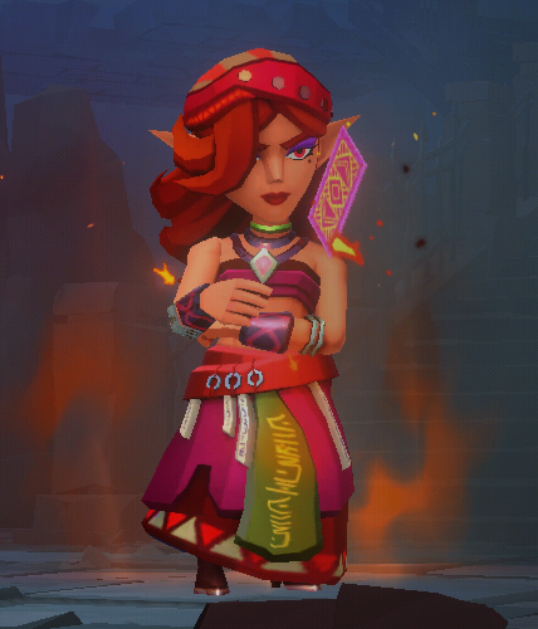 Remis | Mage (A little bit of magic in a fight never harms anyone, except the enemy!) | Throws a flaming card at the enemy dealing 200% of ATK as magic damage and applying burn. |
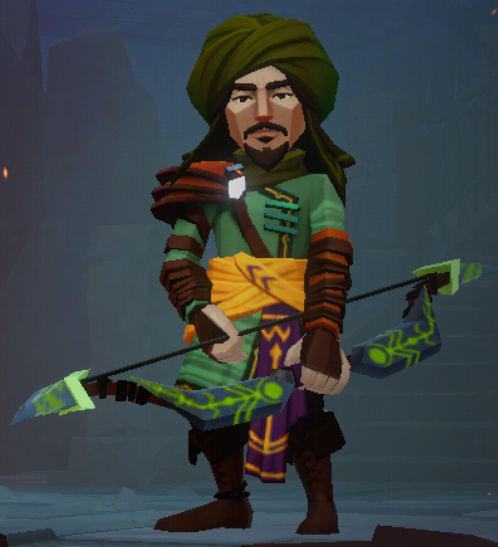 Batu | Ranger (Stays at the back for ranged attacks) | Takes deadly aim and unleashes a powerful shot on a random enemy dealing 205% ATK as physical damage. |
 Ferulia | Support (Need heals? Your support has your back and stays at the back mainly as your trusty medic!) | Channels healing energy into the lowest HP ally, healing them for 620% of her ATK. |
The guardians that you have selected for a battle will appear on the party list. There are many more guardians to be found! You will be able to summon new ones as soon as you have collected summoning stones.
Obtaining summoning stones is easy, simply follow the storyline and complete milestones and quests throughout the game.

How to Make Money in Guild Of Guardians
You can earn money in the game of Guild of Guardians. The good news is that you can start earning for free, without needing to make any purchases!
When you start the game, you receive a free guardian that you cannot sell. While grinding through the dungeons you may find other guardians and summon stones as a reward.
Guardians can be combined into more powerful guardians that can be sold on an NFT (Non-fungible tokens) marketplace.
Earn Money
These are the ways in which players can earn in Guild of Guardians:
- Find, flip, combine, and create NFTs that can be sold
- Leaderboard rewards
- Daily Gems rewards
- Daily task completion
- Collect and sell loot
You can craft material for NFT items, which can be sent to the market to be sold.
Here’s how you can start earning with Guild of Guardians:
- Set up a MetaMask wallet to purchase the various tokens you will need for staking. For example, you’ll need ETH to GOG for staking rewards. (ETH is the cryptocurrency used)
- Your GOG must be deposited on Immutable X and you must own a Rare or higher Guild of Guardians Hero NFT to earn rewards.
Conclusion
Guild of Guardians is an RPG developed by Immutable and is available to download from the Play Store. This game will keep you busy, whether you just want to play casually, or the option to earn some real money is available as well.
With so many different guardians to choose from and plenty of gear to upgrade them, you will be able to overcome the Dread and restore the light to Elderym!
Check out these games to keep you entertained: Seven Knights: Idle Adventure, Soul Strike: Idle RPG, and Zombie Waves.