




One of the draws of Motorola's G-series only a few years ago was its nearly-stock Android system and fast updates – almost like a proto-Android-One setup. However, ever since Google sold Motorola to Lenovo in 2014 and was relegated to merely a brand, the classic phone manufacturer's devices have disappointingly gone from being amongst the first to receive OS updates to amongst the last.
Indeed, after promising two years of updates for the phones, and then attempting to renege on this pledge, Lenovo Moto only managed to finally release the G5-lineup's Android 8.0 Oreo update 4 months ago, in August 2018 – almost a year after Oreo launched. Very poor form Lenovo.
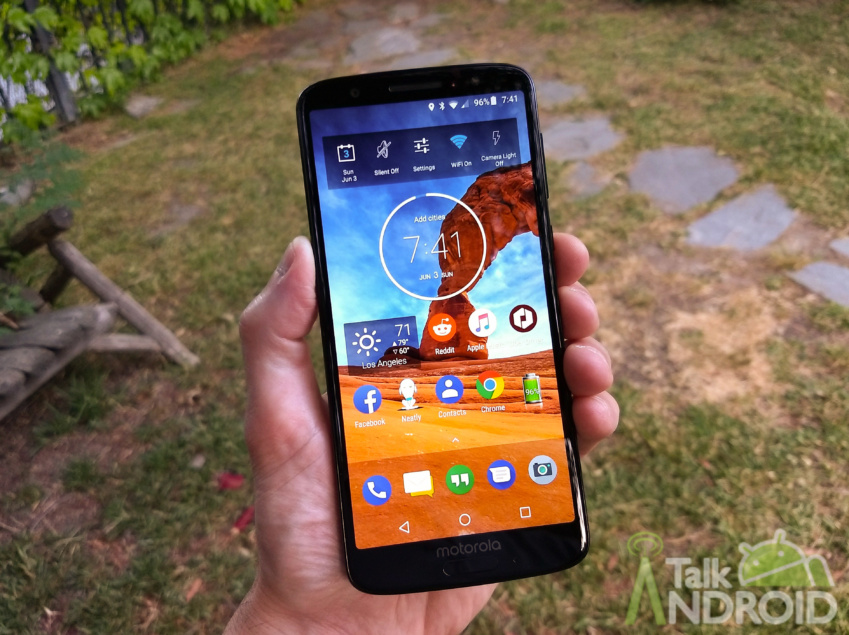
In a continuation of this trend, albeit to a lesser extent, Lenovo has today announced the release of Google's latest mobile OS, Android Pie, for its popular budget phone, the Moto G6 Plus – over four months since Android Pie was launched. The update doesn't appear to include any changes other on top of those implemented in the core Pie update, though you can find the full changelog below.
We are excited to announce a new software update for moto g6 plus. This update brings
important improvements to your phone.For more information on Motorola updates and repairs, visit us at
www.motorola.com/mymotog.NOTE: all the information on your phone will be saved.
ENHANCEMENTS
This update introduces changes including the following:
- Android security: Includes the updates of Android security patches through December 1, 2018
- Android™ 9.0 Pie
Android™ 9.0 Pie improves your mobile experience from the new Intuitive Navigation and Recent App, an improved Do Not Disturb mode and a colourful settings menu, to anticipated longer battery life and
revamped split screen. Android Pie also brings a redesigned Quick Settings, simplified volume controls,
an easier way to manage notifications and more.After installing the software update you may notice changes that include*:
Usability
- Adaptive battery: go longer with a single charge. It prioritises battery power on the apps
you use the most and applies restrictions on the ones you use the least. Battery saver can
now be activated from 70% or below.- Adaptive brightness: fewer manual adjustments to perform better. Machine learning takes
notes of your habits and automatically adjusts to your activities.- Quick settings improvements: no shortcuts anymore (toggles are no longer expandable,
but press and hold a toggle goes to the setting detail). The icons have been redesigned with
a rounded concept and circular background.- Rotation key: Android Pie presents a temporary rotation even with the auto-rotate
disabled. A rotation button is displayed whenever it detects that your phone has changed
orientation.- Dual SIM settings: by pressing the SIM Card toggle in the Quick settings, a full screen
activity is shown to select preferred SIM and manage data usage.- Redesigned Settings app: colourful icons for each selection with a circular background. It
also warns if the phone is muted or in Do not disturb mode. Order, name and placement of
the settings options have not changed.- Better screenshots: another handy Android 9.0 feature is the addition of the virtual
screenshot button/shortcut to the power menu (the old power and volume down method (still works). You can also edit your screenshots immediately after taking them and a delete
option is also available.- Improved audio controls: the volume slider is now vertical and close to the volume
buttons. Users can switch between ring, mute and vibrate-only mode. Plus, media controls
are now the default volume adjusted, and Do not disturb cannot be turned on/off via the
volume keys anymore. Bluetooth device volumes are also accessed whenever connected. As
usual, ‘Volume Up + Power' changes the ring mode to vibrate.- Zoom in text: you can finally manage the annoying mistakes of selecting incorrect text.
Now, when you press and hold a phrase or text, it will automatically magnify at the pointer.
It also helps you read small text and select words precisely.- New and updated emoji: 157 new emojis, as well as a gender-neutral concept.
- Settings icon while on PIP mode: tapping the new settings icon brings you to the app's PiP
settings, where you can enable or disable the feature.- Other UI changes: time is now on the left side and the search bar is now rounded. There is
a new task manager/recents list that now shows a horizontal list instead of a vertical one and
includes the split screen capabilities by pressing the app icon above the thumbnail. Dragging
the split screen border will select the app you want in full screenNotifications
- Notification UI changes: notifications now have rounded corners. It also supports inline
images/stickers and distinguishes single/group conversations.- Dismissing notifications: Android Pie will now suggest a couple of actions to you for the
type of notifications you usually dismiss. It will offer to turn off frequently dismissed
notifications by asking you if you would like to stop seeing these notifications or keep
showing them.- Notification bar: maximum of 4 visible notifications in the status bar before the list is
truncated with a dot to indicate more unseen icons.- Manage notifications: a shortcut at the bottom of the cards in the notification shade that
allows you to see a user-facing list of recent notification activity. If it's something annoying,
you can flip the toggle right there to disable unwanted notifications in the future.Performance
- Performance improvements: applications will launch faster and use less memory, gaining
performance and efficiency improvements.- Power efficiency: refinements to Doze, App Standby and Background Limits to improve
battery life.- Background App privacy: the system restricts access to the phone's microphone, camera
and other sensors (other than GPS). A persistent notification is shown if an app needs access
while in the background.- Bluetooth enhancements: simultaneous connection of up to 5 Bluetooth audio devices.
However, there is no option for simultaneous playback: users need to choose the device to
be used. Android 9.0 also remembers the last volume level for paired devices.- Wi-Fi optimisation: Wi-Fi hotspot goes OFF in case of no connection. It disables
automatically, preventing others nearby from connecting to your network.- Stability improvements: includes changes that fix bugs and improve the stability of your
phone.Security
- Security enhancements: an alert tone will be heard when a call is being recorded to all
parties. The pattern unlock also hides the swipe trail, instead of simply leaving the trail
visible until the phone has fully unlocked. Better for security.- Data encryption: Android Pie will now perform client-side data encryption and/or
decryption on the user's phone: authentication is required (password, PIN, pattern), plus
Google backs up all information to the cloud and hacker attacks become much more
difficult.- DNS over TLS support: it creates a secure connection to the DNS server before DNS
queries and responses happen. For example, someone monitoring the connection will have
a harder time seeing what you're doing.- HTTPs by default: all applications built for Android Pie onwards will send and receive data
via HTTPS by default, ensuring your data is better protected as you communicate with the
app's servers, especially public Wi-Fi.Please check additional details about Pie at https://www.android.com/versions/pie-9-0/
*Note: some new Android Pie features may not be available on your device due to compatibility
matters.
I hope in future Lenovo Moto can improve their update system, though I won't hold my breath.
Source: Motorola

They had an update that claimed to have a dark theme but selecting it doesn’t do anything. What a joke. Ever since they moved the power button down to right where you hold the phone is so stupid. I keep turning off the screen by accident when I’m in the middle of something. Who’s dumbass idea was that?
Still no Pie on my stock UK Moto G6 Plus. Latest security update is Nov 1st 2018, quarter of a year out of date.
Don’t buy a Moto. It’s crap. Stock android, site and then taken a year to producer a turd and call it Oreo for the g5s. And hardly any security updates. Moto is a sad shadow of what they once were.