Next time you're managing apps from Google Play, you'll notice a different look on your Android device.
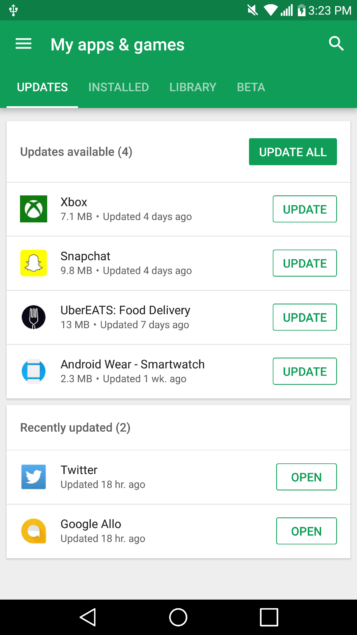
Today, the Google Play app's ‘My apps & games' screen was refreshed. It now divides things into four sections — Updates, Installed, Library, and Beta. See? Nothing major going on. Google just tweaked the layout to be more useful.
The sections' names are self-explanatory:
- Updates: what updates (if any) are available
- Installed: all apps currently installed on a specific device
- Library: all apps you've installed over time
- Beta: which apps you're actively testing
It should be noted, too, that the Updates section now tells you the last time an app was updated. Developers might be motivated to keep periods between updates smaller with Google Play showing the frequency.
While Google didn't say anything is rolling out as this is a minor update, we expect everyone to be moved to the new look quickly. It seems to be going live today for many people in different regions.