


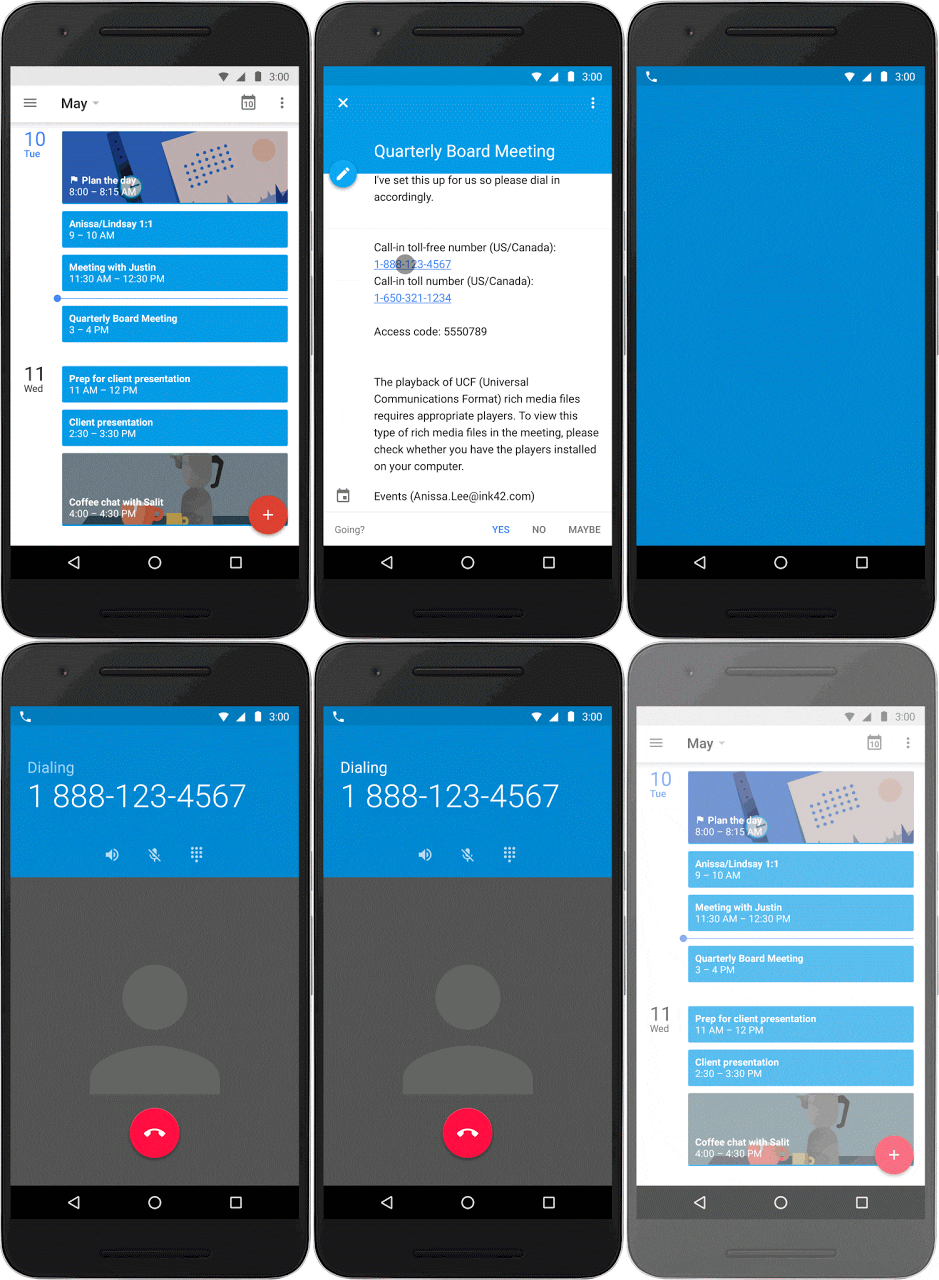
Google Calendar is receiving a new update over the next few days that makes it easier to dial into conference calls.
This new update will allow you to simply go into your Google Calendar, click on the event for your conference call, and tap on the call-in number. Then, Google Calendar will give you the option to automatically call-in with the passcode (pictured above).
The update is rolling out over the next few days. It'll certainly make things more convenient, but it won't always work. As Google mentioned in its blog post, Google Calendar retrieves the passcode from the location or notes field in the calendar event. That said, if those fields are left empty, Google won't be able to automatically retrieve that information and you'll have to call-in the traditional way.
If you haven't gotten the update yet, be sure to hit the download link below.
source: Google