




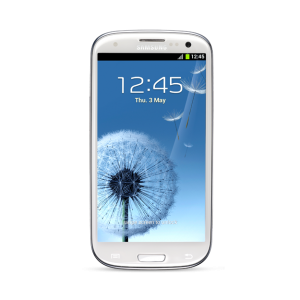
As we reported, S Voice was pulled from the Galaxy S III over the weekend, but unfortunately stopped working when Samsung (or Vlingo) blocked any non Galaxy S III phone from the server. Yesterday we told you about a fix for rooted users, but now the APK has been re-built with the proper credentials to trick the server into thinking you have a Galaxy S III. This means its now open to all again.
There's more good news because more treats were pulled from the Galaxy S III, which include Accuweather, stock analog clock, stock digital clock, wallpapers, the video player, and more. You have to love XDA!!! Hit the break for all the download links.
You can grab the entire App pack ( mirror) or individually:
- S Voice (readymade build.prop as I9300)
- Accuweather
- Stock Analog Clock
- Stock Digital Clock
- Video Player
- YouTube app
- GTalk
- FM Radio
- Ringtones
- Wallpapers: (The default LWP is a copy of I9300's, not the the original)
Update: I know some of these links might not be working so continue to hit the source link for possible updated links. We added a mirror for the entire app pack.
source: xda


Link broken
i have just installed the s voice ting buh guys it requires you to root yo phone so as to install…cuz i tried it wen ma phone was unrooted and it refused….
S voice on non-rooted galaxy s2 i9100 network error on wifi
Hay guys
My problem is S voice on non-rooted galaxy s2 I9100 is working all right on my company cellular network
But when i turned on my wifi and start it it shows me network error
Plz help if anyone can
I just got the samsung galaxy s 3 and the s voice always says network error
I guess it still doesnt work on non-rooted phones :(
I just installed it and it works great…however, the function of saying, “Hi Galaxy” to wake it does not seem to be working, wondering if I am missing something in the settings?
I am on a Galaxy Nexus (Sprint). Also, I did not see any of the other apps or wallpapers install and I used the mirror for the full version.
Updated: Nevermind, I guess the app has to be open for “Hi Galaxy” to wake it. I thought you could just say it (even with the phone locked). :)
can someone send me the app package (mattfoley1997@gmail.com)
Quick question, in the entire app pack, whats the name of the S Voice apk? Thanks in advance
sorry Robert, but I think I read “for non rooted users” in the title of this post. None of the applications installed on my ICS-403 @ SG2 without rooted.
You can grab the entire App pack not working (Sorry, you can’t view or download this file at this time.
Too many users have viewed or downloaded this file recently. Please try accessing the file again later. If the file you are trying to access is particularly large or is shared with many people, it may take up to 24 hours to be able to view or download the file. If you still can’t access a file after 24 hours, contact your domain administrator.)
Worked for me using my rooted HTC Desire.
Not sure if its to do with rooting the phone though!
When I try to install it it says there is a problem parsing the package what does that mean?
Still not me install it..
Rooted samsung galaxy epic touch
I am on gs2 with ice cream sandwich and I cannot install it either. It only says ‘ Application not installed’. I am not rooted and have not moved it to /system/app however, I’m just wondering whether there is a problem with Voice talk ie. Vlingo and not wanting to overwrite it. Other devices didn’t need to root to install this. If I uninstalled Voice talk using the GoLauncher method, would I be able to install S-Voice?
Works now for me svoice launched installed by copying svoice.apk to.data/app but network error cannot use the app. Any help?
on root explorer go to system folder inside system folder look for the build.prop open it and change the ro.product.device from GT-I9000 to GT-9300 & ro.product.model GT-I9000 to GT-9300. be sure to backup the orig file for safety purposes only. anyway it works for me galaxy s2 4.0.3ics siyah kernel.
Voicetalk.apk cannot be copied on system/app folder even i already set d folder as writeable drive on root explorer? Any ideas? GS2 4.0.3 ics lite’ning 3 rom
om root explorer copy it in your data/app folder not in system folder
Hey Robert N. Can you throw up a couple of mirrors. None of your links are working.. Google has placed a wait time of 24 on your pack and I get 404 errors for the others.
The only mirror available is for the full app pack:
https://hotfile.com/dl/156330651/3d66185/S-Voice.apk.html see the source link of the article for possible additions later today
Voicetalk.apk cannot be installed or copied to.system/app folder. Downloaded the file on that mirror.
I trust you guys have made sure it’s safe?
What phones will the apps work on?
is this pack safe ??