





Besides launching a refreshed Gmail yesterday, Google also released a dedicated app for the Tasks function, upgrading it from existing purely as an add-on within Gmail. The Tasks app features elements of the Material Design refresh we are expecting to see unveiled at Google I/O in just a couple of weeks time.
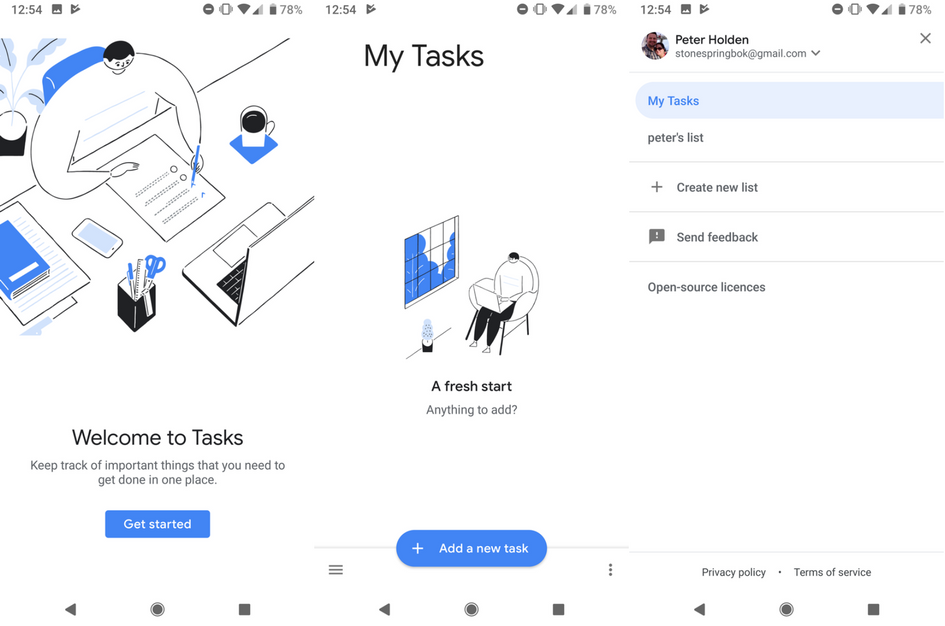
As you can see from the screenshots above, the Tasks app has a clean and bright design, with navigation buttons on the bottom of the display. Besides having the hamburger menu, there is also a three-dot overflow menu option that will be much appreciated by those of us using phones with 18:9 displays. The “Add a new task” button is big and easy to access.
Besides assigning due dates and descriptions, you can create more complicated tasks that include subtasks. By default, when you create a task, it will attach it to the main list, although you can also create different lists to assign specific tasks to. For example, you could set up lists for particular projects, or perhaps keep it as simple as one list for work and another for your personal tasks, the choice is yours. For the moment at least, though, you are unable to set specific reminder times.
At some point, you'll be able to access Tasks on the browser via tasks.google.com, but the link isn't working as yet. The Tasks app is available via the Google Play Store (linked below), but if it isn't showing for you yet, you can also download it from APK Mirror. Let us know your thoughts on Google's new app in the comments below.
Download it Now: Tasks (Play Store Link)
Via: AndroidPolice
