




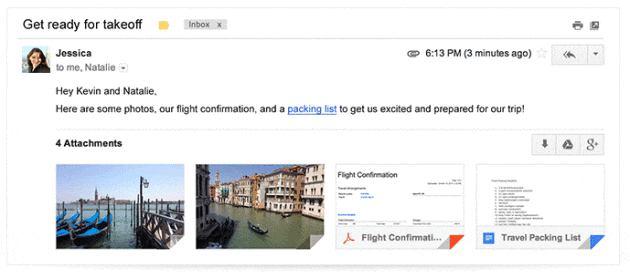
Right on the heels of expanding Gmail's quick actions, Google is adding some better Google Drive integration into Gmail as well. Now, any attachments in an email can be viewed within your web browser without you having to download the image and clutter up your Downloads folder; documents, PDFs, pictures, you name it. Best of all, you'll now be able to use Gmail's fantastic search capabilities to find specific attachments. If you use Google Drive, you'll also be able to quickly save any attachment to your Drive storage, skipping the need to download the file to your hard drive and then upload it to Drive.
This new feature will only be available to desktop users for now, and it's going to be rolling out gradually over the next few weeks, so keep an eye out for it in your inbox.

Cool.