



We know Android phones. We know Android tablets. Those form factors have long been where Android devices have thrived, but Lenovo is trying something new in 2016. The Yoga Book is a laptop running Google's mobile operating system, which we've rarely seen from global brands over the years. And, since it's from the Yoga line, you can use it in a variety of ways. So you're not actually bound to this being an Android laptop. It can still be a tablet.
Hit the break for our review of the Lenovo Yoga Book.

Where Lenovo differentiates the Yoga Book is software. This device's software is the intersection of creativity and productivity. Rather than offering a simple stylus to get on the display, the Yoga Book comes with a real pen that can transmit whatever you write or draw on paper to the device itself. Is it a bold move? Of course, but Lenovo's been nothing but bold in recent years.
Design
There's nothing indicating that the Yoga Book isn't a laptop. In fact, it's a really nice laptop. Lenovo is using a high-strength magnesium-aluminum alloy to give the device a strong, elegant appearance. The Yoga Book looks very modern, and it feels as good as it looks. You don't have to worry about cheap plastic lowering how the Yoga Book is perceived. By far, this looks and feels like a very expensive device.
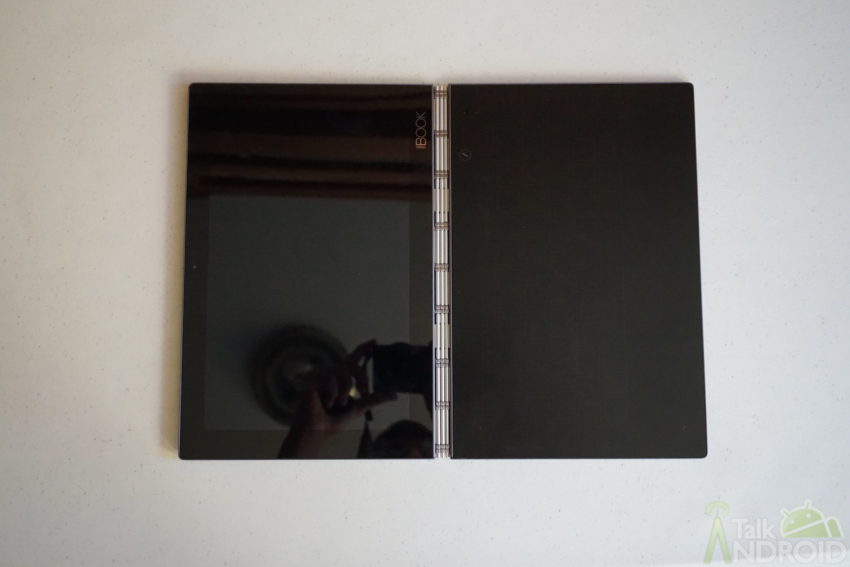
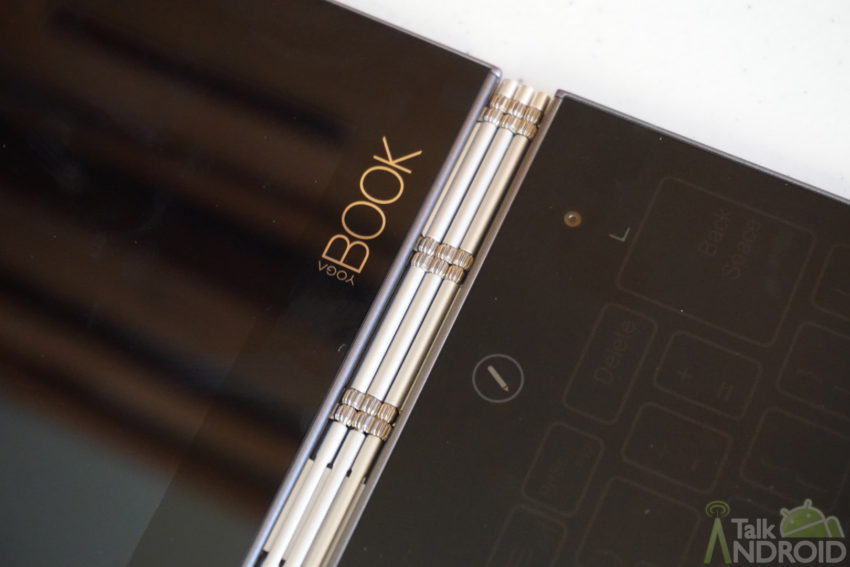
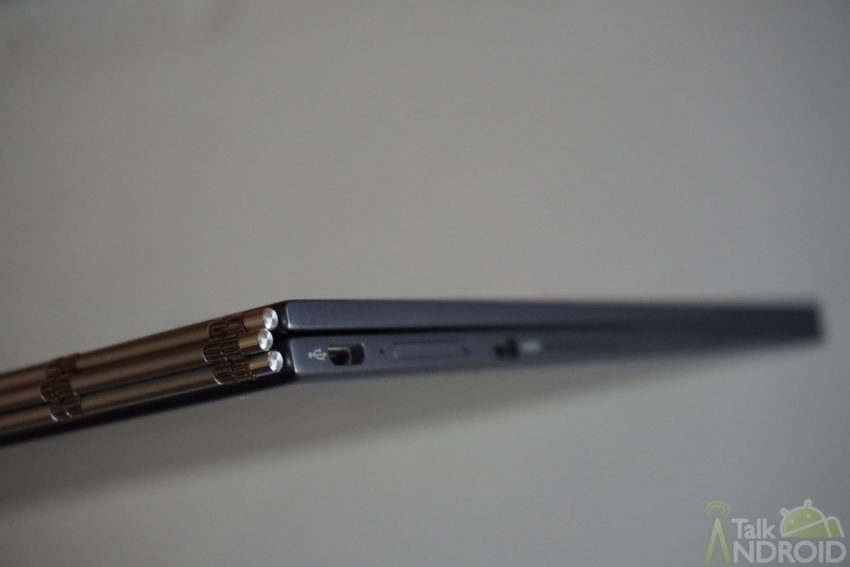
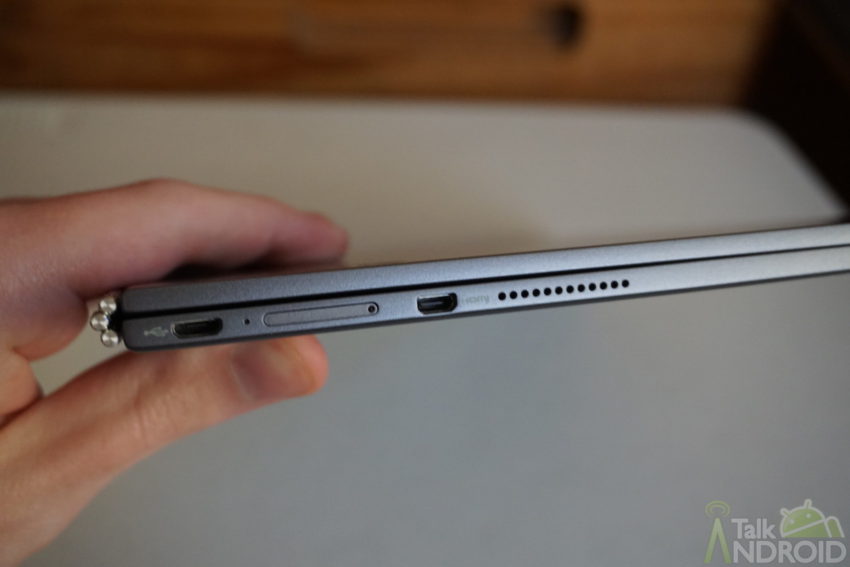
Making the design very appealing is the portability. It weighs just over 1.5lbs while not measuring the same (if not small) than other devices with 10.1-inch displays. The thickness, when closed, is an unbelievable 9.6mm. Yet there's a lot going on inside.
If we're considering design alone, the Yoga Book is worth every penny. It's premium, it's compact, and it's attractive.
The ports you get are micro-USB, micro-HDMI, microSD, and auxiliary. Pretty standard layout for laptops.
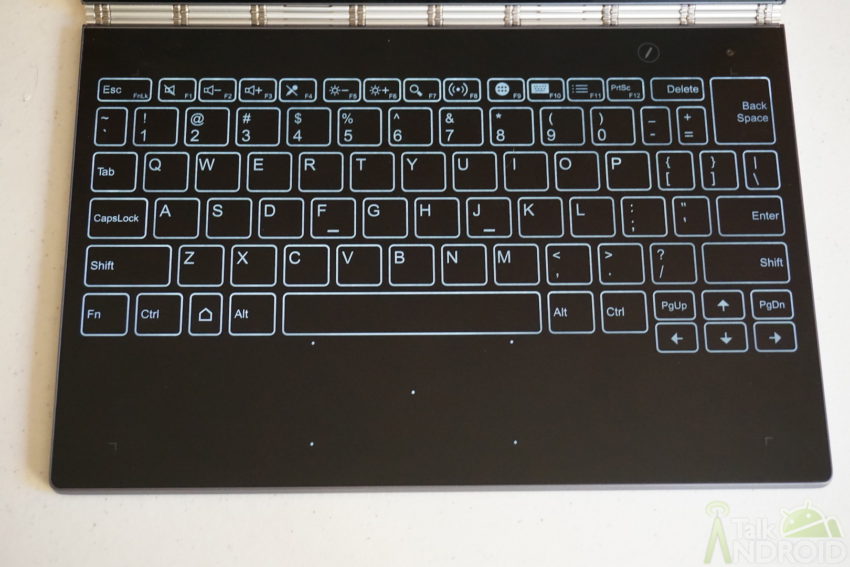
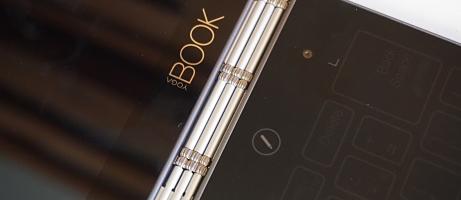
You can't have a laptop if you don't have a keyboard, and the Yoga Book's keyboard is probably the most unique you've ever seen. A keyboard is present but not really there. Well, it's not there in the sense you're familiar with. The Halo keyboard, as Lenovo calls it, is a mixture of a physical keyboard and a virtual keyboard.
On the Yoga Book, the Halo keyboard is in the same spot you'd find a keyboard on any other laptop. The difference is that the keyboard here is built into the bottom panel/tray without any moving pieces. You're tapping away like you would on a physical keyboard, and the Halo keyboard gives haptic feedback to simulate what you're used to.
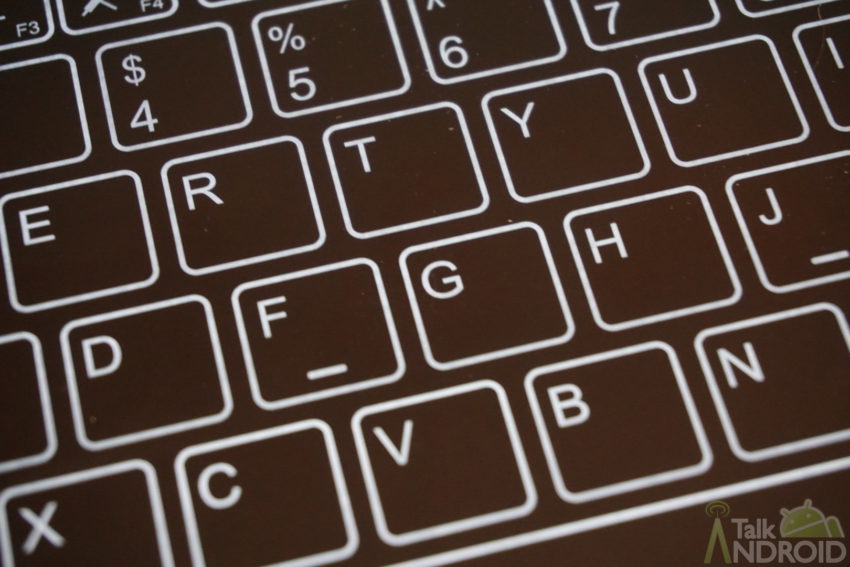
Yes, the Halo keyboard is backlit as well.
Although the Halo keyboard is intriguing, it's meaningless if using it is anything but cozy. Is it? Depends on who you ask. I'm indifferent towards the Halo keyboard's feel but not its comfort. Sure, you have to get used to it not being a physical keyboard. That was easy for me. What I didn't quite enjoy was the feeling of my fingers on the material, especially when there was any bit of moisture on them. Most people I had try the Yoga Book were totally against the Halo keyboard while a few were into it and loved everything about it. I'm not concerned. I believe the Halo keyboard is a hit.
The Yoga Book is definitely a laptop. No doubt. But it is a little more, too.
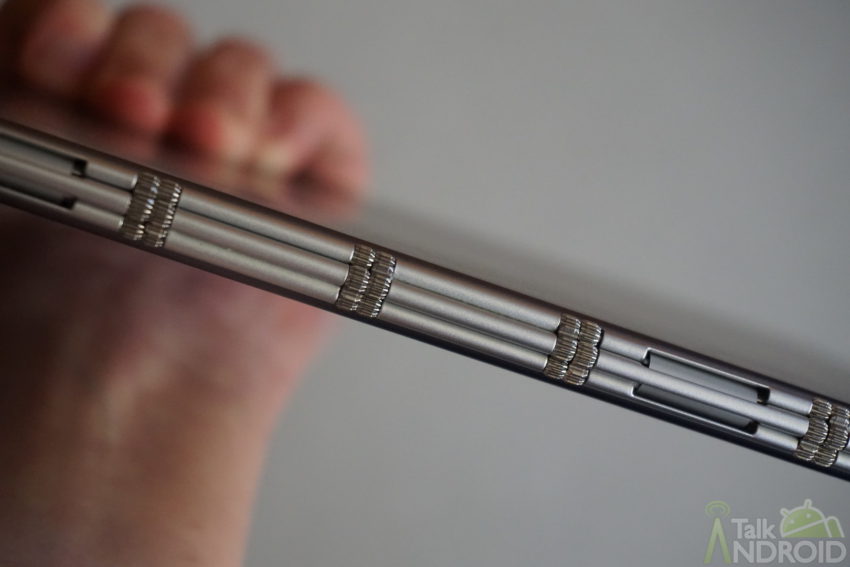
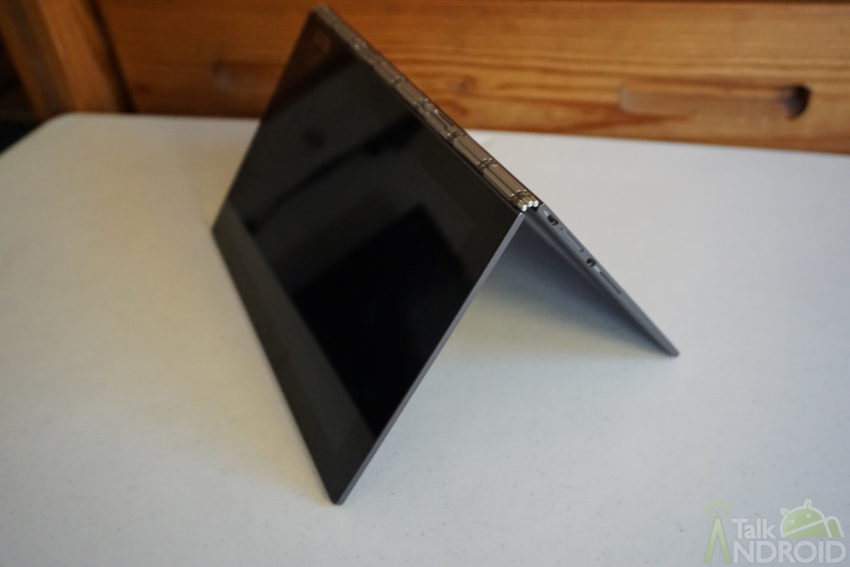
Being this is from the Yoga line, the Yoga Book features a watchband hinge capable of rotating the display all the way around. It means you can utilize the device as a tablet and not just a laptop. Lenovo actually went back into the development phase for its hinge with the Yoga Book because of the device's thinness. Never before has the patented watchband hinge been used on a device this thin, but it's working well and you should expect more than 25,000 opens and closes before noticing any weakness.
Even if you're using the Yoga Book in tablet mode, the device's profile maintains a manageable size. Usually, with these hybrid devices, you can't comfortably use what should be labeled as a laptop as a tablet. Here, Lenovo succeeded in giving a true hybrid.
This is real innovation. The Yoga Book feels like Lenovo advanced the hybrid category all on its own.
Accessories
Usually you're on the hook to pay for most or all accessories for a device at this price, but Lenovo is giving you everything you need to get started with the Yoga Book.
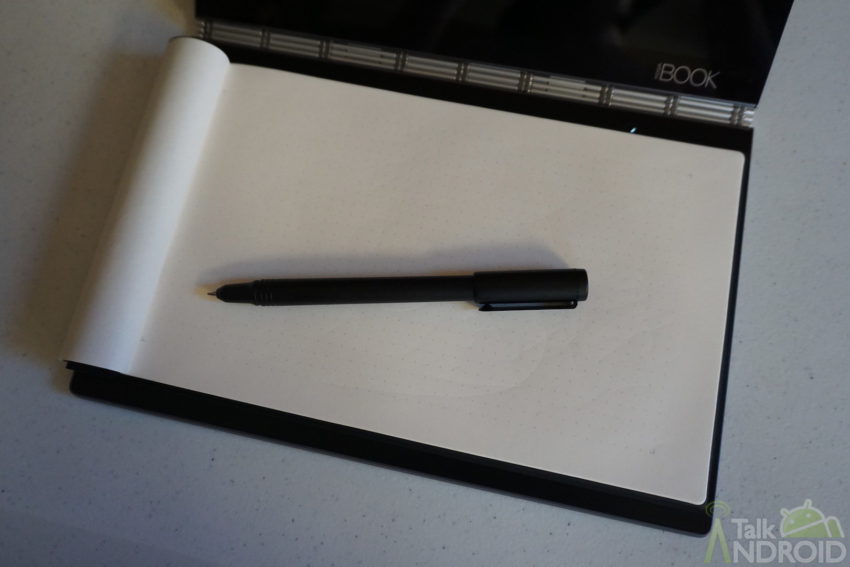
Here's what you get in the Yoga Book's box:
- Real Pen
- Book Pad
- 20 Book Pad refills
- 3 ink cartridges
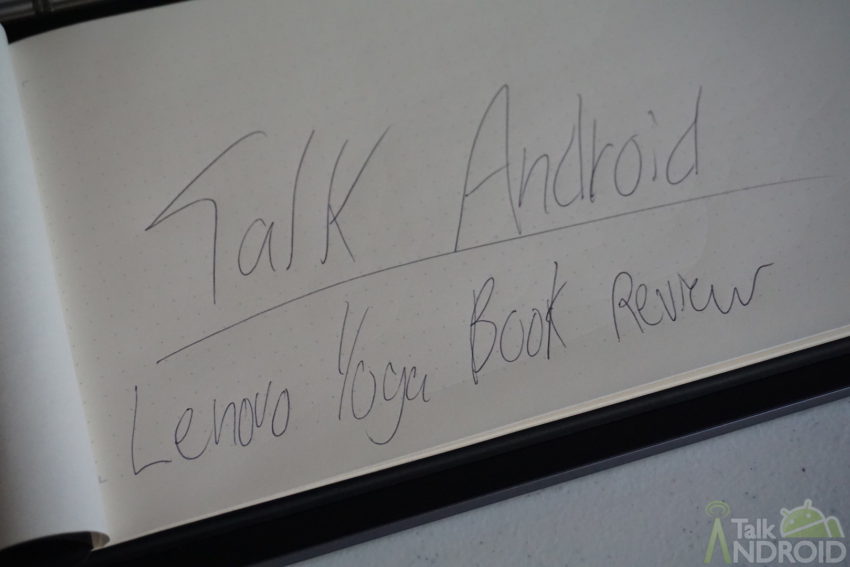
The Real Pen and Book Pad work together, though you can use the former on its own as a stylus if you wish. Convert the stylus into a pen and the Real Pen has its own tip with ink for writing and drawing on the Book Pad. If you tap into the Yoga Book's software, everything you put on the Book Pad can be mirrored on the device itself for digital storing.
Hardware
| Lenovo Yoga Book | |
|---|---|
| Announced | August 31, 2016 |
| Release | Fall 2016 |
| Display | 10.1-inch (1920x1080) IPS |
| Processor | Intel Atom x5-Z8550 |
| RAM | 4GB |
| Storage | 64GB with microSD card slot |
| Rear Camera | 8MP |
| Front Camera | 2MP |
| Battery | 8500mAh (non-removable) |
| Charging | micro-USB |
| Sound | Side-facing speakers |
| Software | Android 6.0 Marshmallow |
| Connectivity | Bluetooth 4.0, WiFi 802.11 a/b/g/n/ac |
| Sensors | Ambient, proximity, accelerometer, gyro, compass, barometer |
| Measurements | 256.6 x 170.8 x 0.96mm |
| Weight | 690g |
| Colors | Champagne Gold, Carbon Black, Gunmetal Gray |
Performance
Because the screen measures 10.1 inches, the Full HD (1920×1200) resolution doesn't do the Yoga Book any favors. It's not a bad display, that's for sure; however, you're left wanting more from a device that costs $499. Both text and images just aren't sharp enough for the standards we have set, which is disappointing because the LCD panel, on the other hand, is decent.
Read other reviews I've done and you'll learn that I prefer AMOLED over LCD due to the rich, vibrant colors. Despite the Yoga Book having an LCD panel, I'm still moderately pleased by the display. Colors are a little cold, but not below satisfactory. If you're someone who's been pampered by AMOLED panels, the Yoga Book will turn you off. If you're someone who is open to any display technology, the Yoga Book is fine.
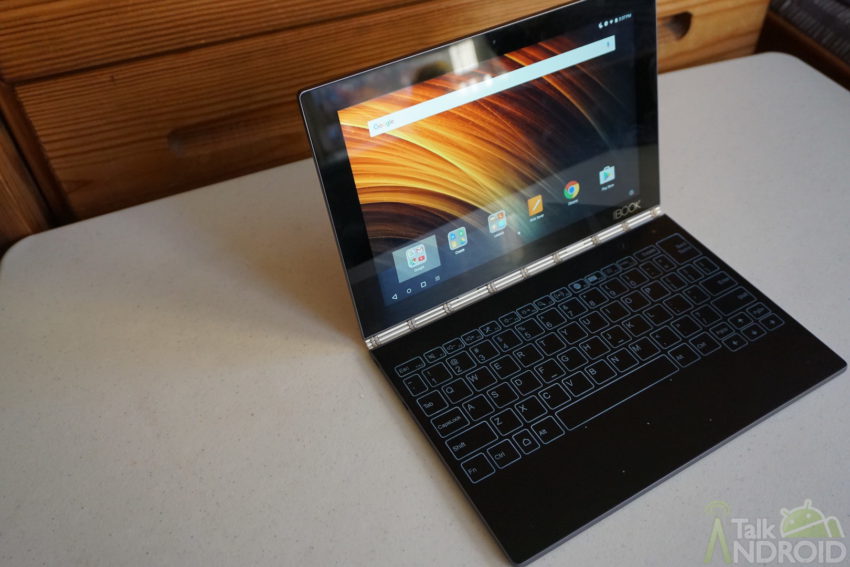
The Yoga Book is built for content production, but you're work isn't going to be showcased on the sharpest display around. That's a letdown. Lenovo would see the next Yoga Book benefit so much by having Quad HD resolution.
Rather than Qualcomm or MediaTek, Lenovo is using a processor from a longtime friend. The Yoga Book's showrunner is Intel's Atom x5-Z8550, a processor introduced in early 2016. Why aren't you getting a common tablet-focused processor? Because Lenovo's ties with Intel are strong and the Windows version of the Yoga Book needs a PC-friendly component. So the Android version is only helped by this and thus the Yoga Book runs through everything smoothly most of the time. There's an occasional hiccup, but I think that's likely caused by the entire form factor and the software's need to adapt.
Using the Yoga Book for watching videos or listening to music? Probably best to use the device as your multimedia center. Not including phones, it's hands down the best audio experience on an Android device. Lenovo called upon Dolby to use its Atmos enhancements to pump rich, deep sound out of the left and right sides of the keyboard.
Battery
Your mileage may very when it comes to battery life, but Lenovo says “most users” should be able to use the Yoga Book for an entire day without needs to recharge. For a device with an 8500mAh battery that's going to be doing a lot of work, that's reasonable. Most days I used the Yoga Book were for writing Talk Android posts and scribbling random things using the Real Pen, and I got through a 24-hour stretch easily.
Software
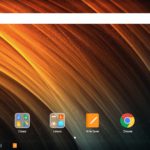
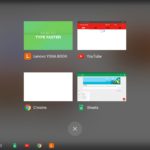
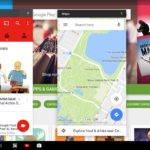
The Yoga Book's software is, above all else, odd. It's definitely not ugly, but it's not clean and modern either. Lenovo tweaked things to get the Yoga Book and Android to play nice, causing certain areas to get funky in the meantime. The oddities start with the Book UI and its task bar. As you might assume, the appearance is meant to resemble Windows. Except this isn't a Windows device. All the task bar really does, aside from getting in the way and being useless, is offer a new way to quickly switch between apps.
Things get bizarre on the Yoga Book because, instead of utilizing Nougat's split-screen functionality, Lenovo decided to let apps run simultaneously in phone layout. Seriously, there are a bunch of apps on the Yoga Book that will not fill the screen because the software demands they scale down to a phone's portrait mode view.
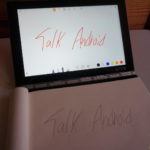
One app saves this from being a complete mess, fortunately. Just hit the Create Pad button and the Yoga Book is ready for showtime. It's Note Saver's turn to lead the way.
Right when you switch to the writing/drawing mode, the Note Saver mini-window is activated. Go to town on the Book Pad and you'll see your creations saved on the Yoga Book. You could even continue your work right on the display by swapping out the ink cartridge for the screen-friendly tip. Lenovo includes both for you to change between. The Real Pen is comfortable whether you're using it on the Book Pad or on the display, and it's a relief that you never have to swap battery for as the technology requires no power at all.
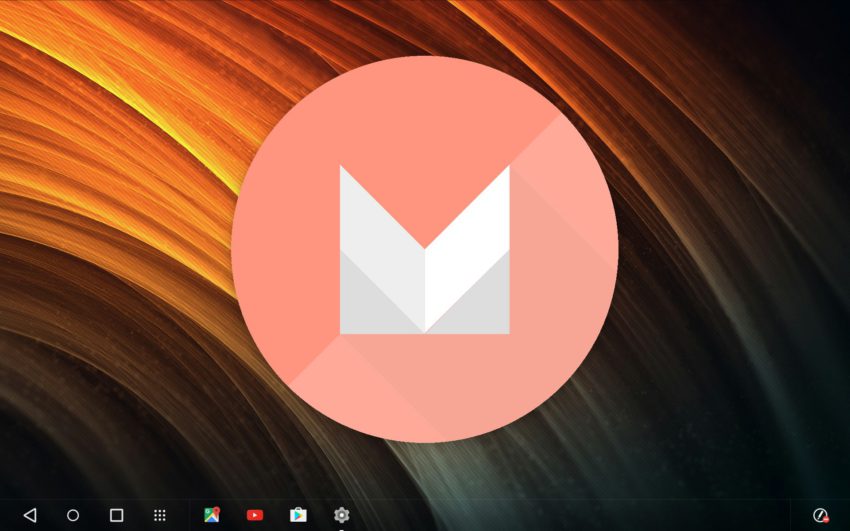
By the way, Lenovo's hybrid is running Android 6.0 Marshmallow. Will the Yoga Book get Nougat? Our belief is that there's a 50-50 shot and depends on sales. So know that, if you buy the Yoga Book, you may be left without the latest version of Android forever almost immediately. We urge Lenovo to get Nougat on the Yoga Book right away as Google's improvements in it would be a big help here.
Closing
The whole thing gets a little shaky when you go beyond Lenovo's apps and services pre-installed here. Five years after bringing Android to tablets, Google just doesn't seem to have the form factor figured out. So it's not really Lenovo's fault, but it does limit the capabilities for the Yoga Book. At $499, it's tough to recommend this device when your money isn't going very far. I'd actually recommend the Windows version because, despite being slightly more expensive, you're getting an operating system built for the form factor. There's little reason to buy an Android tablet right now, especially at $499. But there are plenty of reasons to get a full-blown laptop running software that matches perfectly with the hardware.
We commend Lenovo for giving an Android laptop a try, but Android itself is holding back the Yoga Book.

I get what they are trying to do. Convince people that Android is just as usable as Windows in a laptop, but it’s just not there yet. Not that I use Windows, because I have no need. But for people buying a usable laptop this one just isn’t compatible to Windows.
I don’t know, if the Lenovo had the S Pen experience, and a built in silo for the Pen, this would be pretty incredible. I haven’t much use for the separate “real pen” and Wacom tablet in the base, but otherwise, and if it had a really gorgeous screen display, this, with the enclosed halo keypad could really tempt me.