

Google releases new features for its Pixels and other Android devices quarterly. The updates often change the user interface, improve existing features, and fix security problems. The March 2024 Feature Drop was the most recent until now. It brought interesting developments to the call Screen, new workout features for Pixel Watch, Circle to Search for Pixel 7 and 7 Pro, partial screen sharing, and Bluetooth device syncing among others.
The May edition marks the end of this month with a bang. It includes updates to your messaging app, Wear OS, and Google Home.
The May Android Feature Drop brings exciting changes
Google's Android Feature drops are automatic. You can go about your day without checking constantly that they've arrived. Some May edition features will launch today. Others may come later this year. Some will require early testing program access, so don't expect them to arrive simultaneously. Here's what to expect:
Edit RCS messages in Google Messages

You could say it's a latecomer since most social media and texting apps already have it. But now, you get up to 15 minutes to remove errors or mean words from your RCS conversations before the other party sees them. Still, they'll know that you've edited the message as an “edited” tag appears under it.
Emoji Kitchen cooks new combinations
Emoji Kitchen is a feature that lets you combine two or more emojis to create new and unique stickers. You'll find it on Gboard and other top keyboard apps. It's added more emoji combinations, and you can now mix interesting ones like a headphone 🎧 and glitter ball 🪩 to make exactly that — a glitter ball wearing a headphone.

Instant hotspot
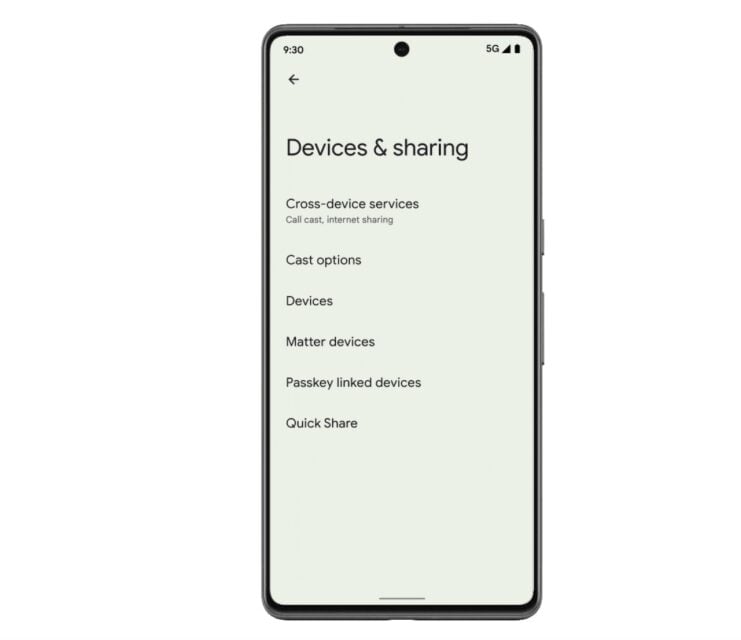
Instant Hotspot simplifies the process of sharing your phone's mobile data with other devices. Now, you don't need to manually enable the hotspot. Both devices must be logged in to the same Google account and have the Cross-device toggle turned on in settings. Secondary devices will detect your Pixel phone's hotspot and connect with a tap.
Switch devices during Google Meet calls
You can now transfer a meeting to another device or connect both devices. Before, you had to disconnect your device from the call to allow another device to join the call. This update is convenient for those moments when you need a larger screen or better audio. You can move the conversation from your phone to your laptop. Simply enable the Cross-device feature in settings, and you'll be able to cast your call to the intended device.
Add a Google Home favorites widget
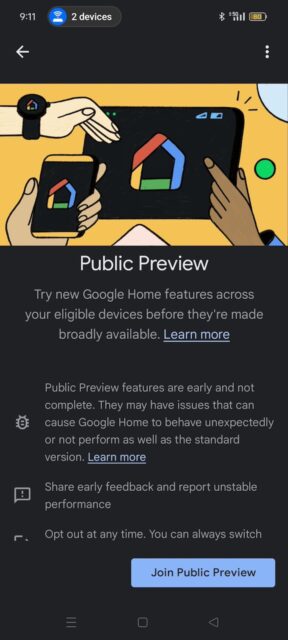
You can create a special widget on your phone’s home screen, and Wear OS watches too. The widget houses your favorite smart home device controls. You can trigger your smart lock or lights without opening the Google Home app fully. But you must be part of the Google Home Public Preview program to use it. You can join it within the settings menu of the Home app.
PayPal payments with Wear OS
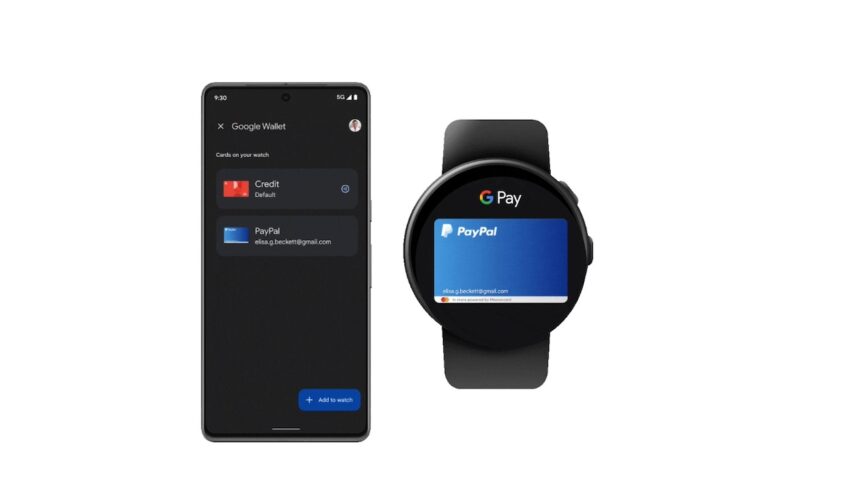
US and German residents can now make payments through their PayPal account on Google Wallet PayPal via Wear OS. In other words, you can use your Pixel Watches at any tap-to-pay station to use funds from your PayPal account instead of a credit/debit card.
Digital car key expansion to more car models
This next feature is one I'm eager to try, even though I don't have a car. Already, Google made it possible to start your vehicle with a digital car key. It was available on select models and devices such as the Pixel 6 and later, Galaxy S21 series, and other Android devices running Android 12 and up.
You could set up the digital key through your car manufacturer’s app, an email link, or the car’s head unit. This way, you could unlock your car automatically, start it, and lock it again when you’re near. Google has expanded these capabilities to more car models including Mini, Mercedes-Benz, and Polestar.