





Google Gemini is Google's AI model, and it is one aspect of Google's current business that they have very clearly prioritized, as it is finding integrations in almost everything that Google has in their stables. Gemini also has a standalone application, however.
If you use Google Gemini on Android, you can currently upload image files and ask it to tell you what it sees. It does so pretty well too. However, unless you're on the web version, you can't upload any other file type. Fortunately, that, and many other aspects of Gemini, look set to improve. Let's talk about them.
Gemini Will Soon Allow You To Upload Any File Type From The Android App

Using Gemini on Android is a preferable option to using other AI chatbots, if not for just the sole advantage of being integrated into the Google ecosystem and being able to talk to all your Google apps. You can talk with Gemini like you do with any other AI chatbot, and it is a multimodal model, so on Android, you currently have the option to send image files to Gemini and ask it questions based on what's in the picture.
The thing is, at the moment, you can't send any other form of file to Gemini. For instance, you might want to send a PDF or a Word document and ask the AI model to help you summarize it, but that's not a possibility unless you're using the web version of the app.


Fortunately, that's set to change soon. According to Android Authority, there's an upcoming feature that will allow you to upload any kind of file to Gemini, which will certainly increase its usefulness for most people (though it's currently not active, even if you get the option to appear). Don't get too excited though, as you might need to pay for Gemini Advanced before you're able to use this feature. It's not too certain yet though.
You'll Soon Be Able To Use Gemini In An Overlay Instead Of A Full Window
Wider file support isn't where the upcoming improvements to Gemini stop though — again, remember that Google is putting a lot into its AI endeavors, and that's part of the company's motivation for its major restructure. At the moment, when you ask Google Gemini to answer a question for you, you get your response in a full window rather than a pop-up/overlay like Assistant does.

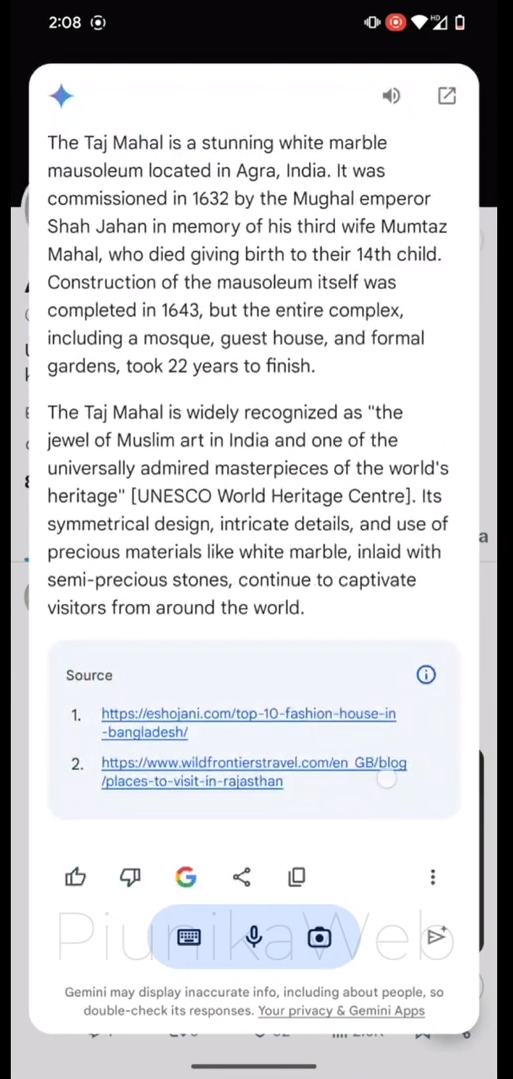
Well, that's going to change soon, fortunately, as PiunikaWeb and AssembleDebug on X were able to manually reveal a new overlay for the app that won't kick you out of the app you're currently using in order to show you your answer. The size of the overlay you see depends on the length of the answer to your question. It can be as little as a quarter of the screen's height to pretty much the entire thing, but it won't redirect you to the Gemini app, and that alone is a major perk.
Support For Selecting And Copying Specific Text Is Coming

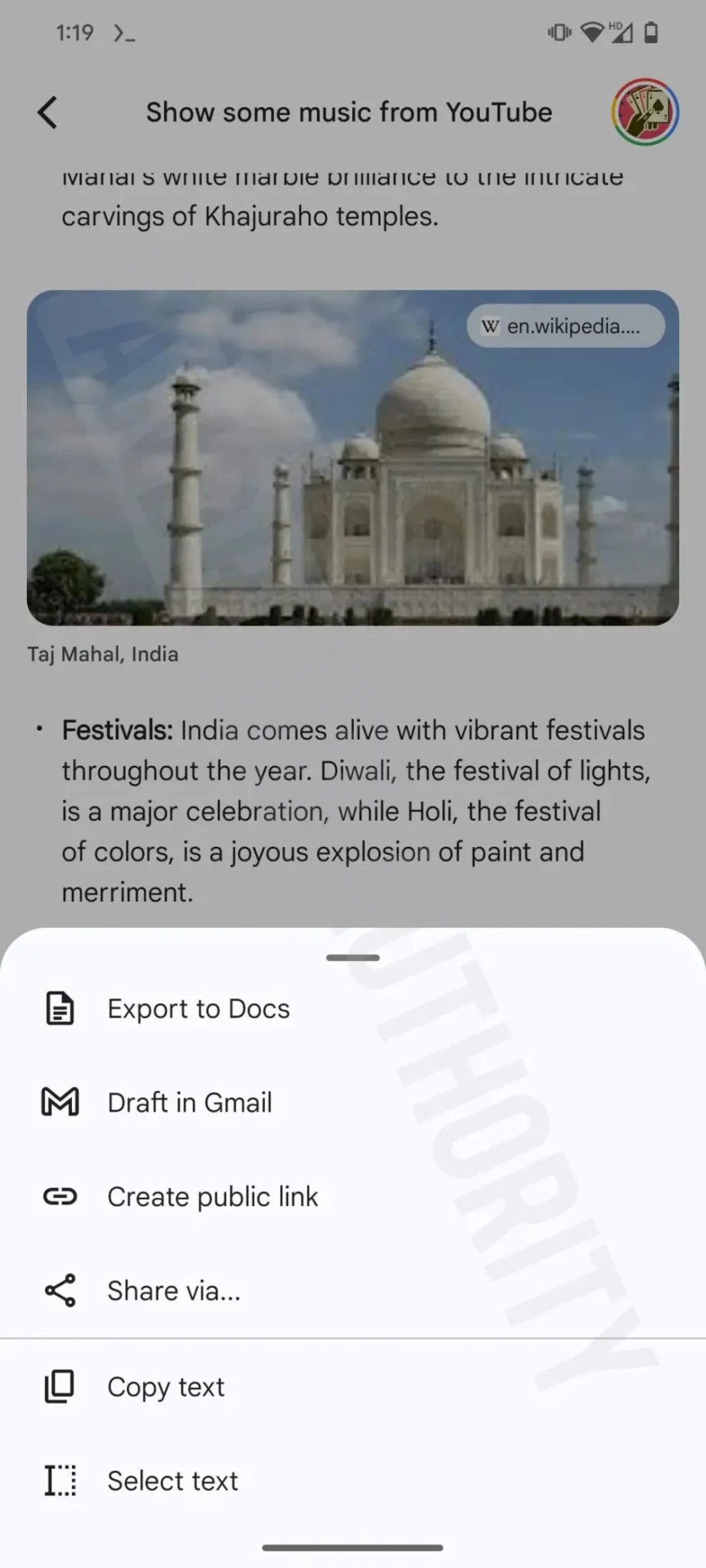
Currently, Google Gemini only allows you to copy the entire response that is returned to you. That can be quite annoying, especially when all you want to grab is a sentence or two, and not several paragraphs. Fortunately, that's going to change soon, as a “Select Text” option will soon be added alongside the current “Copy Text” option. Above, you'll see how it currently is on the left, and what it will soon look like on the right.

