



If you want to lock in some of the best heroes in AFK Journey early on, then rerolling is the answer.
One reroll session can take anywhere from 10 minutes to 30 minutes depending on how fast you go through the tutorial and how many free resources the game gives you upon creating a new character/account.
Read more if you want to see a step-by-step guide on how to reroll in AFK Journey, which heroes to reroll for, and if rerolling is worth your time and effort!
How To Reroll In AFK Journey (Step-By-Step)
Listed below are all the steps you need to take if you want to reroll in AFK Journey:
Step #1: Install The Game On Your Device (& Clone Your Instances)
If you installed AFK Journey on your mobile phone or PC, then feel free to proceed to the next step after downloading the in-game files. Choose the Basic Resource pack (~202 MB) so you can proceed to the next steps faster.
But if you’re using emulators such as LDPlayer or Bluestacks, remember to clone your instances before you open the game and download the in-game files. From there, either Synchronize your keystrokes or record them for later use.
TIP: You cannot create new accounts while playing on AFK Journey’s PC client, so for the sake of convenience, we recommend rerolling on either your mobile phone or an emulator.
Step #2: Create Your Character And Play Through The Tutorial
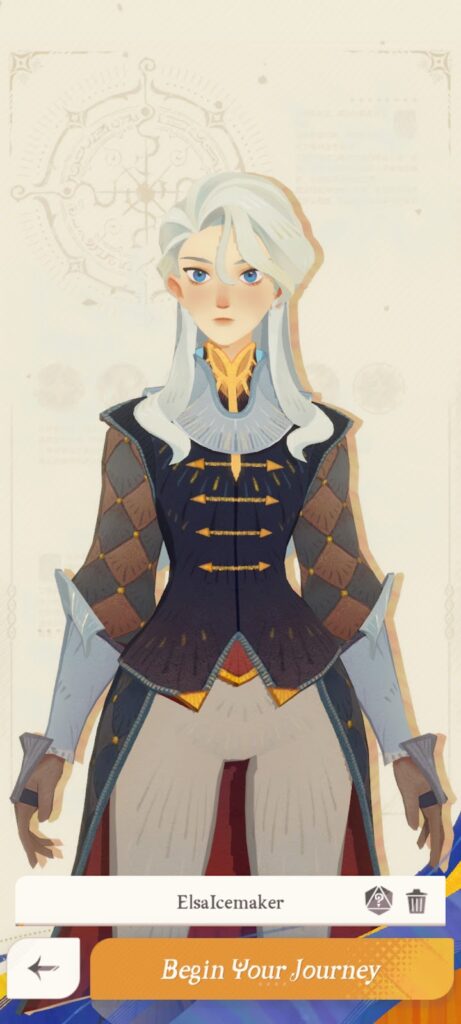
After downloading the in-game files, you can now create your character and proceed to the tutorial. Note that you cannot use the same character name twice, so don’t use the name you want on your main account while rerolling.
You can change your name for free once later on, and any subsequent renaming attempts will cost you 500 Diamonds.
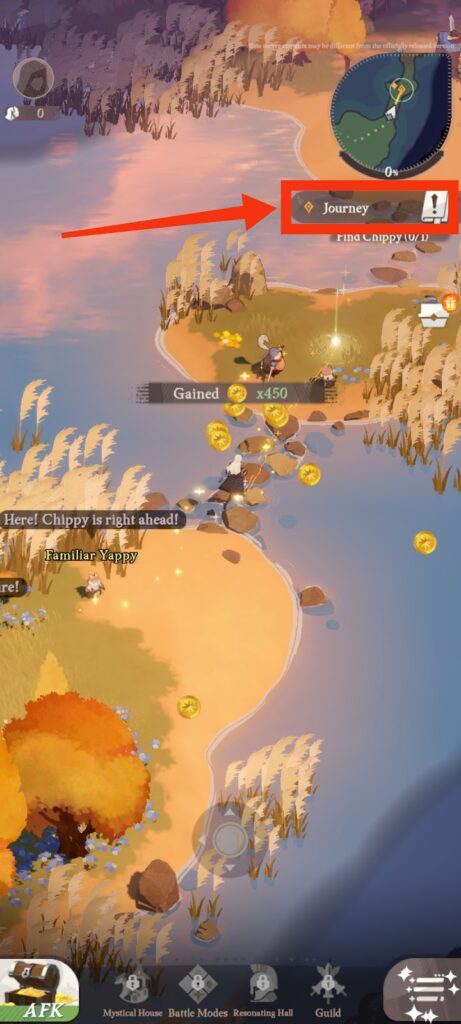
Remember to use AFK Journey’s Auto Route feature by simply clicking on the button highlighted in the image above.
This allows you to track main story quests automatically, which allows you to complete the tutorial quickly and without much effort.
TIP: Most tutorial cutscenes and character dialogues are skippable in AFK Journey, so don’t forget to skip all of them while rerolling. This will save tons of precious minutes in your reroll sessions.
Step #3: Set Play Ultimate Animation To “Never”
If you want to shave off more time from your reroll sessions, remember to go to your Settings > Battle > Battle Performance in the early stages of the tutorial and set Play Ultimate Animation to “Never”, as shown here:
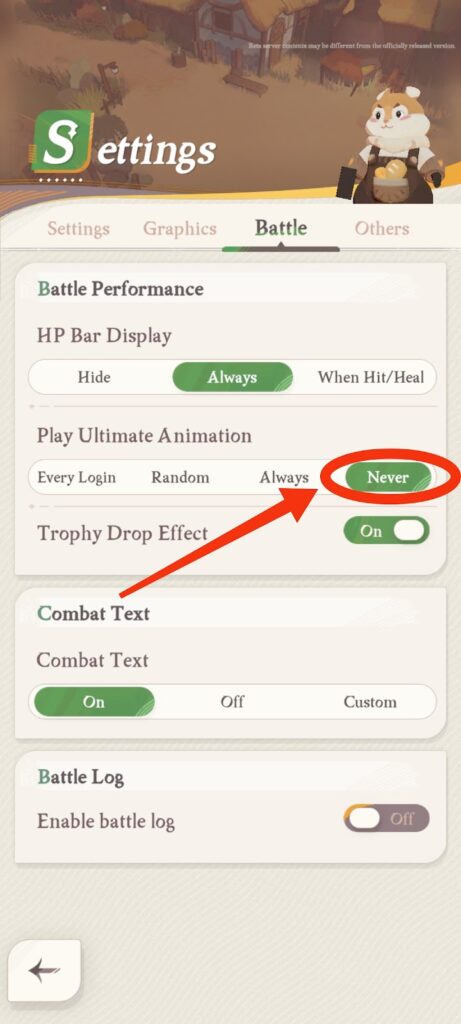
This disables all Ultimate animations during combat, which comes in handy since you go through quite a few battles during the tutorial.
Step #4: Meet Hammie To Unlock The Recruitment System

You unlock the Noble Tavern right after meeting Hammie during the tutorial and adding her to your roster. This is where you'll be able to get new heroes.
After getting Hammie on your team, the tutorial will then force you to do two single pulls on the Noble Tavern’s All Hero Recruitment banner.
The results of these two single pulls in the tutorial are fixed and will give you two Elite heroes every single time.
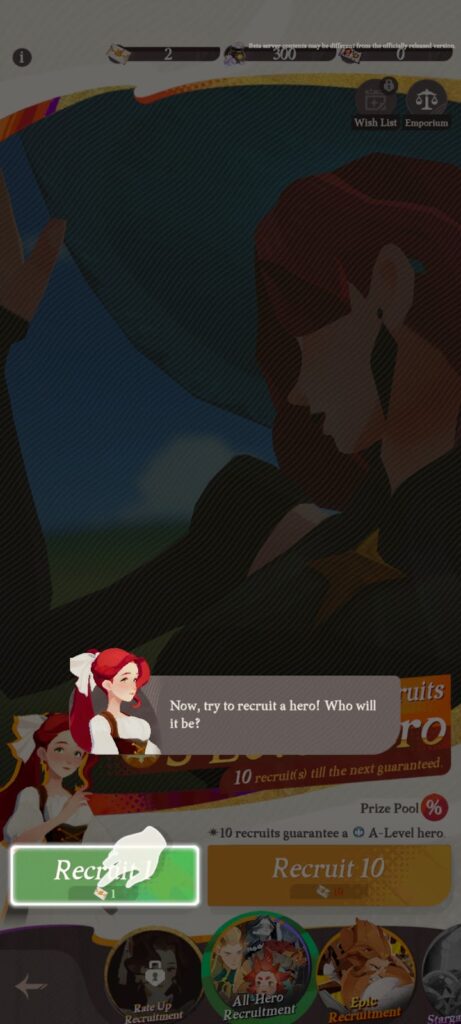
Despite unlocking the Noble Tavern fairly early, you won’t have enough Diamonds, Invite Letters, or Epic Invite Letters to pull for other heroes, so you’ll have to proceed to the next step first.


Step #5: Get More Diamonds And Invitation Letters For More Pulls
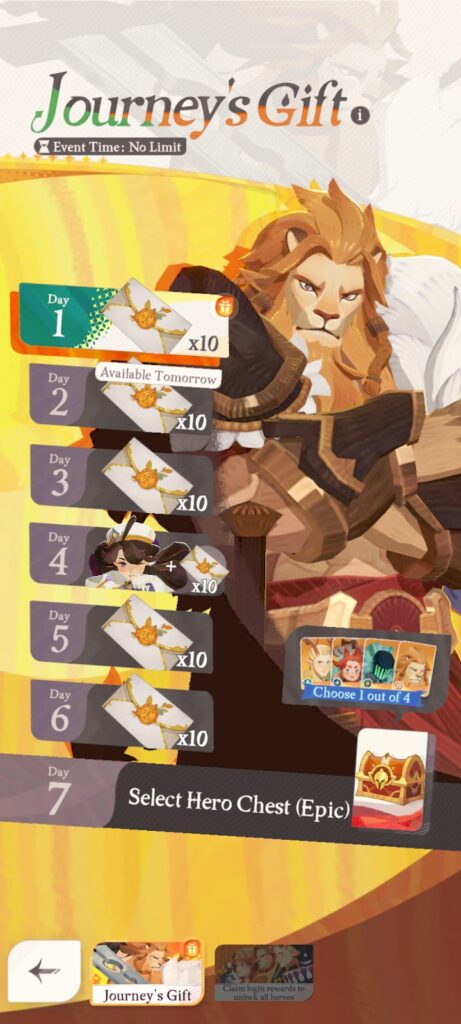
After unlocking the Noble Tavern, you’ll have to get Diamonds, Invite Letters, or Epic Invite Letters by doing any or all of the following:
- Claim rewards from your Mail
- Keep playing the story
- Open all the chests you can access
- Complete a few AFK stages or Growth Path missions
- Redeem promo codes
It depends entirely on you which of these tasks you’re willing to spend time doing every time you reroll.
Do keep in mind that you should ideally collect at least 28 Invite Letters and 10 Epic Invite Letters per reroll, so you can get at least three guaranteed Epic heroes on your account.
Step #6: Spend All Diamonds & Invite Letters In The Noble Tavern
Once you get all the resources you’re satisfied with, it’s time to pull for some heroes!
There are two recruitment banners of interest in this step—the All Hero Recruitment banner which uses Diamonds or Invite Letters and the Epic Recruitment banner which uses Epic Invite Letters exclusively.
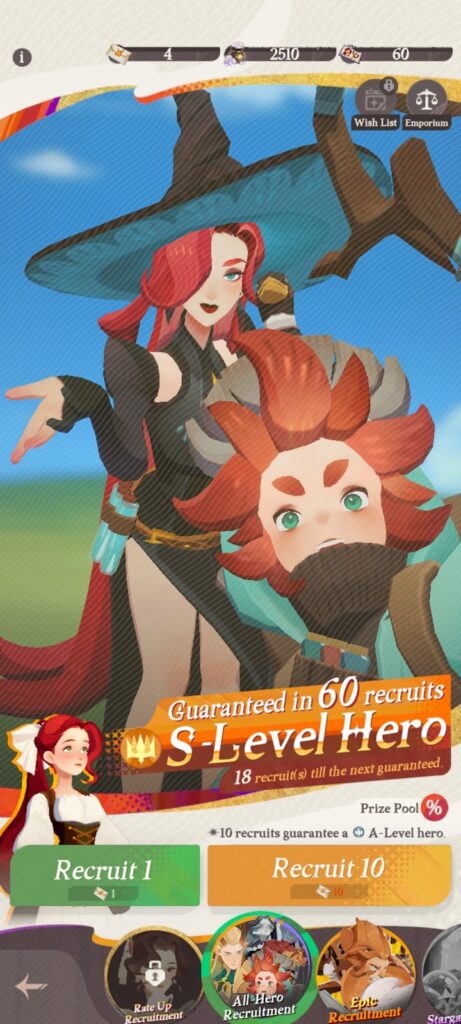
The All Hero Recruitment banner gives you a 2.05% chance of recruiting Epic heroes, but your first ten recruits in this banner will once again be fixed as you’re guaranteed to get Cecia (Epic) on your first ten-pull.
Cecia is one of the best units in the game, so having her as a guaranteed pull early on is a godsend.
Aside from Cecia, you’ll be able to pull at least one more Epic hero from the All Hero Recruitment banner if you manage to collect 28 Invite Letters.
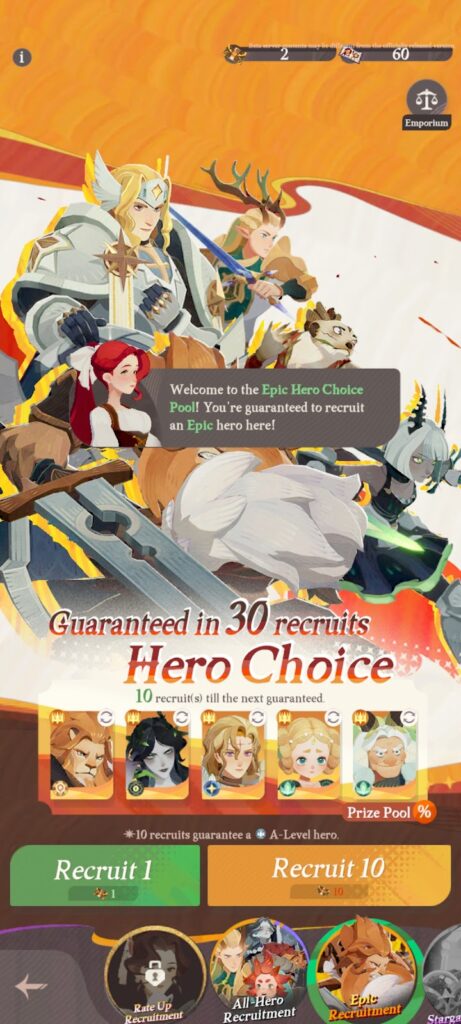
The Epic Recruitment banner, on the other hand, gives you a 5.22% chance of obtaining either of the five Epic heroes you selected as your guaranteed units.
All you need are 10 Epic Invitation Letters to get one guaranteed Epic unit here, which you can collect mainly from chests and by completing Growth Path missions during the tutorial.
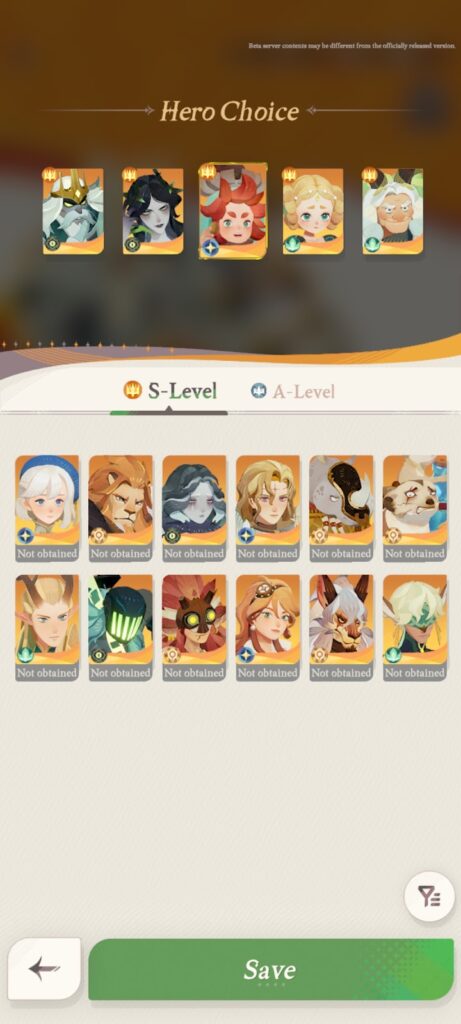
Don't forget to select which Epic heroes you'd like to get first before pulling in this banner by changing the heroes featured in your Hero Choice!
TIP: Do not reroll for Elite heroes. Some Elite heroes in AFK Journey may be top-tier, but they’re quite easy to get later on so focusing your rerolling efforts on Epic heroes, which are harder to get, would be the wiser choice.
Step #7: Switch Servers Or Switch Accounts
After pulling for units, you can either switch servers or switch accounts if you’re not satisfied with your pulls.
Switch servers until you run out of servers to create new characters in. Once all servers have been used, only then should you consider switching accounts.
If you want to switch servers, all you have to do is go to your Settings > Others > Account Service, then click “Character Switch”:
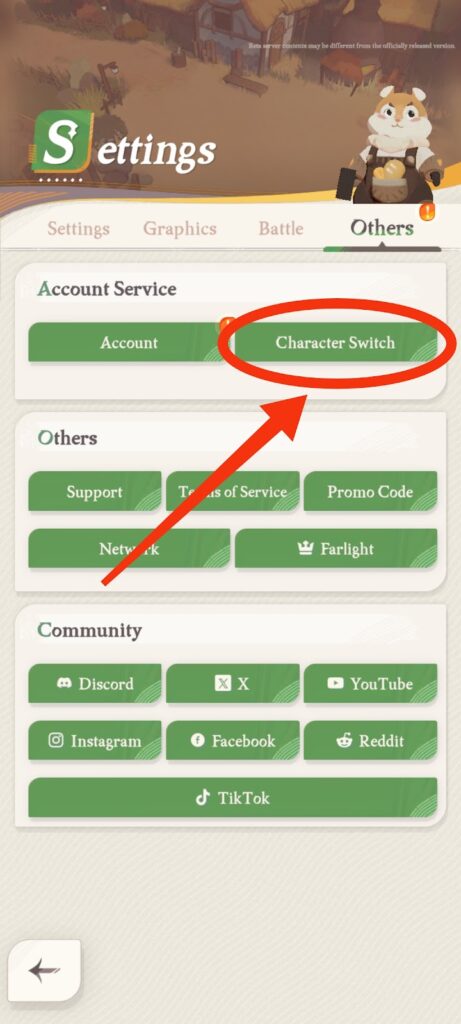
You’ll then be shown all the characters you have created with your account—each with different servers as you’re only allowed one character per server.
Click “Create New Character” to proceed with the reroll process:

You’ll then be asked which server you’d like to create a new character in. Pick any server you want, then confirm:

If you want to switch accounts instead, you’ll have to go to your Settings > Others > Account Service once again, then click “Account” this time:
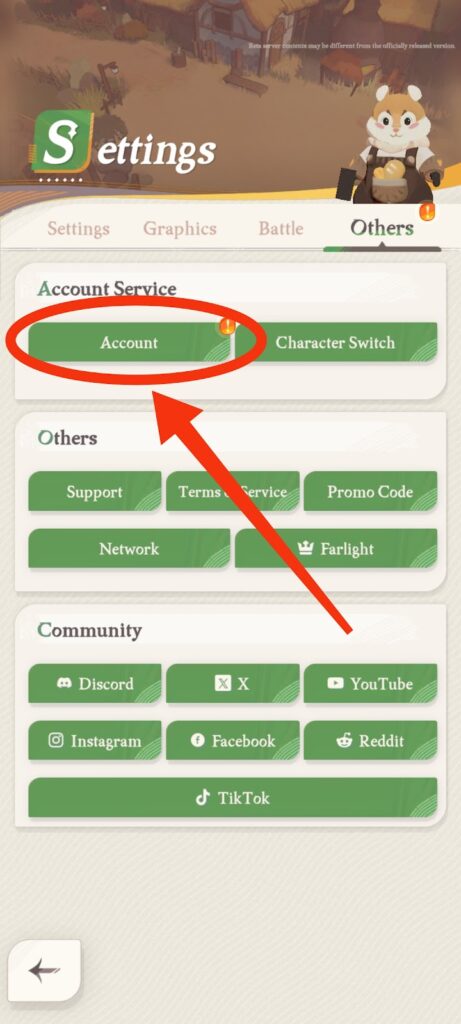
From there, you’ll be able to see what Email address or Google account you currently have linked to your AFK Journey account.
To proceed, click “Switch Accounts” at the bottom of the screen:
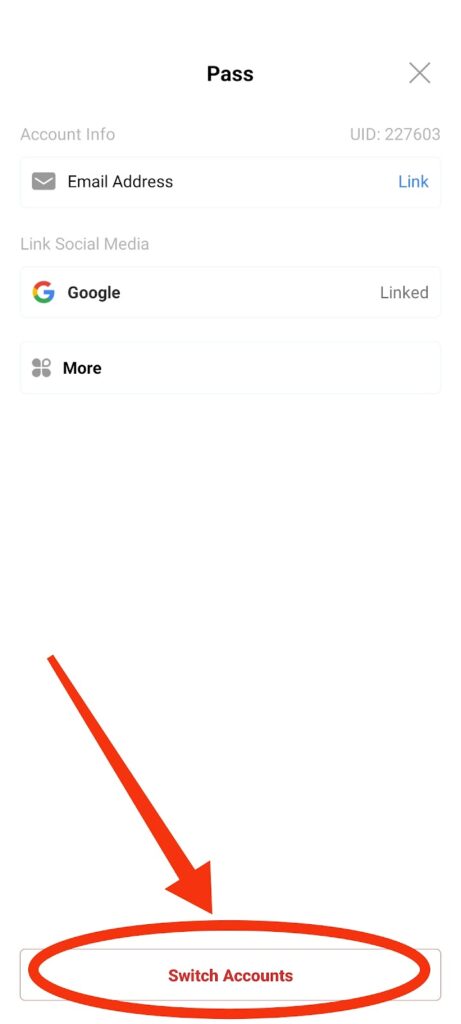
From there, you could create a new account by linking either your email or an active Google Account on your device:

From here, simply go back to step two and repeat the process until you're satisfied with the units you get!
Best Heroes To Reroll For In AFK Journey
Here are some of the best Epic heroes in AFK Journey that you can and should reroll for:
| Recommended Epic Heroes | Faction | Primary Role | |
|---|---|---|---|
 | Rowan | Wilder | Support |
 | Thoran | Graveborn | Tank |
 | Hewynn | Wilder | Healer |
 | Smokey & Meerky | Mauler | Support |
 | Cassadee | Lightbearer | DPS |
 | Cecia (Duplicates for Soul Sigils) | Graveborn | DPS |
 | Granny Dahnie | Wilder | Tank |
NOTE: Once again, some Elite heroes in AFK Journey such as Odie, Viperian, and Lyca can compete with Epic heroes in terms of overall performance, but they're much easier to get later on, which makes them less-than-ideal targets for rerolling.
Is Rerolling Worth It In AFK Journey?
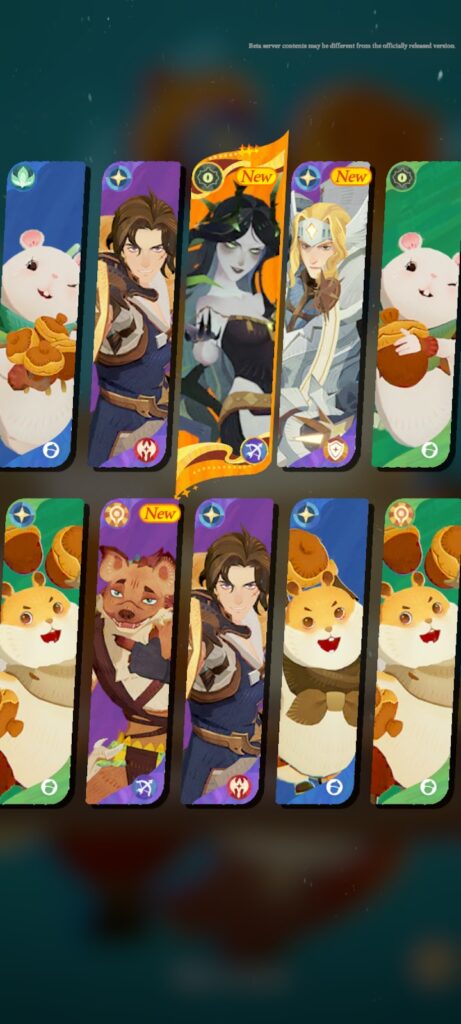
Despite it giving you a significant advantage in the early game, rerolling in AFK Journey isn’t really necessary, as you can eventually collect all of the Epic heroes in the game if you just play consistently.
Besides, you’re better off using heroes that you get the most duplicates (i.e. Soul Sigils) of, anyway, and not just the ones you manage to get early on.
However, if you want to have a smooth early game experience and a good selection of starting Epic heroes, then you should definitely consider enrolling!
Conclusion
Despite the account reset/deletion feature being unavailable, rerolling in AFK Journey is quite easy to do if you follow all the steps we’ve mentioned above.
If you like AFK Journey, then you might also be interested in:
Gods of Myth: Idle RPG, AFK Football: RPG Soccer Games, Madtale: Idle RPG