


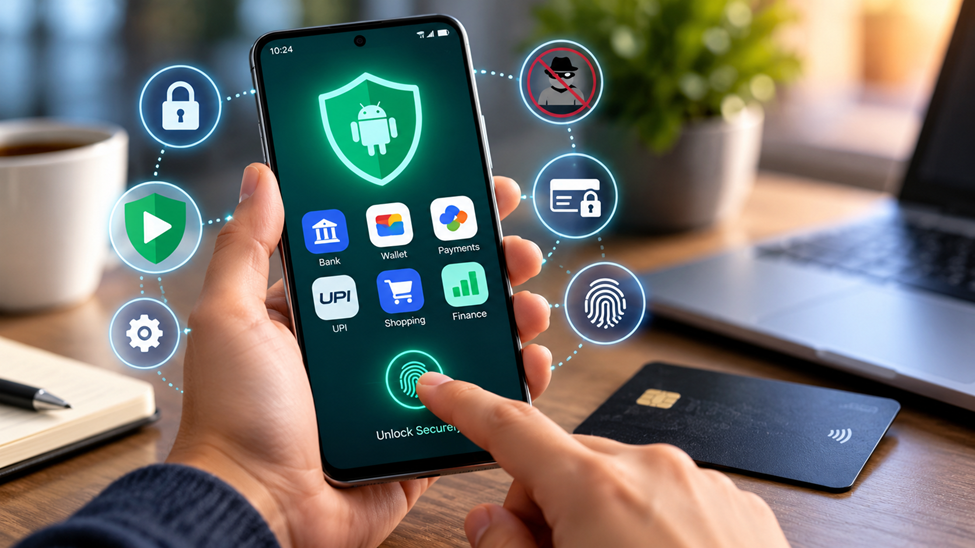
Your Android phone probably holds more financial access than your wallet ever did. Banking apps, digital wallets, subscription services and in-app purchases all live a few taps apart, and each one is a potential target. The good news is that Android has strong built-in protections, and a handful of habits will close most of the remaining gaps. Here is a practical checklist.
Start with the basics: updates and Play Protect
The single most effective step is also the dullest: keep your phone updated. Security patches fix vulnerabilities that attackers actively exploit, and delaying them leaves the door open. Turn on automatic system updates and check the security patch level under Settings > About phone > Android version.
Next, make sure Google Play Protect is switched on. It scans apps from the Play Store and from other sources for harmful behaviour, and it can warn you or disable apps that look dangerous. It is enabled by default on most devices, but it takes ten seconds to confirm in the Play Store settings.
Be selective about where apps come from
Sideloading, which means installing apps from files or third-party stores, is one of the most common ways malware reaches Android phones. Fake versions of popular banking, wallet and streaming apps circulate online, often promoted through ads or messages.
Stick to a few rules:
• Install finance apps only from the official Google Play listing, and check that the developer name matches the company you expect.
• Be wary of apps with very few downloads, poor spelling in the description or a flood of identical reviews.
• If an app asks you to enable “install unknown apps” in order to continue, stop and reconsider.
Review app permissions
A payment app needs to access the internet and perhaps your camera for scanning a card or a QR code. It rarely needs your contacts, your call log or the ability to read your text messages. Android lets you review and change permissions for every app, and it automatically resets permissions for apps you have not used in a while.
Go to Settings > Privacy > Permission manager and look at what each financial app can do. Revoke anything that does not make sense. Pay particular attention to accessibility services, which are powerful tools designed to help people with disabilities but have also been abused by malicious apps to read the screen and tap buttons on your behalf. Only grant that access to apps you genuinely trust.
Lock the phone and the apps
A strong screen lock is the first line of defence if your phone is lost or stolen. Use a six-digit PIN at minimum, or a strong password, and add fingerprint or face unlock for convenience. Avoid simple swipe patterns that can be guessed from smudges on the screen.
Most banking and wallet apps offer their own biometric or PIN prompts. Turn them on. That way, even someone who gets past your lock screen cannot immediately move money. Also enable Find My Device so you can locate, lock or erase the phone remotely.
Use two-factor authentication properly
Two-factor authentication (2FA) adds a second check when you sign in. Not all methods are equal. Text-message codes are better than nothing, but they can be intercepted through SIM-swap fraud. Where you have the choice, use an authenticator app or a hardware security key, and consider passkeys, which replace passwords with cryptographic credentials stored on your device. Major apps such as WhatsApp are now rolling out passkey support, so setting one up is easier than it used to be.
Store your passwords in a password manager rather than reusing the same one across services. Google's built-in manager and standalone options both work well, as long as you protect the vault with a strong master credential.
Watch your spending and payment settings
Security is not only about malware. Plenty of financial trouble comes from small, repeated charges and impulsive payments that are easy to make on a phone. Set up purchase authentication in Google Play so a password or biometric is needed for every purchase, and turn on spending notifications in your banking app so each transaction produces an alert.
If you use your phone for entertainment services that involve deposits or subscriptions, set limits and review them regularly. Boundary-setting like this applies to any app that handles your money.
Crypto wallets deserve extra care. If you hold Ethereum or other tokens in a mobile wallet, write your recovery phrase on paper and store it offline, never in a screenshot, a notes app or a cloud folder. Blockchain transactions cannot be reversed, so a payment sent to the wrong address, or to a scammer, is gone for good. Always copy-check the first and last characters of an address and send a small test amount first. People who use ETH to pay for online entertainment should apply the same discipline, and guides to Ethereum casinos are a useful reference for what to look for in licensing, wallet support and withdrawal rules before sending any funds.
Beware of phishing and fake alerts
Attackers know that a worried person acts fast. A text that says your account is locked, or a pop-up claiming your phone is infected, is designed to rush you. Never tap links in unexpected messages. Open the official app yourself, or type the bank's address into the browser, and check from there.
A good rule of thumb: real banks and services never ask for your PIN, full password or one-time codes by message or phone call. Urgent language, mismatched sender addresses and unexpected attachments are classic warning signs.
A five-minute security routine
Once a month, run through this short list:
1. Install pending system and app updates.
2. Confirm Play Protect is on and run a scan.
3. Remove apps you no longer use.
4. Review permissions for banking and wallet apps.
5. Check your statements for charges you do not recognize.
The takeaway
Android gives you the tools to keep your money safe; the key is switching them on and using them consistently. Update often, install carefully, limit permissions and treat unexpected messages with suspicion. A few minutes of upkeep is a small price for peace of mind.