



Apple Music has become a popular choice for music lovers who want access to millions of songs, albums, and playlists. Android users can enjoy the service through its dedicated app, but managing music outside the streaming platform can be less straightforward. For those who want more flexibility with their personal music libraries, third-party audio tools offer some useful alternatives.
Whether you want to convert music into common audio formats, record audio for editing, or organize your existing music collection, choosing the right software can make the process easier.
Here are six tools worth considering, with ViWizard Apple Music Converter taking the top spot for users who want a more flexible way to manage their Apple Music libraries.
TOP 1. ViWizard Apple Music Converter – Best Overall
ViWizard Apple Music Converter is a desktop application designed for users who want to convert Apple Music tracks into common audio formats and manage their music libraries more freely.
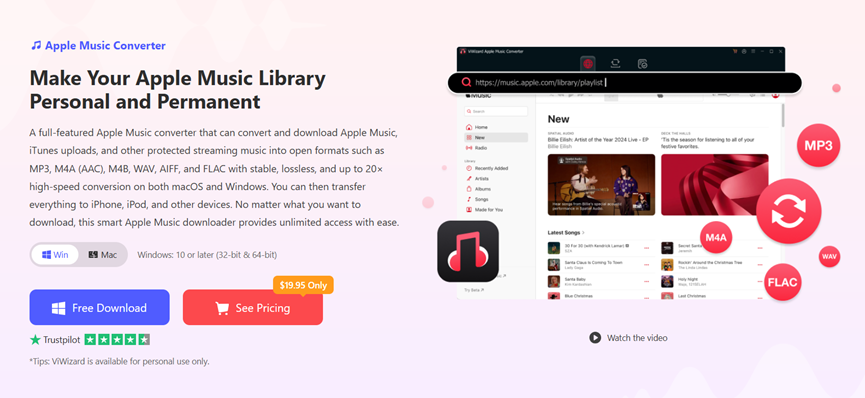
Unlike basic audio recording software, ViWizard provides a dedicated conversion workflow. Its built-in Apple Music web player allows users to browse their music library, select songs or playlists, and start converting without switching between multiple applications.
The software supports MP3, AAC, WAV, and FLAC, giving users several options depending on their preferred music player and storage requirements. It can also preserve important metadata, including song titles, artists, and album information, helping users keep their collections organized.
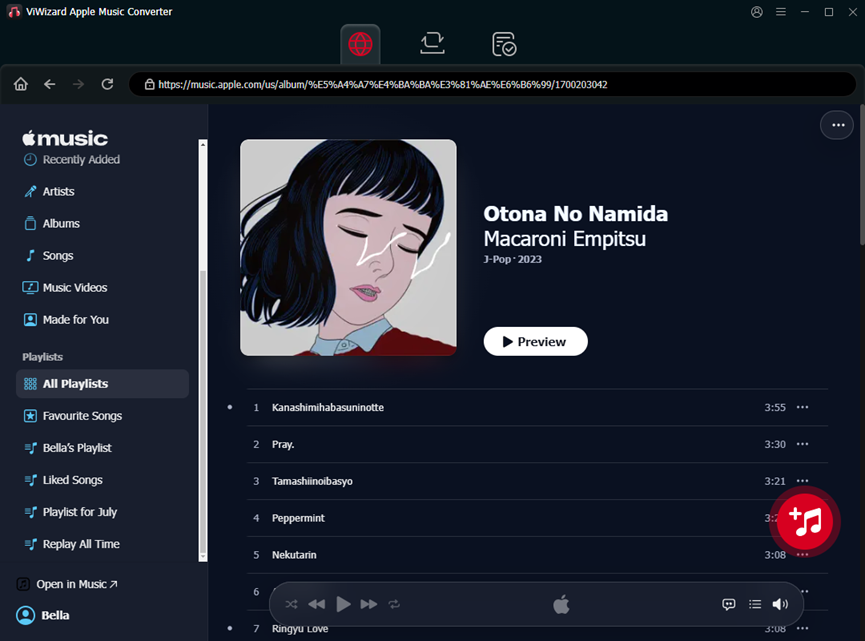
Batch conversion is another useful feature, particularly for people who want to process entire playlists or albums rather than individual tracks. The software also offers accelerated conversion, making it more convenient to manage larger music libraries.
For Android users, the main advantage is the ability to prepare compatible audio files on a computer and transfer them to a phone, tablet, or other supported music player. This can be useful for people who prefer listening through a local music player rather than relying entirely on a streaming app.
ViWizard supports both Windows and macOS, making it suitable for users who manage their music on different desktop platforms.
Best for: Users who want a dedicated Apple Music conversion tool with flexible output formats and convenient music management.
TOP 2. Audacity – Best Free Audio Recording Tool
Audacity is a free, open-source audio editor that can record and edit audio from various sources. Although it is not designed specifically for Apple Music, it can capture audio playing on a computer when the operating system and recording settings support it.
Once the audio has been recorded, users can trim unwanted sections, adjust volume levels, remove noise, and export the results into formats such as MP3 or WAV.
One of Audacity's biggest advantages is its flexibility. It offers a wide range of audio editing features without requiring a paid subscription. However, recording music in real time can be inconvenient when dealing with lengthy albums or playlists. Track information and metadata may also need to be added manually.
For users who only need occasional audio recording or editing, Audacity is a useful free option. Those who want a more automated music conversion workflow may prefer a dedicated application.
Best for: Users who need a free audio recording and editing tool.
TOP 3. 4K Video Downloader Plus – Best for Online Audio and Video Downloads
4K Video Downloader Plus is a desktop application designed to download videos and audio from supported online platforms.
It can be useful for users who want to save publicly available music videos, podcasts, or other audio content for offline access. Depending on the source, users may be able to choose different download qualities or extract audio from supported videos.
The application offers a straightforward interface, making it relatively easy to paste a supported video link and begin downloading.
However, it is not an Apple Music-specific downloader and does not provide a dedicated workflow for converting Apple Music tracks. Users should also check which platforms and formats are supported by the current version.
Best for: Users who frequently save supported online audio and video content.
TOP 4. MediaHuman Audio Converter – Best for Converting Existing Audio Files
MediaHuman Audio Converter is a desktop application that helps users convert audio files between different formats.
It supports common formats such as MP3, AAC, WAV, FLAC, and others, depending on the current version. The software also offers batch conversion, which can be useful when working with multiple files.
Its main advantage is simplicity. Users can add audio files, choose an output format, and convert them without dealing with a complicated interface.
For Android users, this can be helpful when preparing existing music files for playback on a phone or tablet. However, MediaHuman Audio Converter does not provide a dedicated Apple Music downloading or conversion workflow. Users need to have compatible audio files before using it.
Best for: Users who already have audio files and want to convert them into different formats.
TOP 5. MusicBee – Best for Organizing a Personal Music Library
MusicBee is a Windows music player and library management application designed for people who maintain large collections of local audio files.
It offers tools for organizing music, editing metadata, creating playlists, and browsing albums. Users can also customize the interface and manage their collections according to their preferences.
For Android users, MusicBee can help organize a music library before transferring compatible files to a mobile device. This is especially useful for people who have music collected from different sources and want a consistent library structure.
MusicBee is not an Apple Music downloader, and it does not convert Apple Music tracks into downloadable files. Its value lies in helping users manage music they already have.
Best for: Users who want to organize and manage a personal music collection on Windows.
TOP 6. VLC Media Player – Best for Playing Multiple Audio Formats
VLC Media Player is a free, open-source media player available on desktop and mobile platforms, including Android.
It supports a wide range of audio and video formats, making it a convenient option for users who want to play different types of media without installing multiple applications.
VLC can also play local music files and organize playback through playlists. Its Android version is particularly useful for people who transfer music from a computer and want to listen to it on their phones.
While VLC offers some media conversion and streaming features on desktop, it is primarily a playback tool rather than an Apple Music downloader.
Best for: Users who need a versatile media player for local music and other media files.
How to Choose the Right Apple Music Downloader
The best tool depends on what you want to do with your music.
If you want a dedicated solution for converting Apple Music tracks into common audio formats, ViWizard Apple Music Converter is a strong option. Its built-in music player, batch conversion, and metadata preservation make it convenient for managing larger collections.
Audacity is better suited to users who need free audio recording and editing features. Meanwhile, MediaHuman Audio Converter can help convert existing audio files, while MusicBee and VLC are useful for organizing and playing local music libraries.
Before choosing a tool, consider its supported platforms, output formats, ease of use, and whether it offers the workflow you need.
Final Thoughts
Apple Music offers a convenient way to discover and enjoy music, but users who want greater flexibility with their personal libraries may need additional tools.
Among the six options covered here, ViWizard Apple Music Converter stands out for its dedicated conversion workflow, multiple output formats, and music management features. It is particularly useful for users who want to prepare compatible audio files on a computer and transfer them to Android devices or other supported music players.
Other tools, such as Audacity, MediaHuman Audio Converter, MusicBee, and VLC, can complement a personal music library by providing recording, editing, conversion, organization, and playback features.