


Modern family life rarely runs on a single shared paper calendar anymore. Between school drop-offs, work meetings, sports practices, meal planning, and the endless list of chores, households need something that keeps everyone aligned without turning one parent into the full-time scheduler. Digital wall calendars have stepped into that gap, but most still operate on a familiar model: parents plan, kids follow.
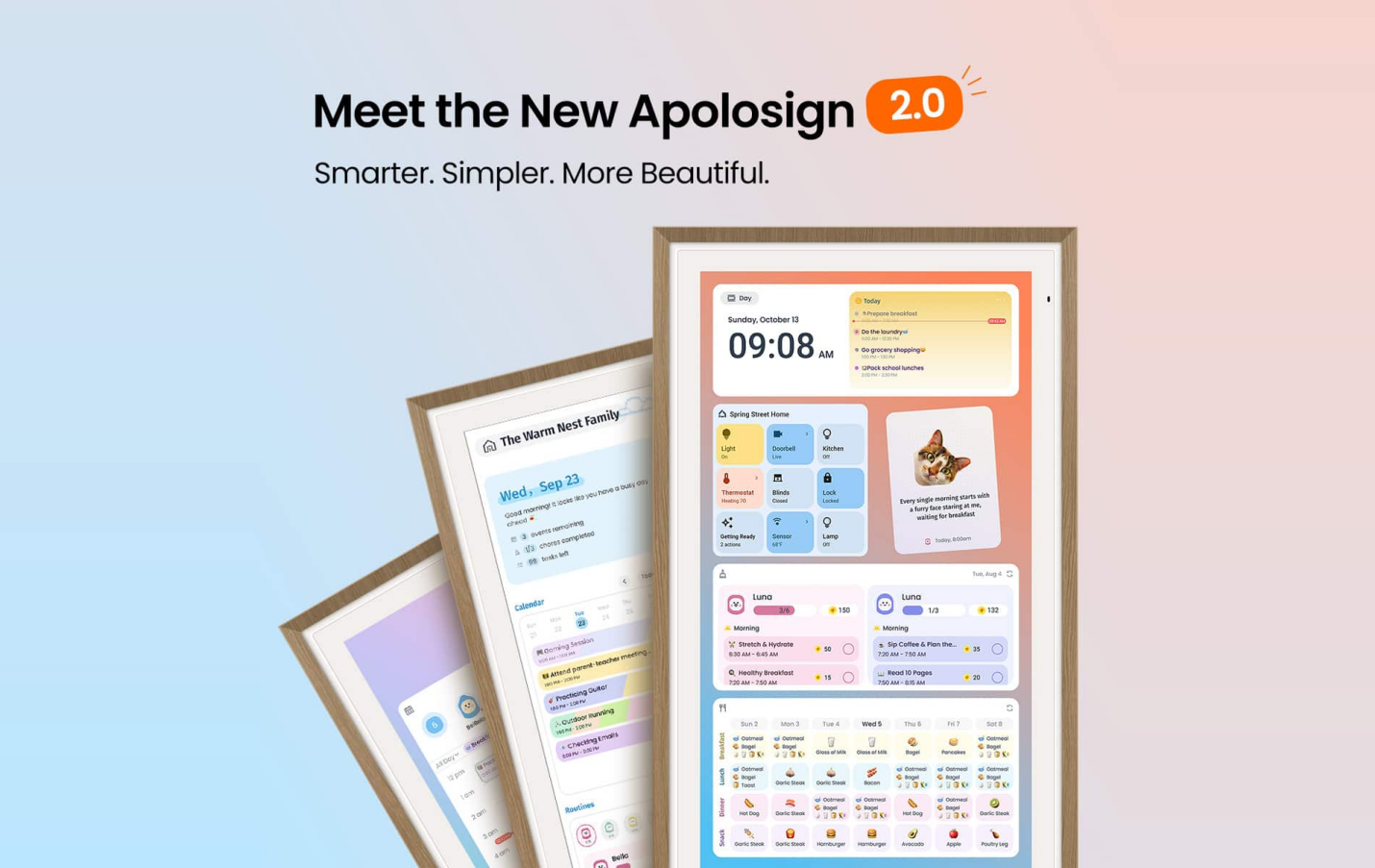
The 2.0 software update for Apolosign Digital Caplendar pushes the category further. The company positions the upgrade as a shift from a one-way scheduling tool into a collaborative Smart Family Organization Hub—one where the whole family can participate in planning, tasks, routines, communication, and daily coordination. Available in 15.6-inch, 21.5-inch, 27-inch, and 27-inch 4K sizes, the devices run dual-mode software (dedicated Calendar Mode plus full Android Mode) and keep core features free of ongoing subscriptions.
Here’s a closer look at what the 2.0 software experience brings and how it plays out in real family routines.
The Evolution Beyond Basic Scheduling
Traditional digital calendars excel at displaying shared events and sending reminders. They solve the “who’s where and when” problem but often leave the rest of household management scattered across apps, sticky notes, and verbal reminders. Apolosign’s approach treats the large touchscreen as a central hub that connects time management with tasks, habits, meals, and light communication.
The 2.0 software update emphasizes four themes: a refreshed visual experience, more intuitive family scheduling, more personalized interaction, and more complete everyday organization. The goal is to move families from simply knowing the schedule to actively organizing and completing daily life together.
A More Visual and Intuitive Scheduling Experience
The redesigned Home screen and UI aim for quicker glanceability. Family View, participant-based color coding, and Event Highlight make it easier to see individual and shared commitments at a glance. Color-coding by family member reduces the mental load of parsing a busy week, while highlights draw attention to key events without requiring constant app-switching.
In practice, this supports the common kitchen or hallway check-in: kids can see their own after-school activities clearly marked, parents can spot overlapping commitments, and the household gains a shared reference point that updates in real time via Google, Apple, Outlook, Yahoo, and other calendar syncs.
From Schedule to Everyday Organization: To-Dos, Routines, Rewards, and Meals
Beyond the calendar grid, the 2.0 software update expands tools for active management. To-Do management gains Creator View and one-tap clearing of completed items. Routines and Chores pair with a Points & Rewards system that turns household responsibilities into something kids can track and engage with directly. Instead of solely receiving instructions, children can mark progress, earn points, and participate in the reward loop—helping build ownership of daily habits.
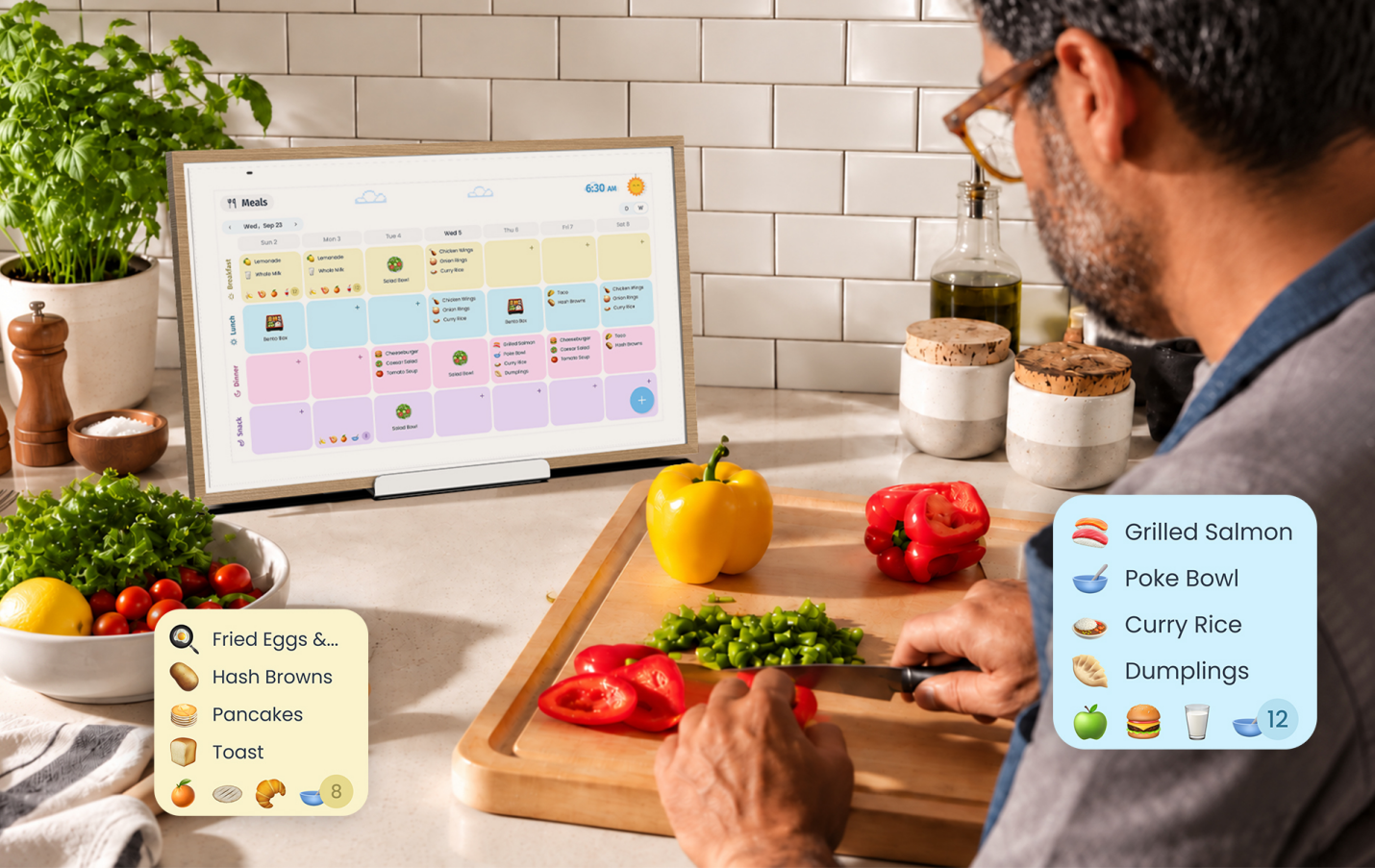
Meal planning receives clearer structure through Meal Week View, recipe creation, Favorites, and multiple import methods. Families can add recipes manually, via photo, by link, or through online discovery. AI-powered image recognition can pull recipe details from photos, while AI webpage recognition helps extract information from supported sites. The result is meal planning that lives alongside the rest of the week’s organization rather than as a separate spreadsheet or notebook task.
These features illustrate the broader category shift the product highlights: a calendar manages time; a family organization hub handles time plus tasks, routines, meals, and light coordination.
Personalized Family Communication with Upgraded Stickies
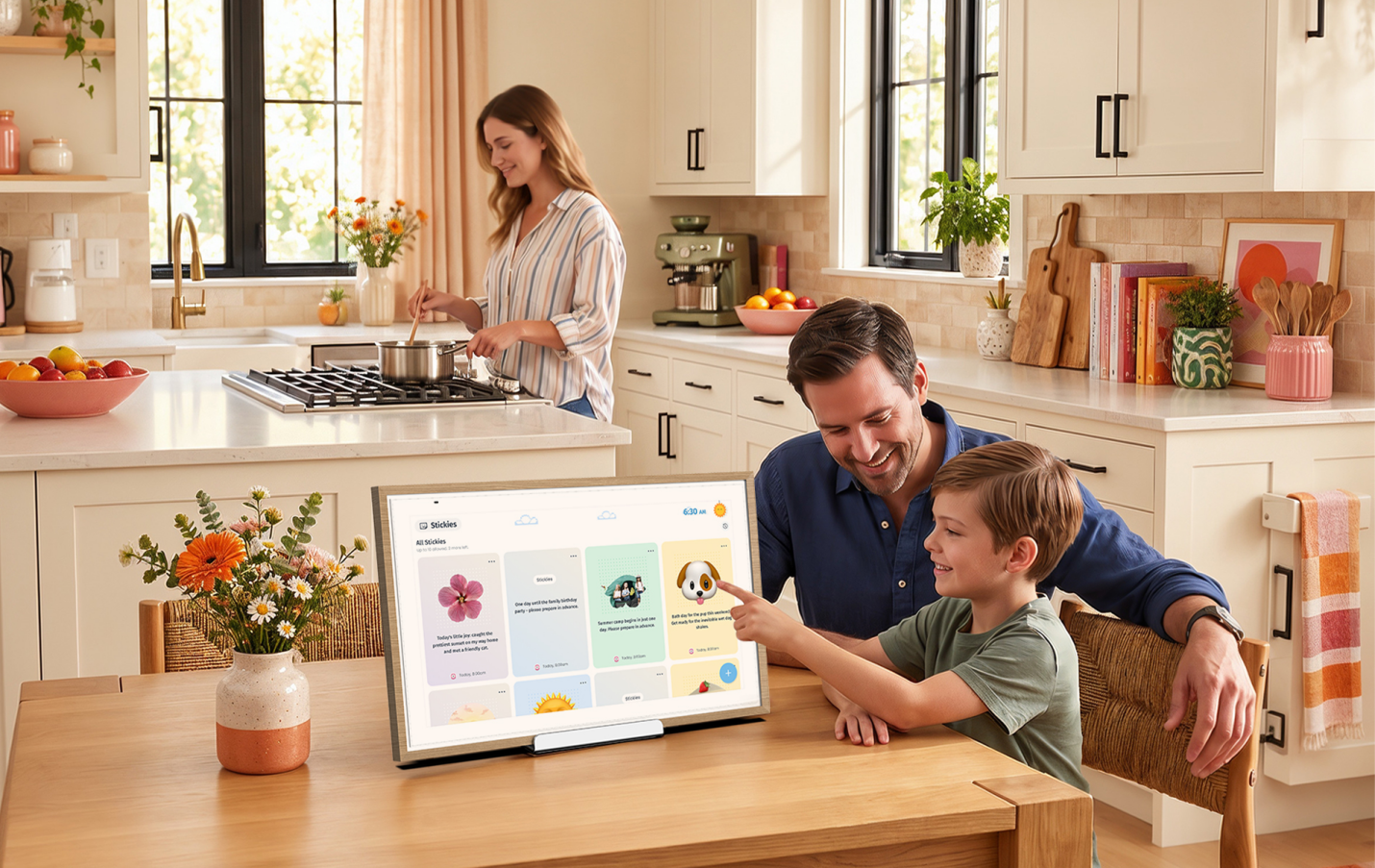
The Stickies / Message Board evolves into a more creative shared space. Image sharing, cropping into different shapes, and AI-powered background removal give family members flexible ways to post photos, notes, countdowns, and everyday updates. Countdown reminders keep birthdays, deadlines, holidays, and events visible. Sidebar access makes the feature easier to reach for both parents and kids.
This turns the board into more than a digital sticky-note replacement—it becomes a low-friction place for moments, encouragement, and quick household communication that everyone sees when they pass the screen.
Android Mode, Widgets, and the Customizable Dashboard
Because the device runs Android with Google Play access, it is not limited to the calendar interface. Users can switch to Android Mode for a fully customizable dashboard built with widgets—calendar views, chores, weather, smart-home controls, photo frames, and more. The large display can function as a shared information screen, app launcher, or entertainment surface when not actively used for planning. Google Assistant (and Gemini AI chat capabilities) support voice control, and Google Home integration lets the screen interact with compatible doorbells, cameras, and other smart devices.
Parental controls help manage children’s screen time, and the photo-frame functionality (including Google Photos support) keeps the screen useful even when no one is actively interacting with the schedule.
Practical Family Scenarios
- Morning rush: Color-coded Family View shows whose practices and appointments land on the same day; kids can check their own routines and to-dos.
- Weekly planning: Meal Week View and recipe tools sit alongside chores and events so grocery lists and dinner plans stay connected to the rest of the schedule.
- Habit building: Points & Rewards turn routine chores into trackable progress rather than pure parental prompting.
- Everyday communication: A photo from the weekend, a countdown to a family event, or a quick note appears on the shared Stickies board without requiring everyone to open a group chat.
- Flexible display: When the calendar is not needed, the screen becomes a photo frame, widget dashboard, or smart-home glance surface.
Models, Pricing Approach, and Subscription Stance
Apolosign offers the Digital Calendar in multiple sizes to fit different spaces: the more compact 15.6-inch (often suitable for counters or smaller kitchens, and the only size that typically includes a desktop stand), the popular 21.5-inch wall unit, and larger 27-inch options including a 4K version. All core family organization features—calendar sync, to-dos, routines, rewards, meal tools, Stickies, and photo display—are available without an additional subscription.
This one-time-purchase model is a notable differentiator against competitors that gate advanced features behind annual fees. Ongoing software updates continue after purchase.
Verdict
Apolosign Digital Calendar is strongest when viewed as more than a prettier wall calendar. The visual refinements, collaborative tools (especially routines, rewards, and improved Stickies), AI-assisted meal and image features, and dual-mode flexibility (focused Calendar Mode + open Android dashboard) give it a clearer path toward becoming a genuine household organization hub. Families looking for a subscription-free digital wall calendar that encourages broader participation—not just parental oversight—will find the 2.0 software update direction well aligned with real daily life.
It is not a pure Android tablet replacement, nor does it eliminate the need for individual phone calendars. What it does offer is a shared, always-visible center that makes schedules, tasks, meals, and light communication easier to coordinate as a group. For American households juggling school-age kids, work, and the constant stream of small organizational decisions, that shift from “parents manage the calendar” to “the whole family organizes together” is the most meaningful part of the upgrade.
Available models and more details: Apolosign 21.5″ Digital Calendar and the full lineup at apolosign.com.
Pros
- No subscription required for core features
- Clear evolution toward collaborative family tools (routines, rewards, Stickies, meal planning)
- Dual-mode design (Calendar + full Android/widgets)
- Multiple screen sizes including 4K option
- Practical AI assists for recipes and images without overhyping them
Cons
- Larger sizes are primarily wall-mounted (desktop stand mainly on the smallest model)
- Experience is strongest when the whole household engages with the shared tools rather than treating it as a passive display
Overall, Apolosign Digital Calendar makes a compelling case for the next step in digital family organization: not just better visibility into the schedule, but better tools for living it together.