Is it possible to play Pokémon GO Without Moving on Android?
Short answer: yes. There's more than one way to keep your Pokémon GO account moving forward without actually going anywhere, and Android gives you a bit more room to work with here than iOS does.
The catch is that Pokémon GO leans hard on your phone's GPS for basically everything. Where you're standing decides which Pokémon show up, which stops you can spin, which eggs hatch. So it's no surprise people start hunting for a way to play Pokémon GO without moving once they're stuck inside, or it's raining, or they just don't feel like walking six blocks for a Magikarp.
Niantic already thought about this a little. Incense pulls Pokémon toward you for a stretch of time, so you can sit on your couch and still catch things. Drop a Lure Module on a PokéStop and it does roughly the same job for anyone standing near it. Adventure Sync quietly counts your steps in the background too, even with the app closed, and that feeds into egg distances and a couple of other rewards.
None of that changes where you actually are, though. You're still limited to your real neighborhood's Pokémon, your real nearby stops, whatever gym happens to be down the street. If you want to reach somewhere else entirely, none of these built-in options get you there.
That's the gap GPS location changers fill. On Android, something like MocPOGO lets you set your in-game position somewhere else and go from there.
What Is MocPOGO?
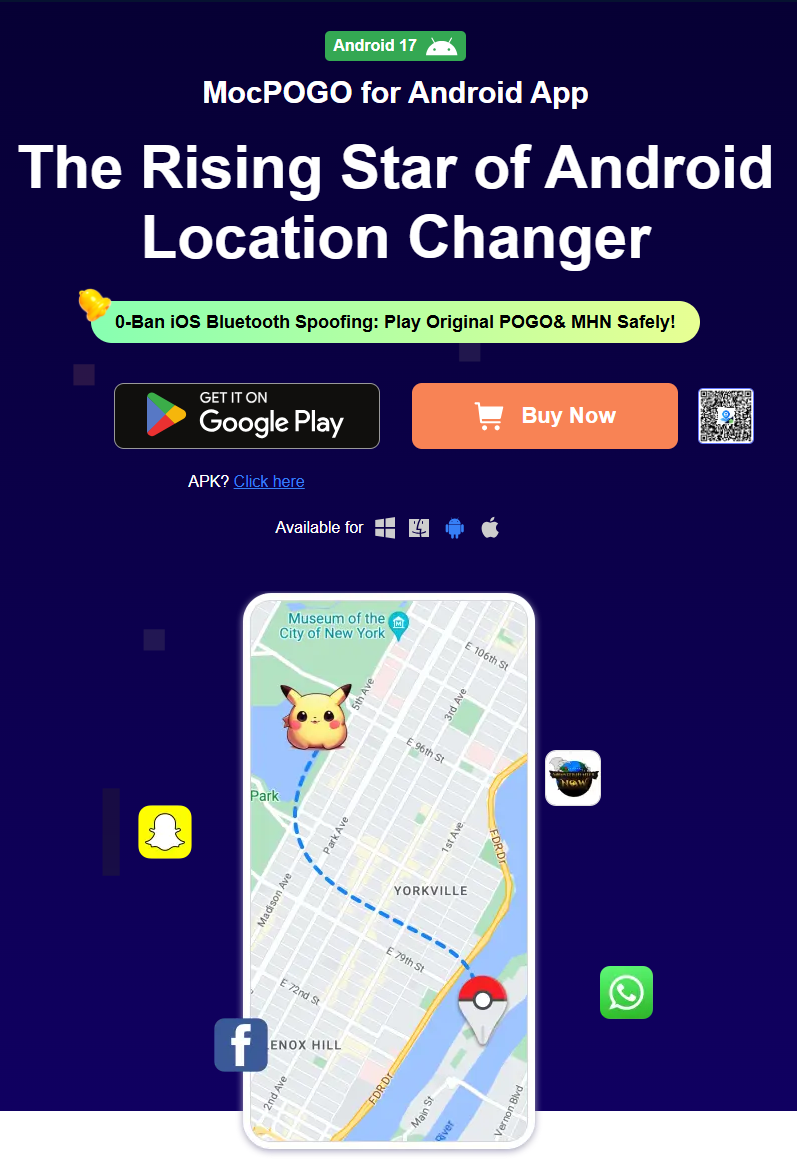
MocPOGO is an Android app built to change your device's reported GPS location. The idea is to give players a way to play from somewhere other than where they physically are, without touching anything too technical in the process.
Change GPS on Android — No Root Needed
The main thing it does is override your phone's GPS coordinates, and it doesn't require root access to pull that off. Rooting tends to put people off anyway — it can void a warranty, open up security holes, and generally feels riskier than most players want to bother with. MocPOGO sidesteps all that by working through Android's built-in developer settings.
Smooth GPS Joystick & Virtual Movement
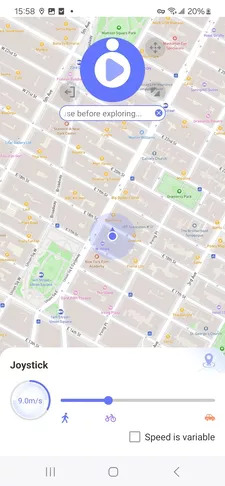
Instead of only snapping between fixed points, there's a joystick you can use to nudge your virtual position around bit by bit, more like actually strolling through a neighborhood than warping across it.
Instant Teleport Anywhere
Or skip the walking altogether — tap a spot on the map and you're there. Good for poking around a region with rare regional Pokémon, checking out an event, or just seeing what a denser area looks like on the map.
Built-in Cooldown Timer
There's a cooldown timer built in too, so you can see how long you've got before your next location change. Worth saying clearly: it's just a timer. It doesn't make spoofing safe, and it won't stop a ban on its own.
Custom Walking Speed & Routes
You can also set your own simulated walking speed and lay out a route with specific stops along the way, rather than your movement looking random.
Spoof Your iPhone Location via Android Using Bluetooth
One more thing worth knowing: MocPOGO can also be used to spoof an iPhone's location over Bluetooth from an Android device. It's a side feature — this piece is mainly about the Android side of things.
How to Play Pokémon GO Without Moving with MocPOGO
Setup isn't complicated. Here's roughly what it looks like:
1. Install MocPOGO on your Android phone, ideally straight from the official Google Play Store rather than some random mirror.
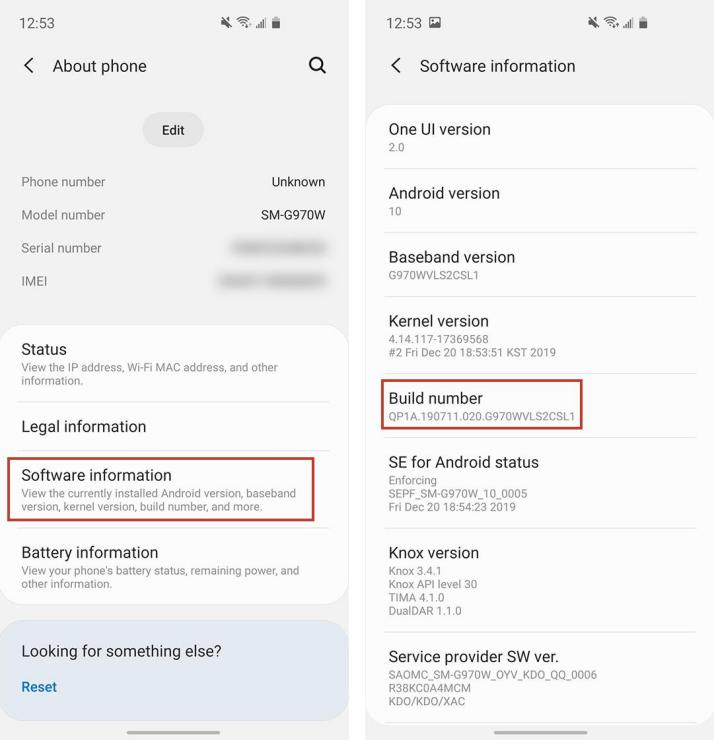
2. Turn on Developer Options. Head into Settings, tap About Phone, then tap the Build Number seven times in a row. That's all it takes to unlock the hidden menu.
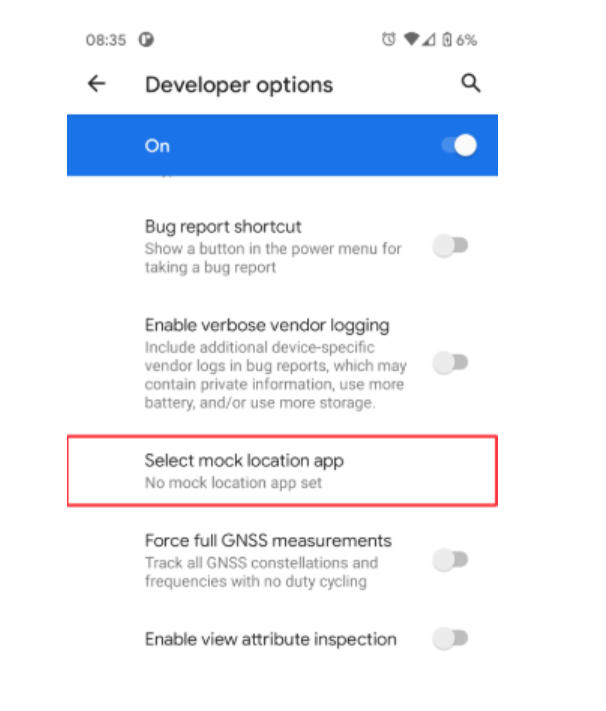
3. Set MocPOGO as your mock location app. It’s tucked inside Developer Options under something like “Select mock location app.”
4. Give MocPOGO location access. It'll ask for full location permissions the first time you open it — say yes, or none of this works.
5. Pick how you want to move. There's teleport for jumping straight somewhere, and joystick or route mode if you'd rather simulate walking. MocPOGO's own setup guide breaks each mode down if you want the finer details.
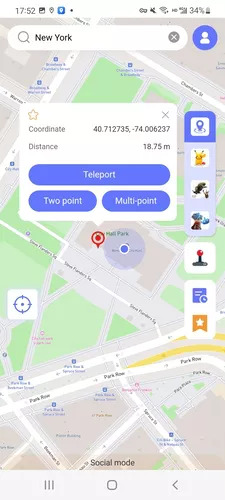
6. Search or drop a pin for wherever you want to go, then confirm it.
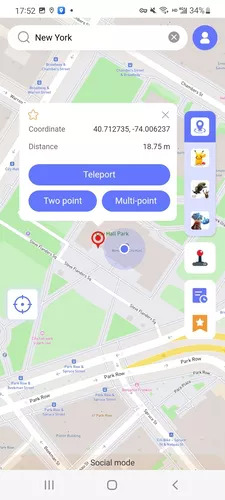
7. Open Pokémon GO and give it a second to catch up — sometimes you have to close and reopen the app before the new location actually registers.
8. Use the joystick or a route from there if you want your movement to look natural rather than teleport-hopping everywhere.
Why Isn't My Pokémon GO Location Changing on Android?
If nothing's changing despite following every step, work through this list before assuming the app is broken.
Check whether MocPOGO is still picked as your mock location app — Developer Options has a way of resetting that after a system update without warning you. Permissions are another common culprit: if MocPOGO doesn't have full location access, it simply can't do its job.
Also glance at whether Location Services are switched on system-wide, not just inside MocPOGO itself. A shaky Wi-Fi or data connection can quietly break things too, so try toggling between the two if updates aren't going through.
Different phones behave differently here — heavily skinned Android builds especially — so what works on one device might act up on another. And check that both MocPOGO and Pokémon GO are running their latest versions; a mismatch between the two is a frequent, boring cause of location changes just not sticking.
Still stuck? Close and reopen both apps. That alone fixes it more often than you'd think, and MocPOGO's help docs cover anything more device-specific.
Tips for Using a GPS Location Changer in Pokémon GO
Go easy on it. Hopping between far-apart locations constantly, or moving faster than a person realistically could, is exactly the kind of thing that stands out. Pick a spot, spend some time there, move on when it makes sense — rather than bouncing around nonstop.
Worth keeping in mind: this is a third-party tool, not something Niantic built or sanctioned, and using it isn't without some risk to your account. Their policies on spoofing have changed before, so it's worth checking the current rules yourself instead of assuming they're the same as last year.
And no, MocPOGO or any tool like it isn't “100% safe” or “undetectable” — anyone telling you otherwise is selling something.
Conclusion
Between Incense, Adventure Sync, and a GPS changer, Android players have real options for cutting down on the walking Pokémon GO normally asks for. The built-in stuff helps at the edges, but it won't move your actual GPS pin. A location changer like MocPOGO does that part.