


One UI 9 is steadily on its way to being the most polished expression of modern Android software. But it's impossible to ignore the irony.
Google's Android 17 may have compounded all of the company's long-standing foundational work into something commendable. Yet, its groundwork shines brightest on Samsung's skin with the extra customizations.
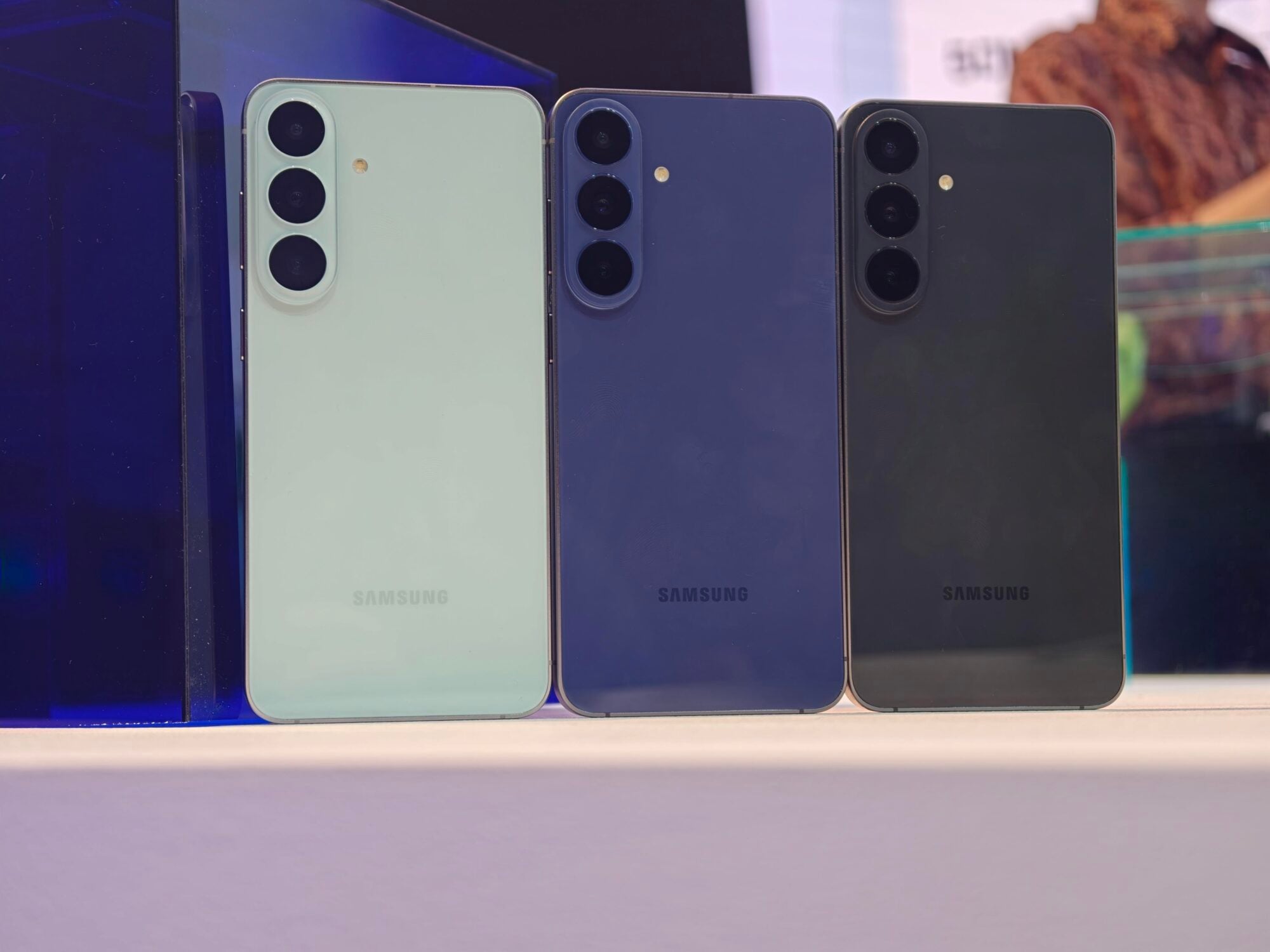
Now, Samsung is taking the wraps off the wider release. The company officially announced its release on its Newsroom website, and has kicked off the stable rollout since. Android 17 now reaches beyond its latest foldables onto the Galaxy S26, S26+, and S26 Ultra.
On September 28, Samsung will expand the rollout to previous-generation models, specifically the Galaxy S25 lineup alongside the Z Fold 7 and Flip 7 foldables. Much older supported devices like the Galaxy S23 FE will receive it in October.
It does seem like a massive leap forward
One UI 9 first debuted on the Galaxy Z Fold8 Ultra, Fold8, and Flip8 earlier this summer, which marks the first time Samsung’s Android 17 experience lands on standard slab flagships. The improvements are beyond a cosmetic overhaul and lean heavily into Galaxy AI and on-device privacy.
New to your screen is My FanCam, an AI-powered camera feature that automatically tracks and centers a chosen subject across recorded video. It reframes the footage for quick social sharing without manual cropping.
If you're a photo enthusiast, the win here is turning the feature into a post-capture digital camera operator for candid street photography and action frame grabs.
You can lock a high-resolution 4K or 8K wide shot on a tripod and let the scene play out naturally, among other conveniences. Samsung even teased the feature in a 12-second teaser video, showing how My FanCam works in practice when capturing a live concert.
The demonstration shows the Gallery interface scanning wide stage footage with an on-screen prompt reading “Detecting people in the frame,” before automatically dropping bounding boxes over each band member with the option to Select someone to follow.
Once the lead performer is selected and a vertical 9:16 aspect ratio is chosen, tapping Follow reframes the wide landscape master into an isolated, perfectly tracked vertical clip that keeps the singer centred throughout the performance.
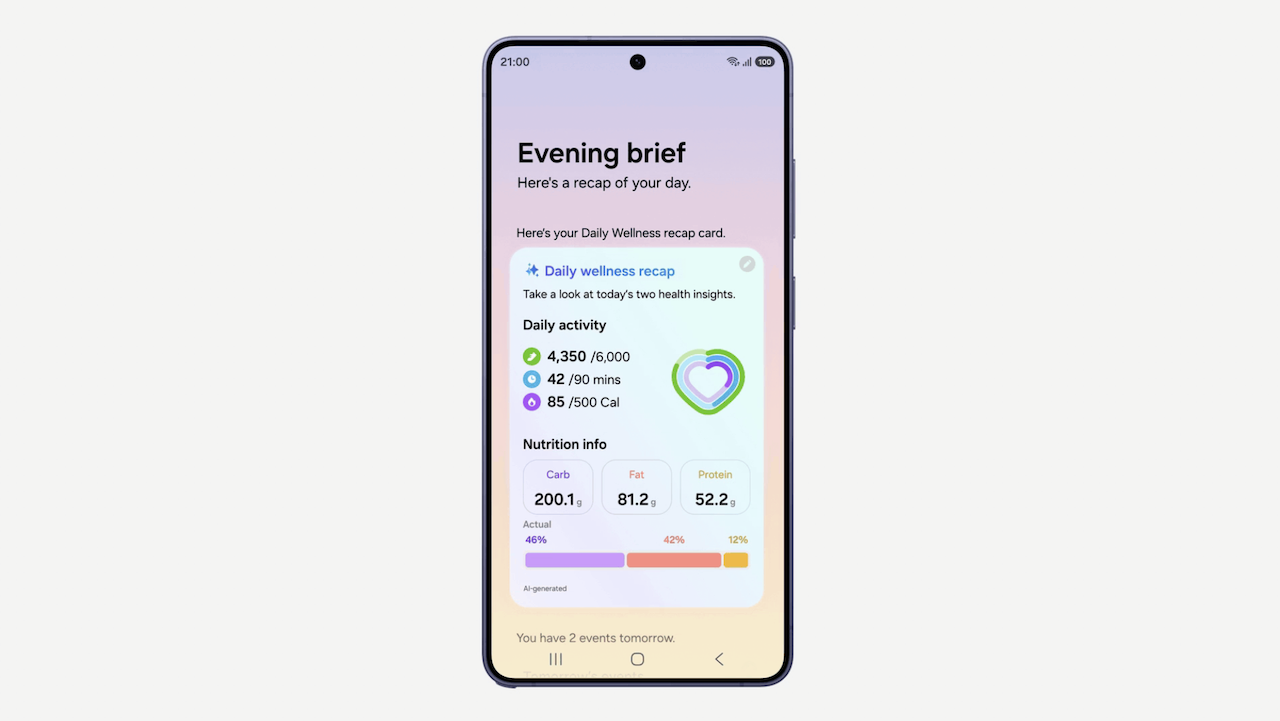
Already, Now Brief serves as a personal day planner on your screen. Samsung has added a customizable Now Brief that introduces generative and editable cards across health, weather, and video to tailor daily glanceable briefings. Normally, crowding the camera cutout with interactive widgets makes little ergonomic sense, considering your notch sits way out of thumb reach at the top of the display.
Already, Now Brief serves as a personal day planner on your screen. Samsung has added a customizable Now Brief that introduces generative and editable cards across health, weather, and video to tailor daily glanceable briefings.
They're paired these new cards with the bottom-anchored Now Bar on the lock screen, giving you an immediate waypoint to check your schedule, preview media, or adjust your morning brief without stretching your grip.
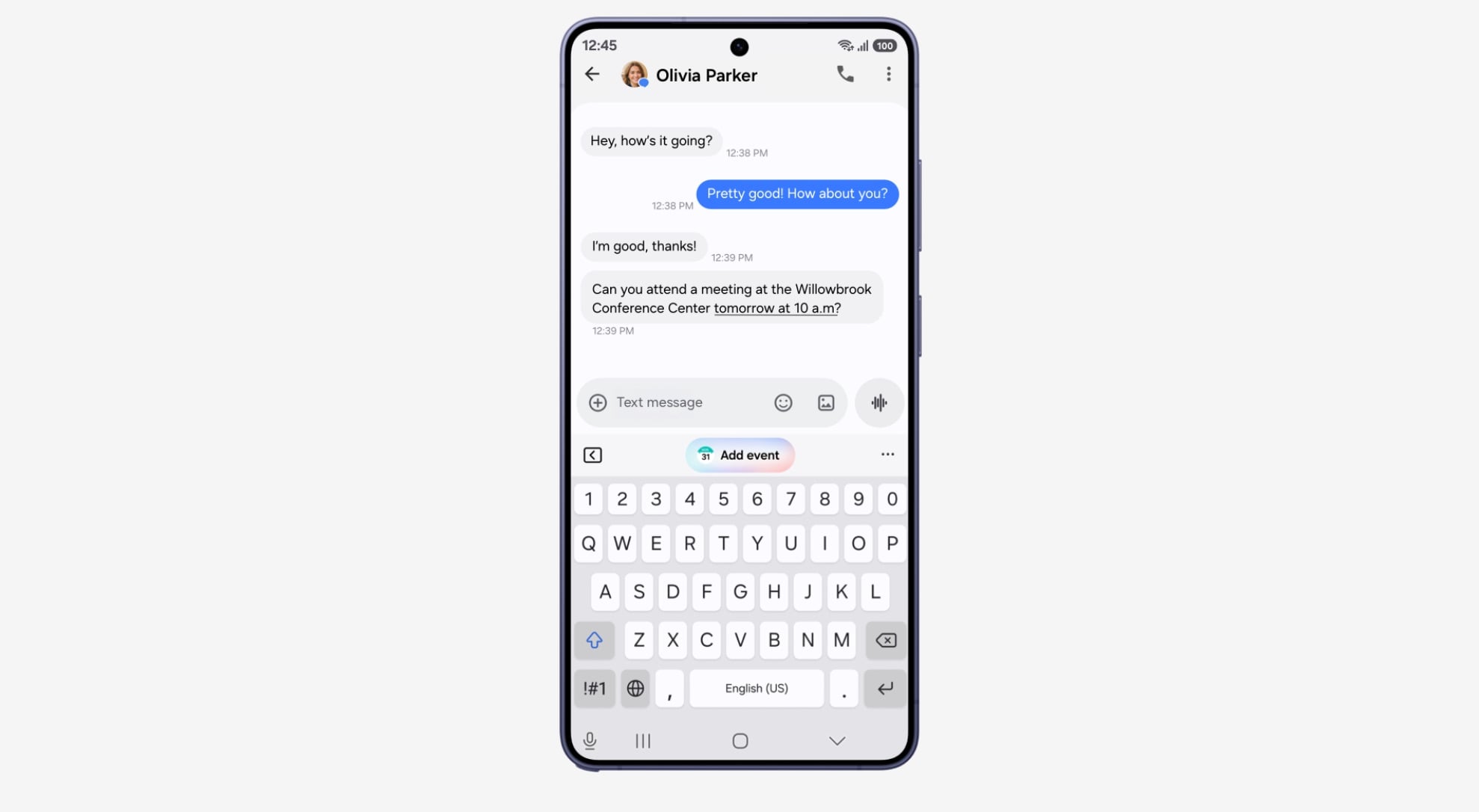
That aside, Now Nudge Contextual Actions have been upgraded to surface smart inline prompts during everyday tasks, including pulling up reservation details or saving locations directly inside text threads.
Meanwhile, settings-integrated Warranty and Care helps you pull self-diagnostics, repair estimates, Samsung Care+ management, and connected-device warranty tracking directly into the main Settings app.
Introducing smarter live translations and tighter privacy
Usually, translation apps wait for a pause or until someone stops talking before converting their speech into text. By the time it finishes, the conversation feels stiff, and you might have forgotten what the person said moments ago because the screen has wiped it to show new text.
Samsung is solving this issue by enabling the phone's chip to translate words incrementally while the person is still speaking, while simultaneously tracking earlier conversation in memory so it doesn't get confused by pronouns from previous sentences.
Thread View turns the screen into a running text-message-style chat log. Instead of translations vanishing after each sentence, you can scroll up to double-check what was said earlier while the new words appear at the bottom.
If you're wearing Galaxy Buds, your phone streams the spoken translation into your ear instantly using faster, low-delay Bluetooth audio rather than standard connection channels. It cuts the hesitation between someone speaking and you hearing the translated voice, so dialogue flows like a natural conversation rather than a walkie-talkie exchange.
Finally, enhanced security briefings add on-device Privacy Alerts to flag background apps abusing permissions, integrate malware alerts directly into Now Brief, and expand carrier-level Scam Detection across more regions.
The alerts have a massive supported device footprint spanning back to the Galaxy S23 series, Galaxy Z Fold5/Flip5, and Tab S9 tablets. However, Scam Detection is strictly limited to three newly added markets: Canada, India, and Japan.
All the headline additions to One UI 9 require you to be logged into a Samsung Account. If you haven't created one before, do it to enjoy the new features. Open your Settings app and tap the Samsung Account profile banner at the very top of the screen.
If you do not see it there, scroll down, tap Accounts and backup, select Manage accounts, and choose Add account > Samsung account.