


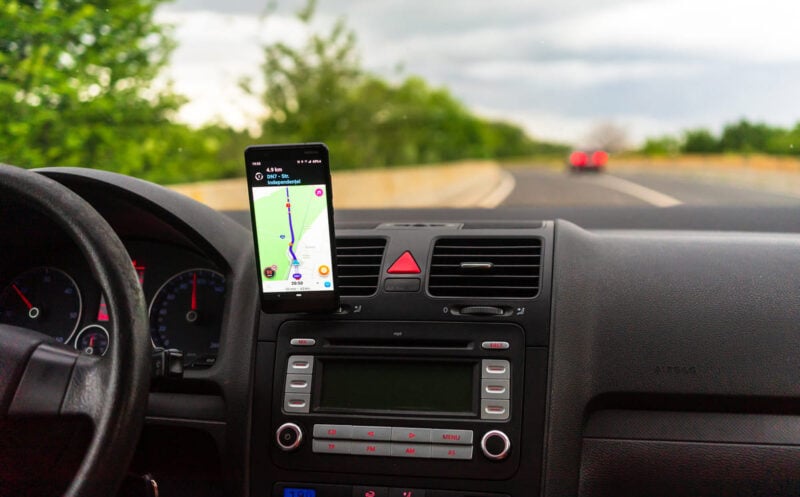
Feel like your car missed out on the smart-tech boom? Good news: adding Android Auto to an older vehicle has turned out to be a lot easier—and cheaper—than many drivers expect. You don't have to watch friends in newer cars enjoy connected dashboards while you settle for less. With a bit of tech savvy and some gear you may already have, you can bring maps, music, and messaging to your drive for less than $22. Here’s how to modernize your ride without breaking the bank.
Why bring Android Auto to an older car?
If you bought a car in the past 15 years, odds are it came with an infotainment screen and Android Auto built in. But drivers with older models might feel they're missing out on the connected experience that’s become standard. The reality: it’s surprisingly simple and affordable to add Android Auto to nearly any vehicle, no matter how old.
What you’ll need
Getting Android Auto running in an older car requires only a few basic items. You’ll need a smartphone to run Android Auto (your current phone is fine), a screen to display it (this can be a purpose-made wireless display or an old phone or tablet you have lying around), and a Bluetooth connection to link the new display to your car. If your vehicle only has an AUX port and no Bluetooth, a simple adapter is all it takes.
The main methods explained
There are two straightforward ways to bring Android Auto into your car: purchasing a dedicated wireless screen, or using an old phone or tablet.
Using a wireless screen:
This method is the most streamlined. You buy a wireless display designed for Android Auto, mount it to your dashboard, and pair it with your car’s Bluetooth. These displays come in various sizes, and 7-inch models are available for under €50 (about $55 as of 2025). The main advantage? Installation is hassle-free; just connect the device to power using the car’s cigarette lighter and the screen works like factory-fitted infotainment—no complicated wiring required.
Using an old phone or tablet:
If you like the idea of recycling tech, turning a spare smartphone or tablet into a dedicated Android Auto display works well, as long as your car supports Bluetooth. Install an app such as Headunit Revived or Headunit Reloaded on the device (Headunit Revived was the chosen option in this case). This transforms your old gadget into an Android Auto receiver, just like a built-in car screen. Then, download the WiFi Helper app on your main phone and follow the setup instructions.
The process is straightforward: install the apps, pair your devices, and you’re set. During testing, the Bluetooth connection was reassigned to the repurposed device, which had already been configured at home. For first-time users, expect to spend a few extra minutes on the initial Android Auto setup.
Does it really work?
On the road, the retrofitted Android Auto setup performed reliably, even if the response time was a step behind the built-in system of a newer car. The main thing to watch for is power—an old phone won’t have dedicated charging like a mounted screen, so bring a charging cable just in case. Otherwise, this DIY approach is practical and effective.
The best news? With an affordable app and possibly a mount for your device, your total outlay stays under €20 (about $22). For less than the cost of a dinner out, your older car can display Google Maps, play your favorite playlists, and handle calls hands-free.