



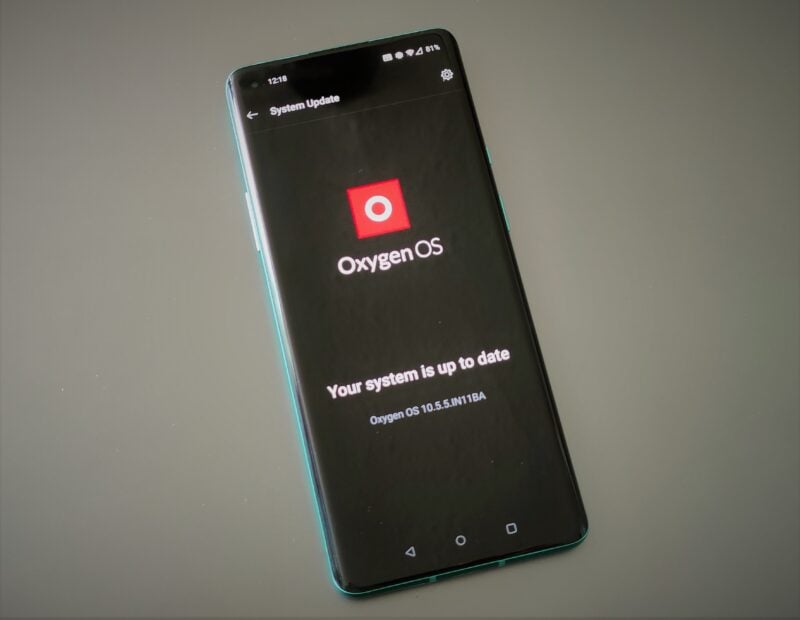
OnePlus has resumed the OxygenOS 16 rollout for builds 16.0.7.XXX and 16.0.5.XXX after briefly pausing it. The company says the issue has been identified and resolved, and that no users were affected during the pause. If you already updated before the pause, you're fine to keep using your device normally.
The updates are rolling out in batches
OnePlus was in the middle of rolling out OxygenOS 16 updates recently, specifically builds 16.0.7.XXX and 16.0.5.XXX. However, the brand's engineering team caught that one of the builds was performing an abnormal restart and having boot issues.
We are aware that a small number of devices are experiencing abnormal restart and boot issues after updating to version 16.0.7.XXX and 16.0.5.XXX. To ensure device stability and protect user experience, we have immediately paused the rollout of the above-mentioned builds while our engineering team investigates the root cause and prepares a fix.
OnePlus
Some users reported that their device randomly did it while sitting completely idle. OnePlus then made the call to pause the entire rollout across all affected devices. With the issues finally resolved, they've announced it on the community platform.
During internal rollout monitoring, our teams identified abnormal behavior in one of the builds that was not pushed to users externally. As a preventive measure, we proactively paused the rollout while a full investigation and validation process was completed, as we take device stability and user experience extremely seriously.

You should get a notification prompting you to download and install the updates when they're ready. But if you want to check manually, go to your phone's Settings menu, scroll to Software Update, and tap Check for Updates.
Expect new OnePlus features
The 16.0.7.xxx update carries the May 2026 security patch for OnePlus devices and brings several new features. The biggest addition is Live Space on the lockscreen, which is a small capsule at the bottom that shows live activity updates. You'll see timers, food delivery status, sports scores, and music.
Speaking of music, tapping the album art in the media player now opens a full-screen playback control with a background blur that matches the album art's colors.
On the homescreen, you can now long-press on an empty space to access an Organize button that sorts your apps and pages by color or category. You can also save and switch between homescreen layouts. In the app drawer, you can find apps by their icon color.
The camera app has been completely redesigned for one-handed use. Swiping up on the viewfinder reveals extra options, and you can save and share custom camera presets with others via watermarks.
OnePlus also added an AI Translate app that scans foreign food menus and returns a full page with dish visuals, allergen information, and currency-converted prices. The AI Popout feature in Photos lets you freely adjust borders and subjects. The Documents app can recognize handwriting, paragraphs, and tables for easy copying.
Plus, a new Contour glow effect has been added to the quick settings panel, menus, Global Search, and Photos, adding subtle depth and lighting to the UI.