



Introduction
You just bought a second-hand iPhone, but when you turn it on, you find yourself stuck at the iCloud Activation Lock screen. Such a situation can be irritating a buyer. Activation Lock is Apple's anti-theft mechanism that binds a device to the Apple ID of the previous owner, meaning you cannot use the phone until the account is removed.
This article explains what Activation Lock is and how to bypass iCloud activation lock. We'll show you some simple methods to unlock the device. If they fail, you can always get help from a tool such as Dr.Fone – Screen Unlock (iOS). Let’s explore further!
What Is iCloud Activation Lock — and Why Does It Appear?
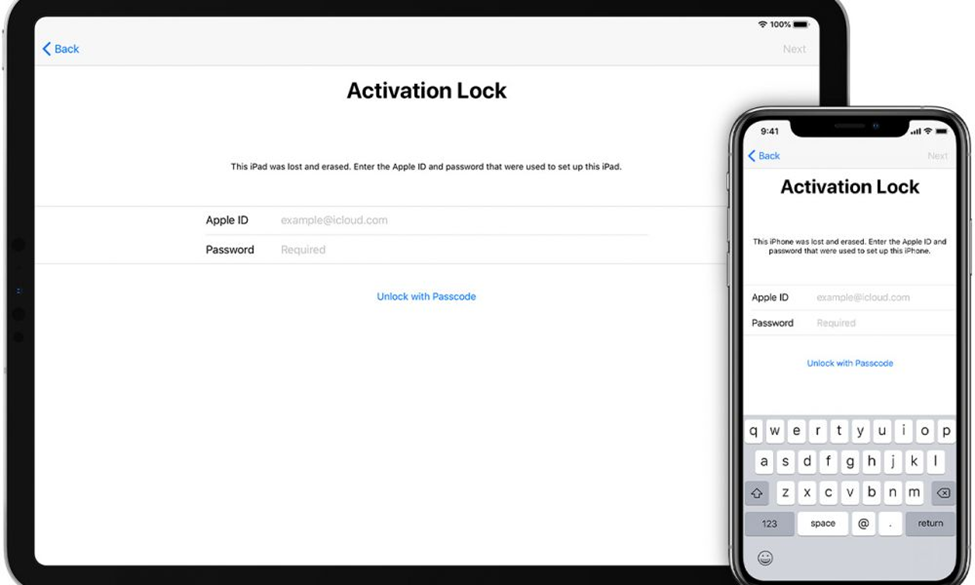
iCloud Activation Lock is a security feature in-built in iPhones which automatically gets activated once Find My iPhone is enabled on a device. The main reason for this is to protect the phone in case it is lost or stolen. Usually, the lock gets triggered when a phone is factory reset, a new OS is installed or user signs out without disabling Find My iPhone first.
So basically a lock is not internally indicating that your handset has stopped working. What it's really implying is, the gadget is still tagged with the Apple ID belonging to the original owner. Generally, the warning is something like “iPhone Locked to Owner” or it's a asking screen for the previous owner's Apple ID and password.
Contact the Seller First
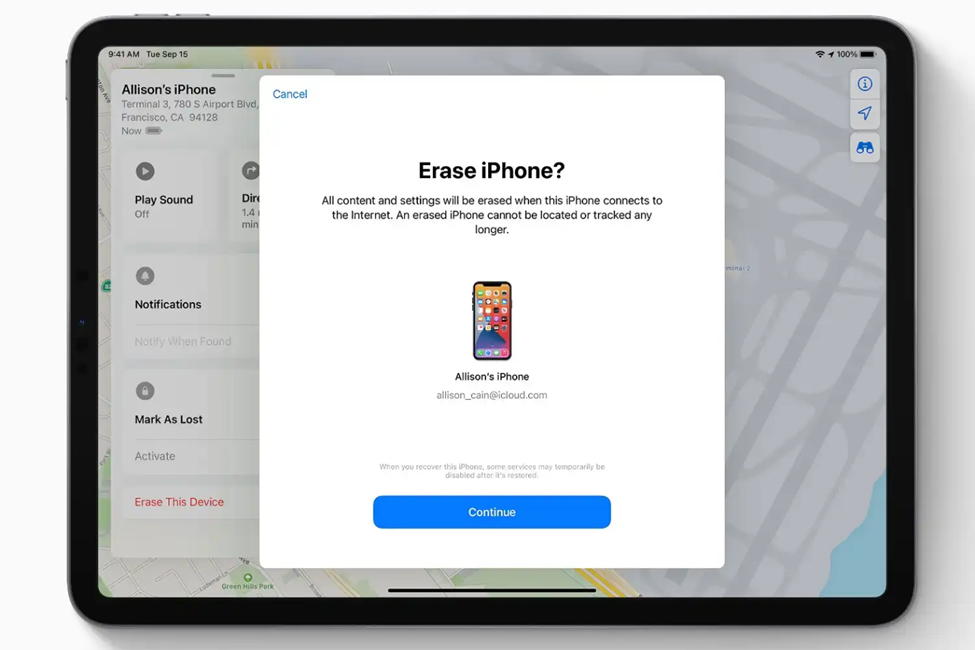
The very first thing you need to do is to contact the seller. Request him/her to disassociate the iPhone from their Apple ID. They can perform this online by logging in to icloud.com → Find My → selecting the device → Erase iPhone.
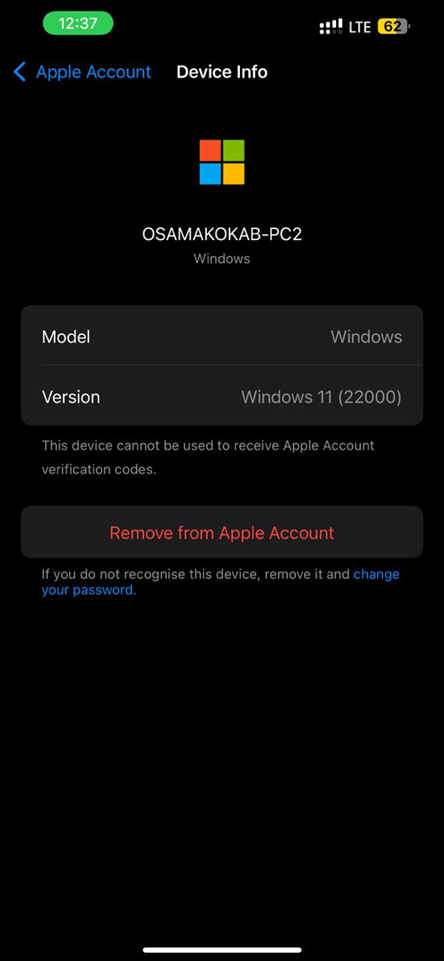
Another way is to remove it via their iPhone by going to Settings → Apple ID → selecting the device → Remove from Apple Account.
This method is the most straightforward and quickest to resolve Activation Lock, if the seller agrees. Preserve all communications and receipts as these may be required if the phone is found to be stolen.
Contact Apple Support with Proof of Purchase
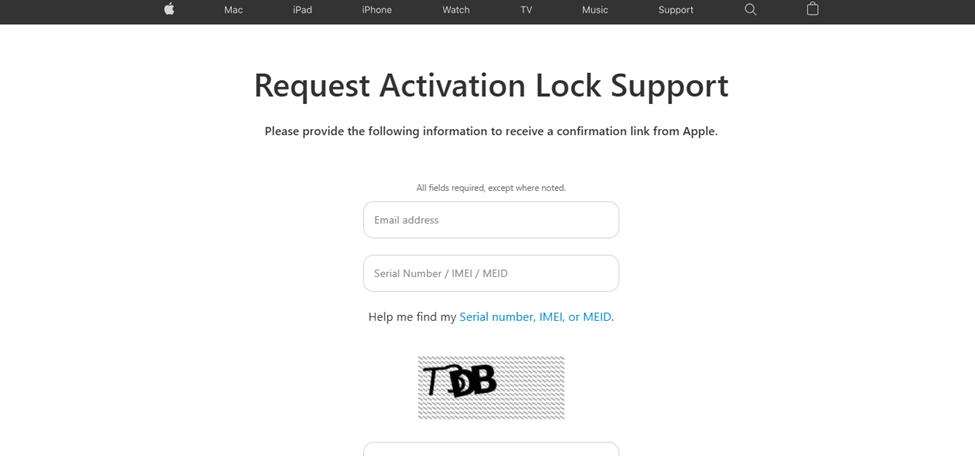
Apple might help unlock your gadget if you present the necessary papers. Provide any document proving your legitimate ownership of the iPhone, for example, the original purchase receipt, a purchase document, or the box with the IMEI or serial number. Also, you may note down the serial number that is displayed on the Activation Lock screen.
In order to get help or enquire about the unlocking procedure, you can contact Apple through apple.com/support or walk into an Apple Store that is near you. However, you should keep in mind that the entire unlocking process may take several days and if your evidence is not really convincing, then Apple may even refuse to unlock your device.
Check If the Device Is Reported Stolen
Don't start by investing time or money on the iPhone without first checking if the device was reported stolen. Dr.Fone – Online Unlock is an online IMEI checker that can help you out and show you whether the phone is blacklisted for free.
Don't go any further if the IMEI revealed that the device was stolen. Unlocking it will be useless. Contacting the police would be the best solution.
Use Dr.Fone – Screen Unlock (iOS) to Bypass the iCloud Activation Lock
If the seller is unable to assist and Apple support cannot resolve the issue, a trustworthy application such as Dr.Fone Screen Unlock (iOS) can be your greatest chance. It not only unlocks the iCloud Activation Lock in no time but also lets you go through without the Apple ID of the previous owner. The procedure, which is quite easy and friendly to newbies, is compatible with the newest iPhones and iOS versions.
Key Features of Dr.Fone Screen Unlock (iOS):
· Goes around the iCloud Activation Lock without the previous Apple ID
· Doesn't require jailbreaking the device
· Compatible with the latest iPhones, such as the iPhone 17 series, and iOS 26
· Offers the possibility to sign in with a different Apple ID after the bypass
· If the Apple ID account is inaccessible, you can still remove the Apple ID lock
· Unlocks screen passcodes, Face ID, Touch ID, and even disabled screens
· Eliminates MDM restrictions while you keep your data
· Assists in unlocking SIM lock and Screen Time passcodes
How to Bypass iCloud Activation Lock using Dr.Fone – Screen Unlock (iOS)
Step 1: Start Dr.Fone on your PC
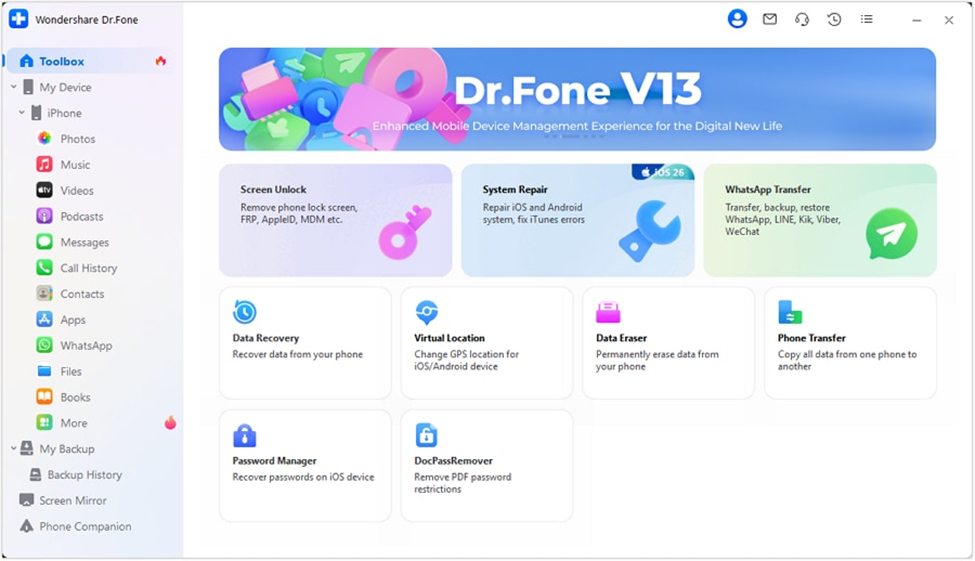
Download and set up the newest version of Dr.Fone, then launch it. Navigate to Toolbox → Screen Unlock → iOS to initiate removing the Activation Lock.
Step 2: Pick Removal of Activation Lock
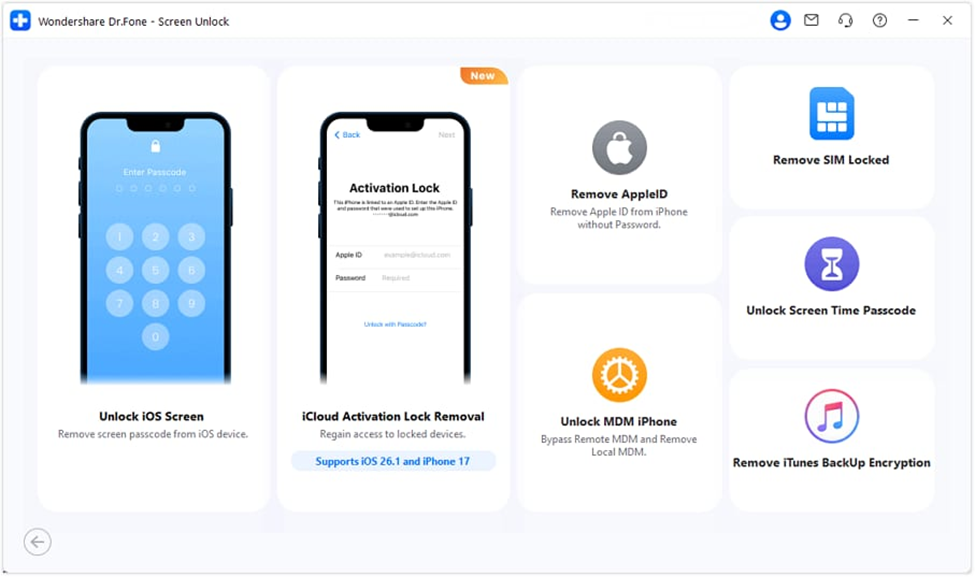
The following page will have the option “iCloud Activation Lock Removal”. By choosing this option, you inform the software what type of unlocking you require.
Step 3: Connect iPhone / iPad and PC
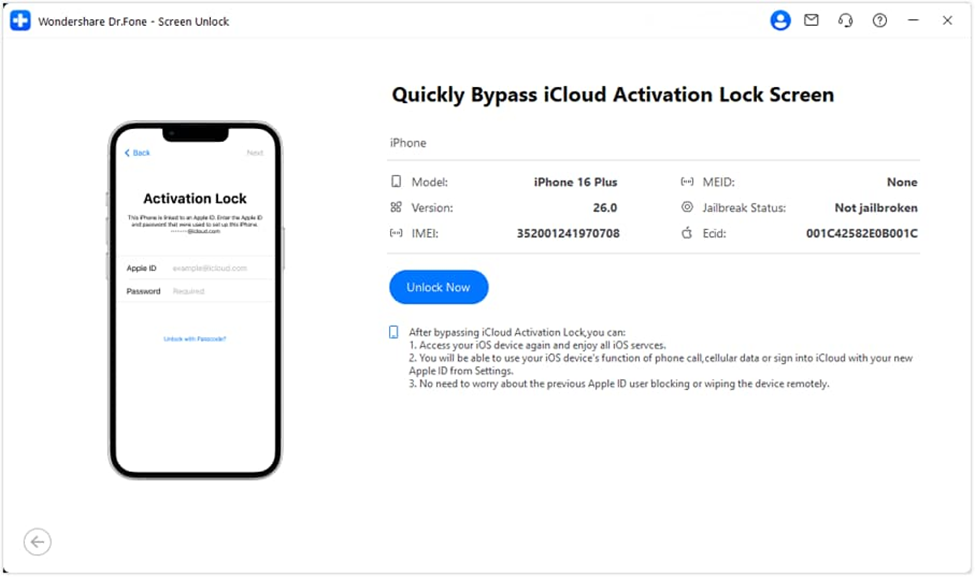
After connecting your device to PC, Dr.Fone will recognize it and display the information. Verify everything is right, then proceed by pressing Unlock Now.
Step 4: Start bypass
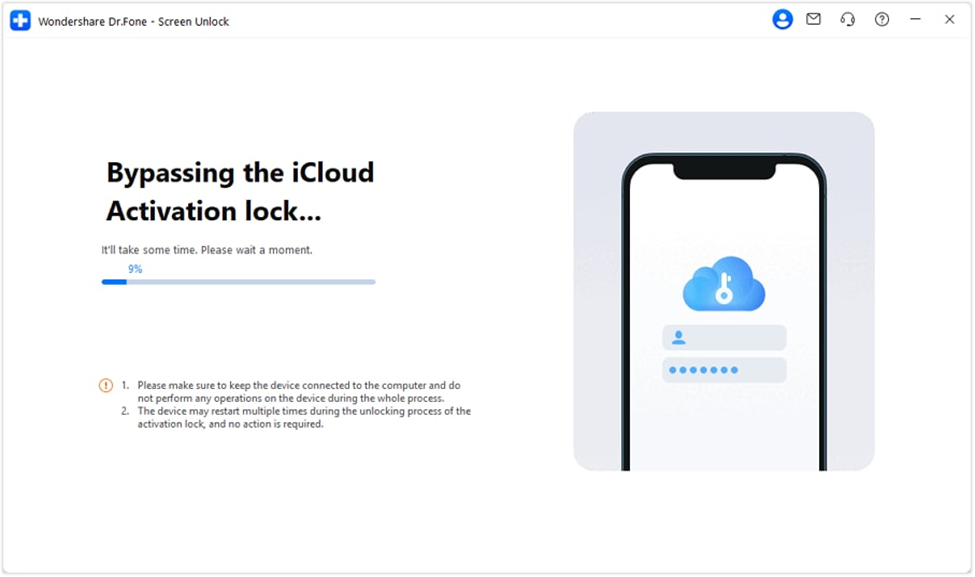
Confirm understanding of the on‑screen terms and press Accept. Dr.Fone will obtain the necessary drivers and continue with the bypass. Do not unplug your device until the end-of-process message appears. After restarting, your device will be accessible as usual.
How to Avoid This Problem When Buying a Used iPhone
· First, Check Activation Lock status: To avoid problems with locked devices, check their iCloud Activation Lock status before a purchase.
· Make the seller sign out of iCloud: It is a good idea that the previous owner logs out of iCloud while you are with them physically or via video call even if you are going to complete the transaction.
· Verify the “Find My iPhone” feature is disabled: Navigate to Settings → Long press [Your Name] → Find My iPhone and check if it is turned off.
· Retain all purchase receipts: In case of any difficulties in the future, proof of purchase will be needed by Apple Support.
Conclusion
Purchasing a secondhand iPhone might be quite frustrating if you unexpectedly find yourself stuck with an iCloud Activation Lock, however, it is not necessarily a deadlock situation. Begin with very basic actions such as contacting the seller, checking the device status, and even contacting Apple if you have firm proof. But if nothing works out, a great program like Dr.Fone – Screen Unlock (iOS) can help you get rid of the lock and have the phone at your disposal again. If done properly, this can be a safe unlocking method for your device, and you may be able to use your iPhone worry-free.