



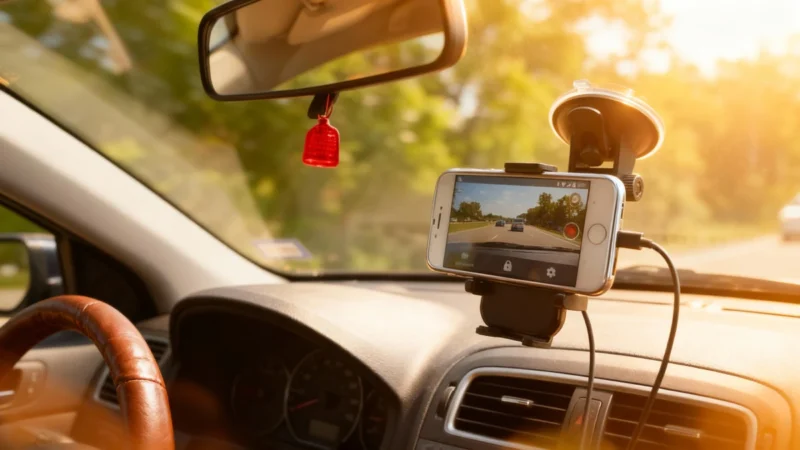
Everyone knows the story: your once-cherished Android phone, a loyal digital sidekick, now sitting untouched in a drawer. But before you let nostalgia (and dust) claim it for good, consider this—your old phone can transform into a permanent car dashcam, thanks to DailyRoads Voyager. No technical wizardry required, just a smart app that’s powered millions of drivers for years and still shines in its mature, resource-friendly design.
Meet DailyRoads Voyager: Your Road’s Watchful Eye
DailyRoads Voyager does exactly what a dashcam should—records continuously, only saving the parts that matter. Thanks to loop recording and smart automatic saving in the case of shocks, you get the benefits of a modern black box for your car without the price tag of new hardware. It stands out for three pivotal settings that keep things reliable, day after day:
- Configuration
- Managing Heat
- Storage
This isn’t one of those flashy, resource-hungry apps that craves more RAM than your phone ever had. In fact, DailyRoads Voyager is built to run smoothly on older Android versions—anything from 4.4 and up. It’s practically tailor-made to breathe new life into that dusty device, putting its native sensors to work as a genuine on-the-road black box.
Simplicity and Smarts: How the App Works
Grab DailyRoads Voyager from the Play Store or by APK, and you’re set. The moment it launches, it records continuously but with a clever twist: only footage considered relevant is kept. If you’re ever in an accident or dispute, you’ll have video proof—timestamped and geolocated—for your peace of mind.
Want to save a quirky road moment? Just tap the screen. The phone’s accelerometer is your silent sentinel: at the slightest jolt, it automatically locks and saves the critical video. No human intervention needed.
To convert your smartphone into a reliable dashcam, dive into the settings for fine-tuning. The real trick? Segmenting video into short files—think 2 or 5 minutes each. Doing so makes memory management a breeze and saves you from losing an entire journey should a file go haywire. It’s crucial to distinguish temporary clips—those that loop endlessly—from protected footage, which is stored separately and won’t get overwritten.
Staying Cool Under the Sun: The Greatest Challenge
It’s not all sunshine and rainbows for your recycled dashcam—well, except for the literal sunshine. The toughest hurdle is prolonged exposure behind a windshield, where heat can sneak up on your device.
Continuous charging while recording is a toasty combo that can lead to internal heat buildup. No one wants a swollen battery or a phone that shuts off just as you need its footage. Here’s how to beat the heat:
- Lower screen brightness to the minimum—the phone can still see, even if you can’t.
- Mount the device so the back isn’t blocked; airflow is everything.
- Position near an air vent if possible, especially during marathon summer road trips.
DailyRoads Voyager gives that forgotten gadget a purpose, but it’s a partnership: a little setup and care, and your old phone can be a vigilant travel companion.
Conclusion: Give Your Old Tech A Second Lap
Why buy new when you can upcycle the old? DailyRoads Voyager proves that reliable dashcams don’t need to break the bank—or the planet. With attention to configuration, storage, and avoiding the perils of heat, your retired Android can help protect you on the road. So, before you toss your dusty smartphone, ask yourself: wouldn’t it look better watching over your windshield than sleeping in a drawer?