




These days, video is everywhere. We're talking lectures, news, how-to guides, team meetings – you name it. But let's be real, just passively watching hours of video isn't the best use of your time.
It's easy to zone out, and then you're not really learning much. The real problem isn't that we don't have enough time; it's that we don't have good ways to turn all that video into stuff we can actually use.
Wayin AI turns watching videos into an active experience, converting any video into a searchable knowledge base. This cool tool not only saves you time but also helps you get the most out of your attention, cutting down on that overwhelming feeling when you're trying to take in a lot of info.
The Engine of Trust: How Wayin AI Truly Understands Video
In an era of countless AI tools, the most pressing question for users is: Is the AI-generated content reliable? Wayin AI addresses this issue at its core through its unique technical architecture, which rests on two pillars: multimodal understanding and source-traceable accuracy.
Beyond Subtitles: Multimodal AI
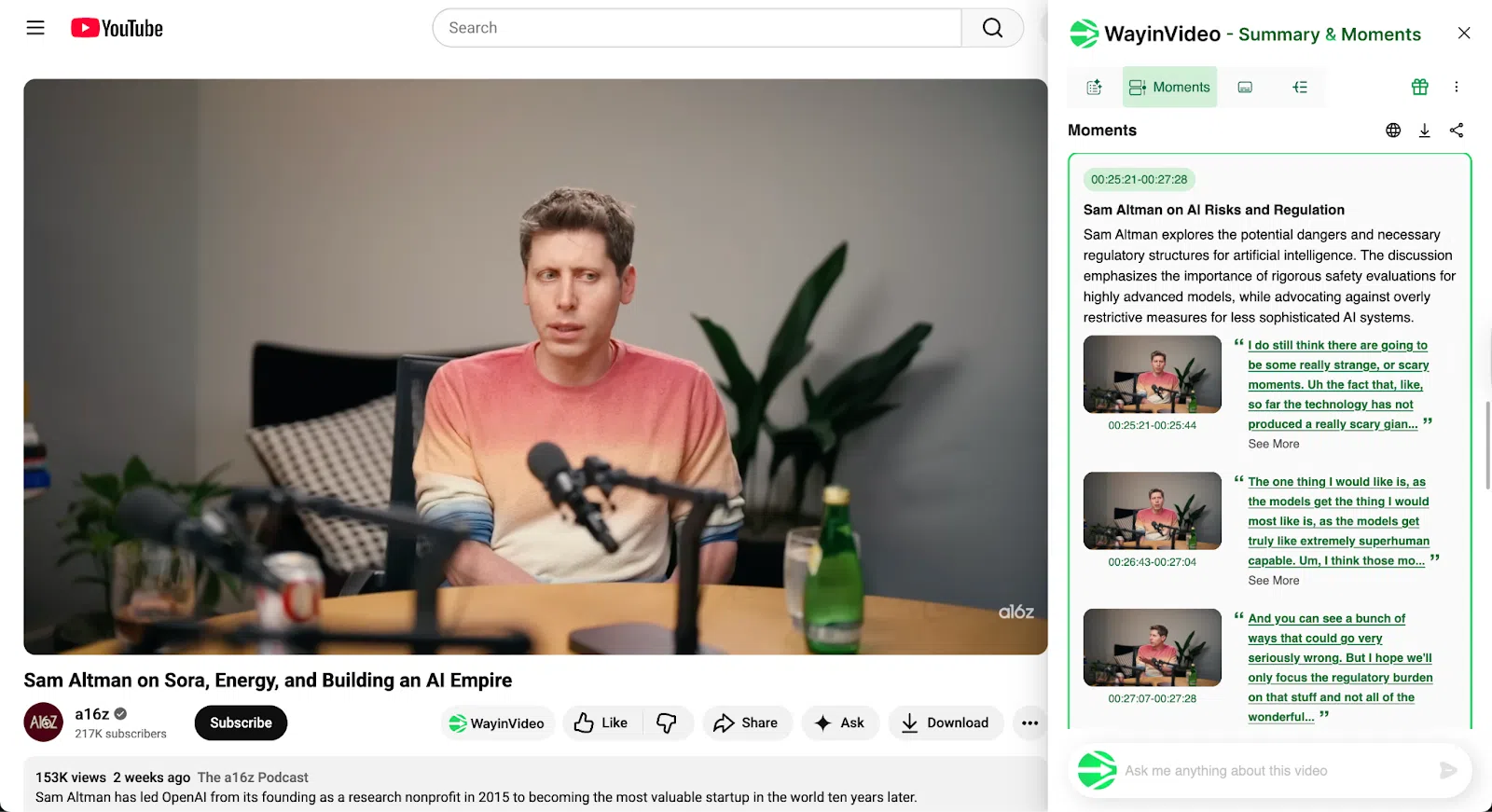
Traditional video tools heavily rely on subtitles or transcripts; if a video has no subtitles, they are rendered useless. Wayin YouTube video summarizer employs “high-precision multimodal understanding” technology, allowing it to simultaneously analyze dialogue, scenes, actions, on-screen text, and even speaker information, working accurately even when there are no subtitles at all.
This technology means Wayin AI can understand content that is inaccessible to other tools, such as silent product demos, ballet performances, or sports highlight reels.
This is not just a technological lead but also represents the unlocking of a vast, underutilized knowledge resource on the internet. For users, this means gaining insights from a broader and more diverse range of content, providing a unique competitive advantage.
Eliminating AI Hallucinations with Verifiable Outputs
A well-known flaw of generative AI is “hallucination”—confidently fabricating false information. For any serious research or professional work, this is a fatal obstacle. Wayin AI's design fundamentally eliminates this risk.
Every summary point it generates is “grounded in the source video” and “traceable”. All outputs, whether summaries or key moments, come with clickable timestamps and original quotes, allowing users to jump to the corresponding moment in the video for verification in a second.
This design transforms AI from an unreliable “black box” into a transparent, verifiable research assistant, providing a solid foundation of trust for fields like academia, law, and business analysis that demand high accuracy.
The Complete Video Interaction Toolkit
The Wayin AI Chrome extension offers a complete suite of tools designed to guide users through the entire knowledge lifecycle, from discovery and understanding to application. These features are not isolated but form a seamless and efficient workflow.
From Hours to Seconds: Extracting the Essence
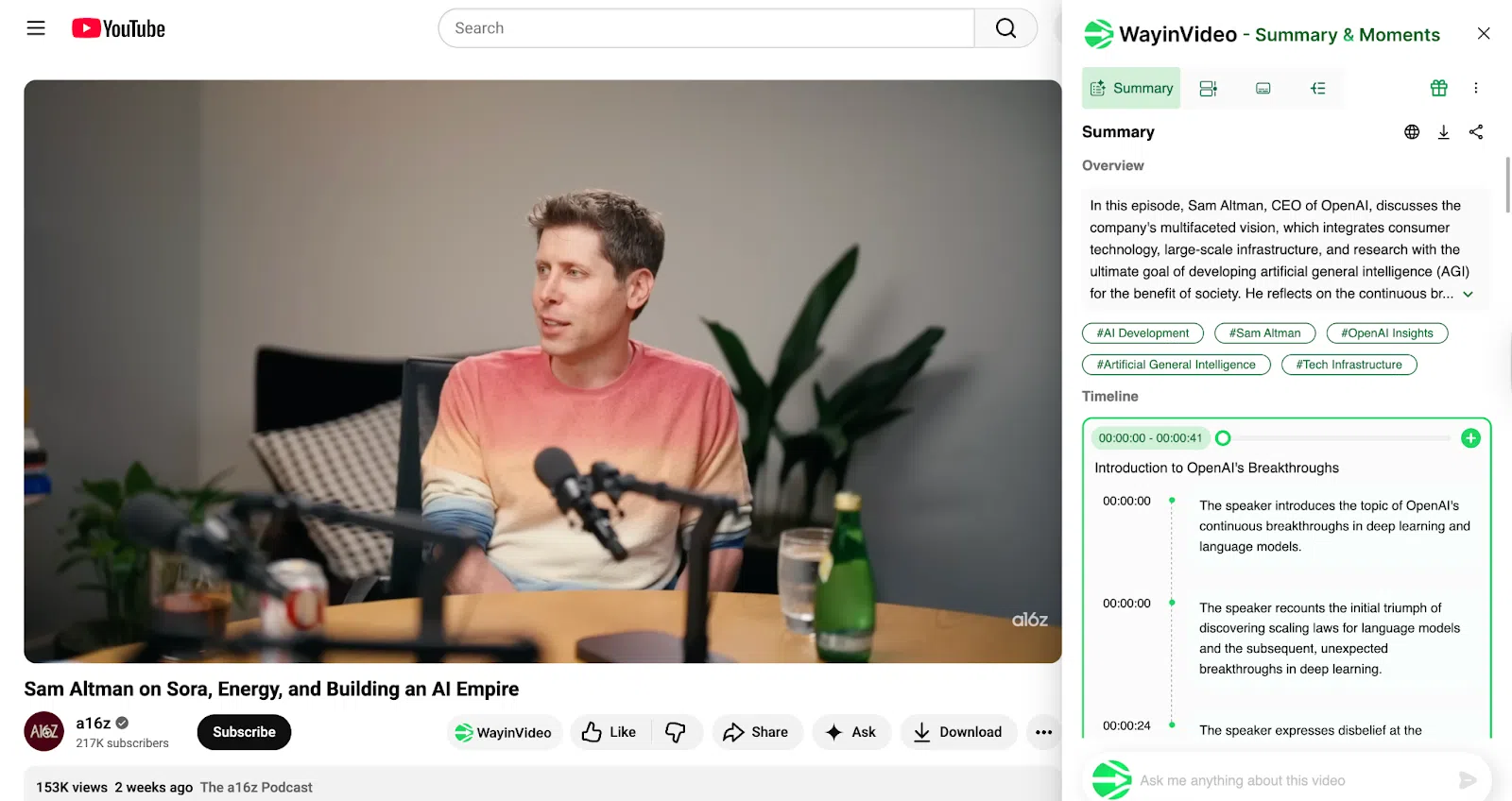
- Instant Summarizer: Generates a concise overview of the video in seconds, helping users quickly decide if the content is worth their time.
- Key Moments Extractor: Automatically detects and presents the most valuable segments of the video, allowing users to get straight to the point.
- Handles Ultra-Long Videos: Can reliably process video content over 10 hours long, a common failure point for many other tools.
Have a Conversation with Your Video
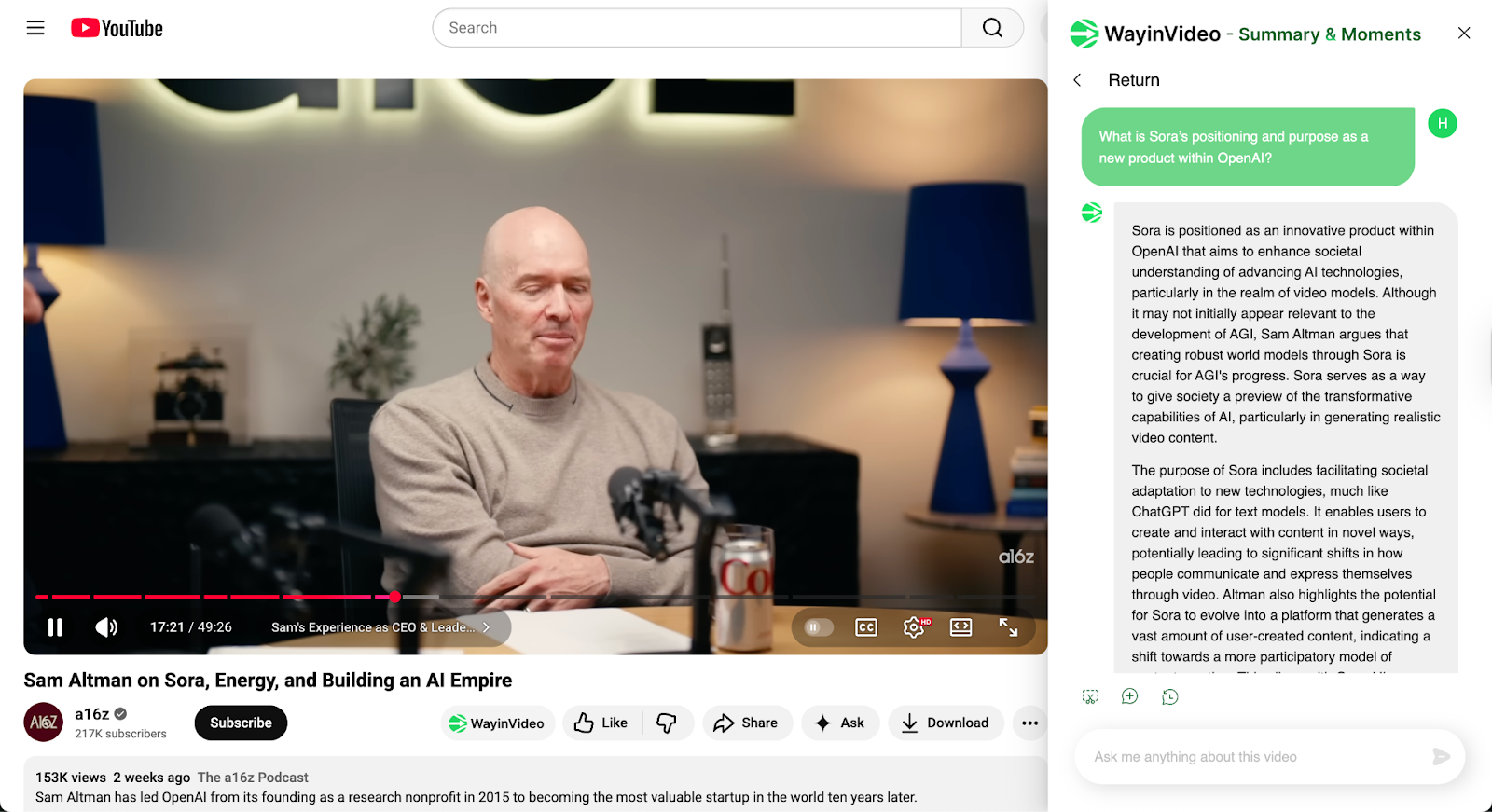
- Interactive Q&A: Users can ask questions to the video through a chat window and receive precise, timestamped answers, turning one-way learning into a two-way dialogue.
- Screenshot Chat: When encountering complex charts, code, or formulas, users can take a screenshot and ask the AI for a targeted explanation.
Organizing Messy Information into Usable Knowledge
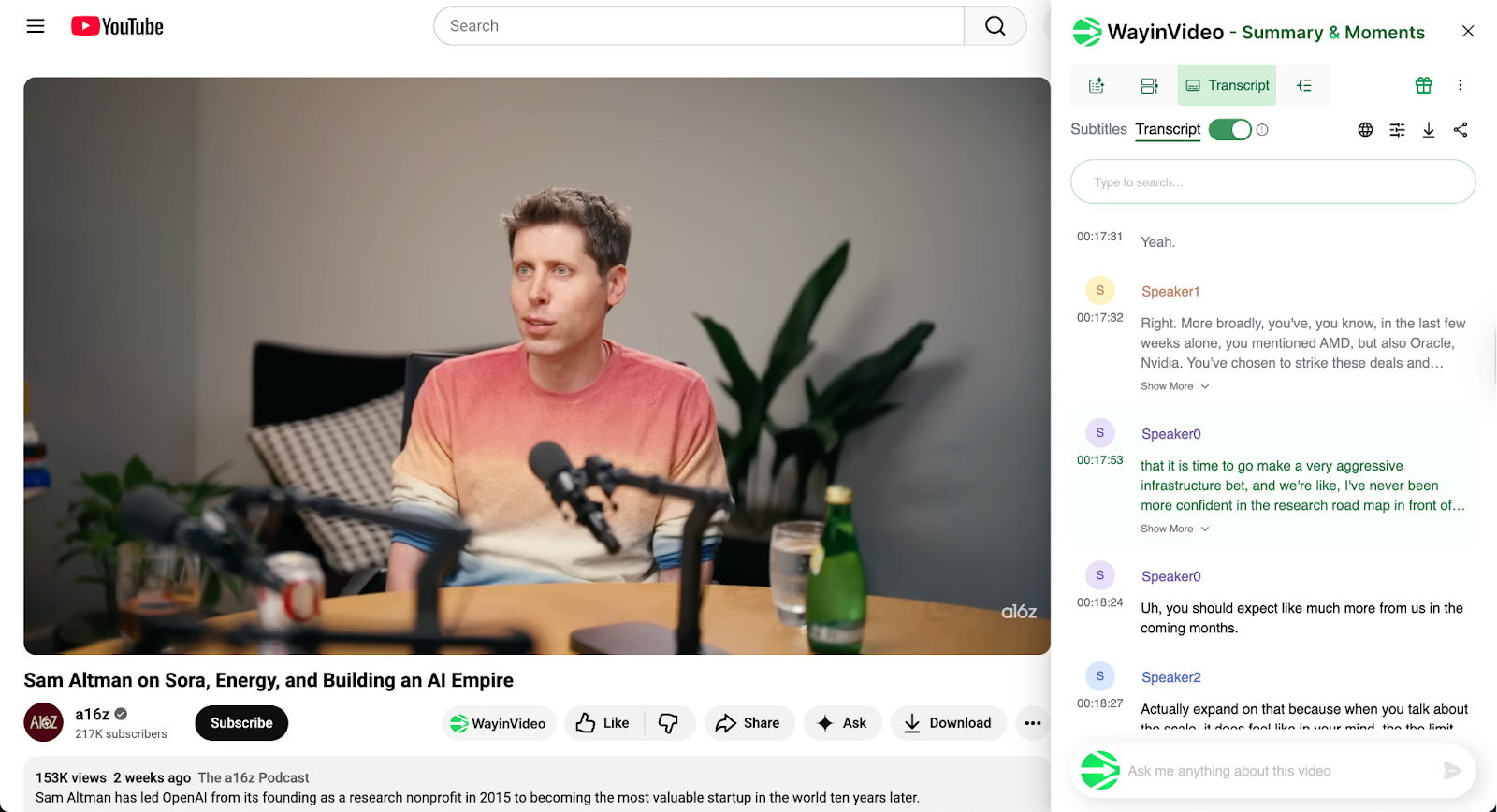
- Transcripts with Speaker Labels: Generates accurate transcripts with punctuation, timecodes, and speaker identification, perfect for organizing meeting and interview records.
- Mind Maps: Visually present the structure of the video content, helping users instantly understand the connections between different topics.
- Note Export: Supports one-click export of summaries and transcripts, allowing users to paste them into popular note-taking apps like Notion, Obsidian, OneNote, and Google Docs, or export them as TXT and SRT files, seamlessly integrating into the user's workflow.
Breaking Language Barriers
- Multi-Language Support: Supports video summarization, transcription, and subtitle generation in over 100 languages.
- Bilingual Subtitles: Can generate bilingual subtitles with the original text and a translation, providing great convenience for cross-cultural learning and language studies.
The Clear Leader in a Crowded Field
The video summarizer market is competitive, but most tools have significant shortcomings. A comparison reveals that Wayin AI surpasses its competitors across key performance metrics.
Wayin AI vs. The Competition
| Feature | Wayin AI | NoteGPT | Summarize tech | Pictory / Descript |
| Verifiable Timestamps | ✓ | ✗ | ✗ | ✗ |
| Multimodal Analysis (No Subtitles Needed) | ✓ | ✗ | ✗ | ✗ |
| Interactive Video Q&A | ✓ | ✓ | ✗ | ✗ |
| Processes 10+ Hour Videos | ✓ | ✗ | ✓ | ✗ |
| Transcripts with Speaker Labels | ✓ | ✓ | ✗ | ✓ |
| Mind Map Generation | ✓ | ✓ | ✗ | ✗ |
| Generous Free Plan | ✓ | ✗ | ✓ | ✗ |
Why Other Summarizers Fall Short
Many competing tools provide summaries that are too shallow, lacking depth and context, and are merely a crude compression of the content. Some tools, like Pictory or Descript, excel in specific niches like marketing clips or video editing, but are not optimized for deep learning and knowledge extraction.
Simpler tools lack core features like timestamps, transcripts, or export options, making them functionally obsolete. Furthermore, many competitors have very restrictive free plans, and users often hit a paywall after just one or two uses, leading to a poor experience.
Wayin AI's Advantage: A Combination of Strengths
Wayin AI's leading position stems from its balance of speed, accuracy, and a complete feature set. It not only solves the core trust issue of AI hallucinations but also provides a complete workflow from input to output.
Its generous free plan (offering 200 minutes of processing time) allows users to fully experience its core value without payment, which is a powerful demonstration of product confidence and a user acquisition strategy. Numerous positive reviews from communities like Reddit also confirm its excellent performance in handling long videos.
How to Use Wayin AI Chrome Extension (For Free)
Getting started with Wayin AI is extremely simple, designed to minimize the barrier to entry for users.
- Step 1: Install the Extension: Visit the Chrome Web Store and add the Wayin AI extension.
- Step 2: Create a Free Account: Sign up for a free account; no credit card information is required.
- Step 3: Open a YouTube Video: Open any YouTube video page, and the Wayin AI panel will automatically appear. Click once to start understanding the video.
The free plan includes 200 minutes of video summarization, which is sufficient for the daily needs of most users and allows them to fully experience the product's power .
Conclusion: From Information Overload to Actionable Insight
In summary, Wayin AI is more than just “the best video summarizer Chrome extension”; it represents a new way of interacting with knowledge. By providing trustworthy, in-depth, and efficient tools, it transforms users from passive information consumers into active knowledge explorers.
Wayin AI doesn't just save time; it truly enhances users' cognitive abilities by turning the one-way medium of video into a searchable, questionable, and reusable knowledge asset. Stop struggling with countless video tabs. Install the free Wayin AI Chrome extension now and start turning hours of content into minutes of insight.