






We all know how important music is in our lives—whether it’s powering through a workout, making a long drive more enjoyable, or simply winding down after a busy day. Having access to your favorite tracks whenever you want can make a huge difference.
Enter VidMate, the free music download app that lets you download MP3s from over 1,000 websites. VidMate is your go-to solution for downloading high-quality music and videos so you can enjoy them offline anytime, anywhere. REad on for what makes VidMate stand out and why it’s the best app for all your music:.
What is VidMate?
VidMate is a powerful, free app designed specifically for Android users. It allows you to download music, videos, and even live TV shows from over 1,000 websites like YouTube, Facebook, Instagram, and many more.
Unlike other apps that limit you to just one platform, VidMate gives you access to content from a wide variety of sources. It also allows you to convert videos into MP3 files, so you can listen to your favorite tracks offline, no internet needed.
VidMate is available for download directly from its official website at VidMate Official, a safe and reliable place to get the app. So, if you’re looking for a free and easy way to download music or videos, VidMate is definitely worth checking out.
VidMate VS Other Apps Comparison
VidMate is much more than just a basic music downloader. Here’s a few of the features that make it such a great all-in-one app:
| Feature | VidMate | Snaptube | TubeMate |
| Supported Platforms | YouTube, Facebook, Instagram, Dailymotion, SoundCloud, and more | YouTube, Facebook, Instagram, TikTok, and more | Primarily YouTube |
| Video Quality Options | 144p to 4K | 144p to 4K | 144p to 1080p |
| Audio Formats | MP3, M4A, FLAC, and more | MP3, M4A | MP3 |
| Built-in Media Player | Yes | Yes | Yes |
| Batch Downloads | Yes | Yes | Yes |
| Live TV Streaming | Yes | No | No |
| User Interface | Feature-rich, may feel cluttered to some | Clean and modern | Simple and straightforward |
| Additional Features | Built-in browser, trending content, live TV, wallpapers | Smart video recommendations, file manager, private mode | Folder organization for downloads |
| Device Compatibility | Android, Smart TVs | Android | Android |
| Availability | Official website (not on Google Play Store) | Official website (not on Google Play Store) | Official website (not on Google Play Store) |
| Ideal For | Users looking for a comprehensive multimedia downloader with various features | Users looking for a lightweight, user-friendly app with broad platform support | Users who prefer a straightforward YouTube downloader with folder organization |
How to Download Music MP3 Videos and More Using VidMate
Getting started with VidMate is super easy. Here’s a step-by-step guide to help you get the Vidmate App on your mobile:
Step 1: Download VidMate
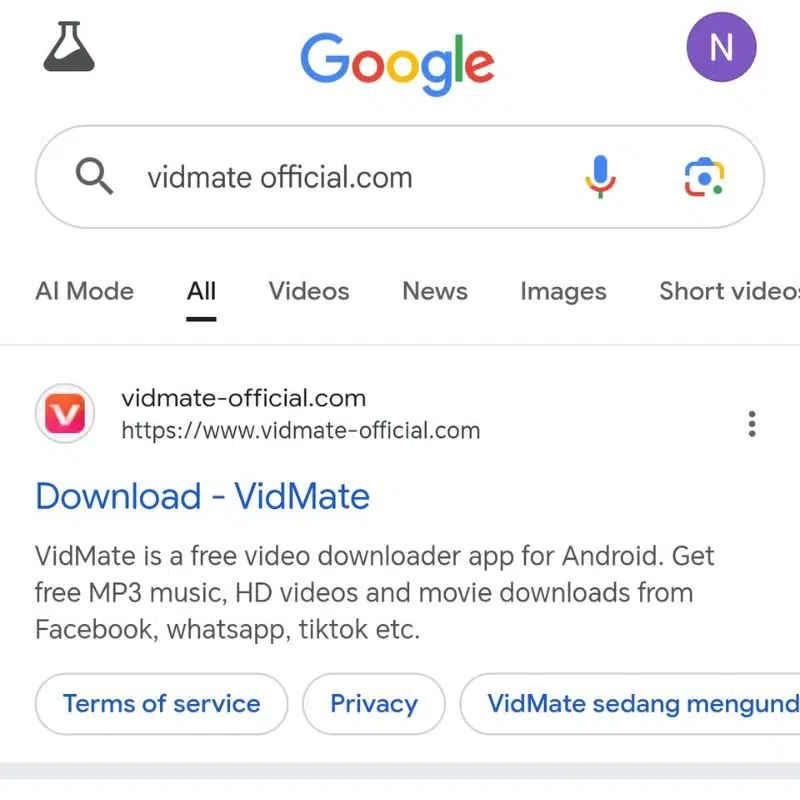
Go to the official VidMate website and download the APK file. Since VidMate isn’t available on the Google Play Store, you’ll need to grab it directly from the official site.
Step 2: Enable Installation from Unknown Sources
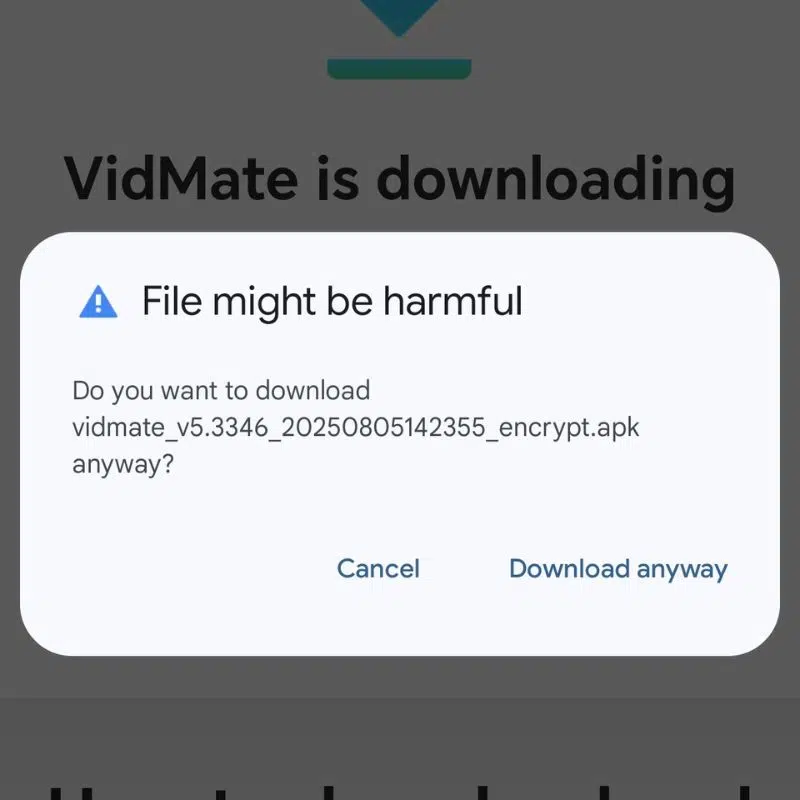
Before you can install VidMate, you’ll need to allow installation from unknown sources. To do this, go to your phone’s settings, find the “Security” section, and toggle on the “Allow installation of apps from unknown sources” option.
Step 3: Install the App

Once you’ve downloaded the APK, tap it to start the installation process. Just follow the on-screen instructions to complete the setup.
Step 4: Open VidMate and Start Browsing

After installation, open the VidMate app. You can either search for specific videos or browse through different websites to find the content you want to download.
Step 5: Choose MP3 Format

Once you’ve found a video you want to download, simply choose the MP3 format and pick your preferred audio quality. VidMate makes it easy to download music in the exact quality you want.
Step 6: Download and Enjoy!

Click the download button, and VidMate will start downloading your MP3 file. Once the download is finished, you can listen to your music anytime, even without an internet connection.
Safety and Legal Considerations
While VidMate is an excellent app, it’s important to use it responsibly. Be sure to download the app from the official website to avoid any security risks from third-party sources. Additionally, when downloading content, make sure it’s either free to use or that you have permission to download it. Downloading copyrighted content without permission could be illegal, so always make sure you’re in the clear when using VidMate.
Conclusion
VidMate is a powerful, all-in-one app that gives you free access to MP3 downloads from over 1,000 websites. Whether you want to grab MP3s from your favorite videos or convert audio from any content, VidMate makes it easy and hassle-free. Download the app today and start building your offline music library. Happy jamming people!

