



Battlemage Idle is an RPG Pixel adventure about a young trainee mage, Lia, who is on her journey to become great mage, while fighting her way through dungeons and past dragons and monsters. With the help of her spirit, Coco, she will embark on this amazing adventure.
Your goal will be to build Lea's stats and equip her with powerful weapons and summon various items to help you in your quest. Hack and slash your way through the battlefield!
In this Battlemage Idle Beginner's Guide, we will help you get on your way!
Getting Started in Battlemage Idle
The ultimate goal in Battlemage Idle is to upgrade everything, from your Mage Lea, her equipment, her magic, we mean everything.
You will begin with a tutorial which is advisable to follow as the prompts will help you understand the way Battlemage Idle works.
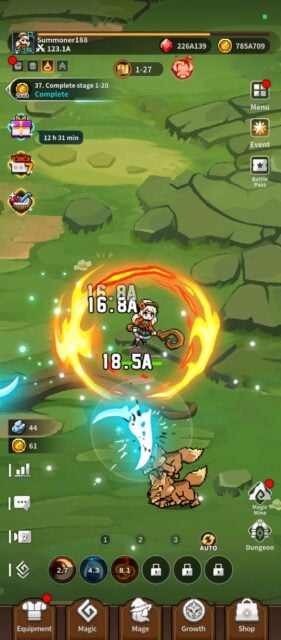
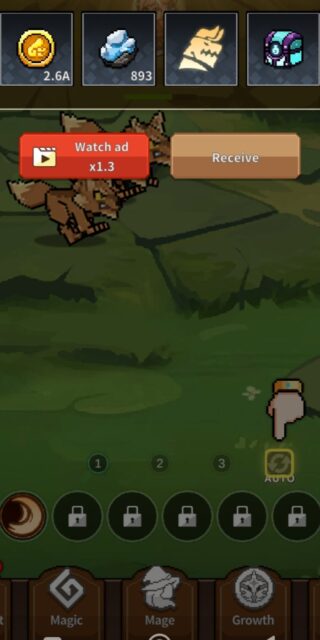
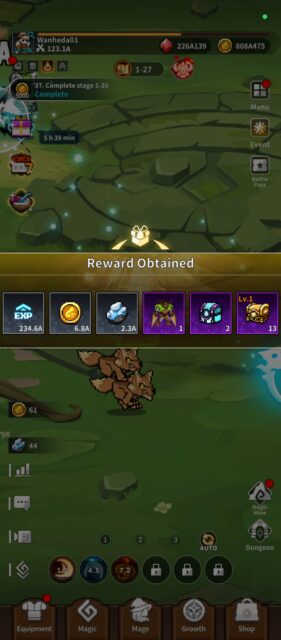
After downloading and launching Battlemage Idle, Lea, your mage, will automatically start fighting her first battle with the magic supplied. As you progress you will receive rewards for each battle success. The rewards received banner will be displayed across the middle of your screen.
A hand will then direct you to the next step required. This is the auto-play Icon displayed on the bottom right-hand side of your screen. Tapping the autoplay icon will allow the game to automatically select the magic that is activated against the monsters.
You can activate the magic manually as soon as the magic meter is filled if you don't use the auto-play option. As you complete tasks, the battles will be running in the background as they run automatically.
Enhance
On the top left-hand side of your screen is a tab that will show what the task is that needs to be completed. As soon as the task is completed, tap on it to get your rewards. Now your next task will be displayed.
This task in Battlemage Idle is to enhance your mage's ATK to level 5. On the bottom of your screen is the Mage Icon. Tap on it, then tap on the Enhance tab of the Sword until it reaches level 5. Tap on the X at the bottom of the screen to then return to your main screen. Tap on your task icon to receive your rewards and start your new task.
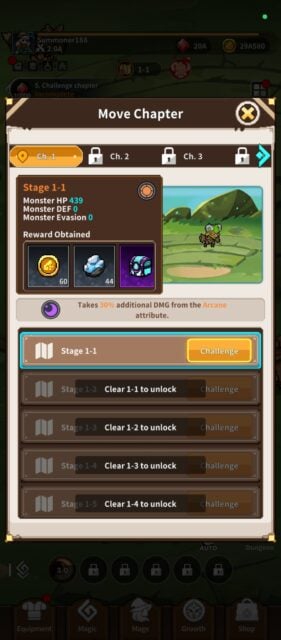
Your new task is to enhance Lea's mage HP level to lv 5. Repeat the previous steps to accomplish this task. Once you have done this you will need to move to the next chapter. Tap on the book that is displayed in the top middle of your screen. The next chapter to challenge is displayed. Tap on it to progress further, then tap on the completed task for your reward.
Weapons
Equip your weapon is your next task. On the bottom left-hand corner is the equipment tab. Tap on it to enter the equipment page. Your first weapon is then highlighted. Now tap on the orange equip tab that is in the middle right-hand side of your screen to equip your mage with that weapon.
On the weapons icon, you will see an “E” to show you which weapon your mage is equipped with. This will be handy when you have a lot of different weapons. Note: All equipped items will have this “E” on them to make identification easy. Collect your reward on the task icon.
Now to enhance your weapon. Be sure to take note of the instructions in your task. Tap on the Enhance tab in the middle of the screen. This tab will be highlighted in yellow. Collect your rewards as you have finished each Battlemage Idle task.
Task 11 is to enhance your mage to lv. 5. Tap on the mage icon displayed on the bottom middle of your screen. Tap on the highlighted enhance tab repeatedly until she reaches lv.5.
Magic Skills
Once you have finished with task 11 you will start to add extra magic skills to your mage. Tap on the magic icon at the bottom of your screen. Tap on the highlighted magic box.
There will be a description of what the magic item does. For example, the magic item available at task 12 is the Ice Scathe. All the relevant information regarding how it works, the damage dealt, cooldown time, and so forth is displayed when you tap on it here.
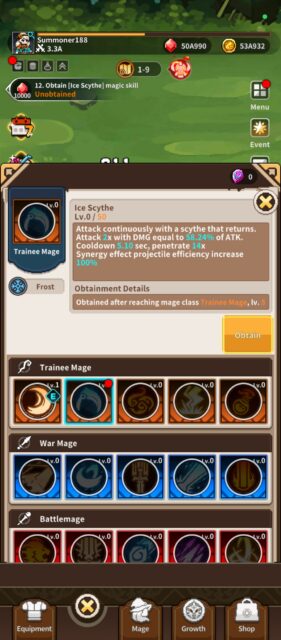
Tap on the highlighted obtain tab. Collect reward. Return to your magic screen. Tap on your newly obtained item. Then tap on equip. Now you will have a box in the middle of your screen. Add your magic item to the circle with the + in it. New magic item slots will become available as you progress throughout Battlemage Idle.
Reroll Guide
As you keep completing the tasks new ones become available. Once you reach task 18 you are able to summon items. Your first summon is for weapons. Tap on the shop icon on the bottom right-hand corner of your screen. Tap on the highlighted Summon tab. You can see which weapons you have summoned.
Tap on the confirm tab. Your next summon that will become available is for armor. This summons only becomes available at task 32. More items will become available to summon as you progress through Battlemage Idle.
Your next step will be to enhance the weapons you have just received. Tap on the equipment tab, then tap on the Enhance tab.
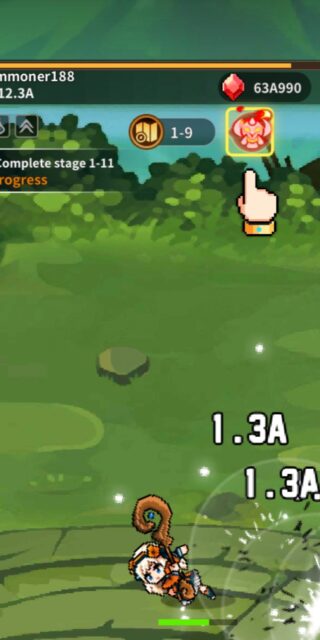
Check out your energy icon to see how your mage is doing in battle. This icon is displayed on the top middle of your screen right next to the chapter icon. There is a status bar here that shows your energy as well as the current enemy's energy. There is a small direction arrow (➡️) to exit the status bar.
Mining
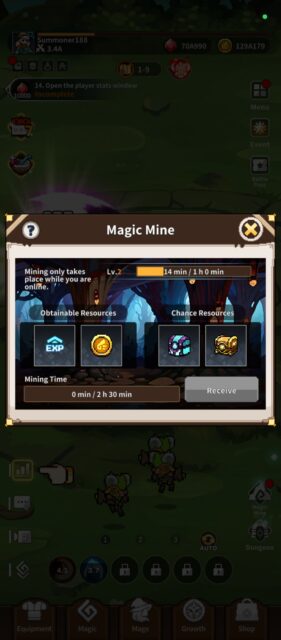
On the bottom right-hand side of your screen are the following two icons. The top one is for the magic mine. Here you can collect resources that have automatically been mined for you. Mining only takes place while you are online.
Come back regularly to collect the resources as they are a valuable asset to have for enhancing your mage. A red dot will appear on the magic icon as soon as there are resources available for you to collect. You can also get magic chests here that have even more valuable resources in them, such as Epic Energy Dew used to capture monsters.
Dungeons
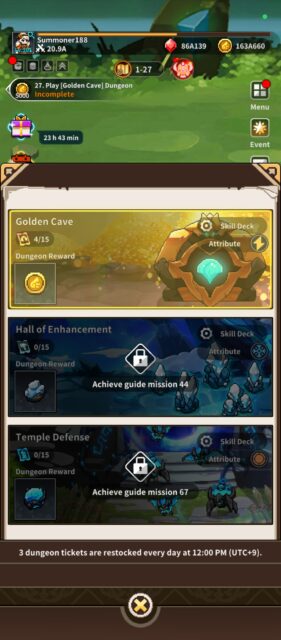
Below the magic mine icon is the dungeon icon. Here you will have certain tasks to fulfill to clear the dungeon. There are plenty of monsters to defeat as well as a big boss. You need to reach guide mission 27 to unlock the first dungeon.
As you open the dungeon icon the dungeon details will be displayed on your screen. Take note of the tips that are displayed. Tap on the highlighted challenge tab to start your task.
Battlemage Idle Buffs
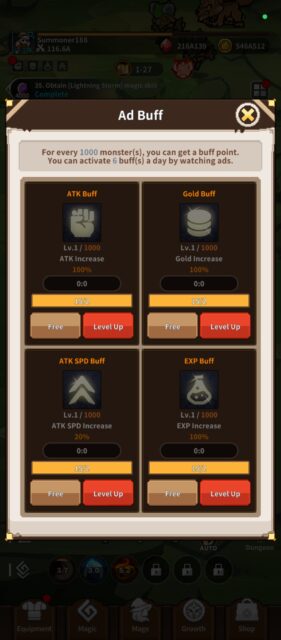
One of the options to use if your mage is having a hard time completing battles is to use your available buffs. The Icon for your buffs is displayed on the top left-hand side of your screen below your avatar. When there are buffs available a red dot will appear on the buff icon. Your first buffs are free. Four buffs are available.
- ATK Buff – Increase your attack – (1 hour)
- Gold Buff – Increase your gold earnings – (1 hour)
- ATK SPD Buff – Increase your ATK Speed – (1 hour)
- EXP Buff – Increase your EXP – (1 hour)
You can get a buff point for every 1000 monsters defeated. You can also activate 6 buffs a day by watching ads.
That being said let us look at your icons to help in identifying all the options in Battlemage Idle.
Battlemage Idle Equipment
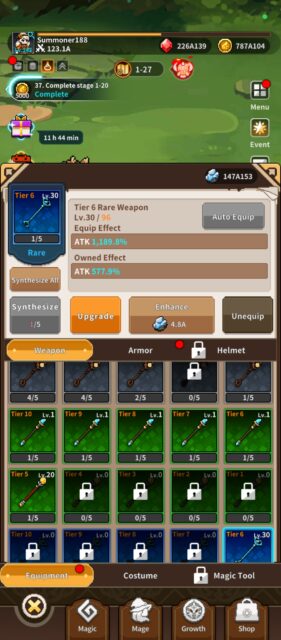
Another important item is your equipment. In this category, there are six weapons, armor, and helmet types. These are: Normal, Magic, Epic, Legendary, and Mythical. Normal is your lowest rarity, whereas Mythical is your highest rarity and will grant you fantastic buffs!
All of your equipment is obtained either by summoning them, participating in events, completing challenges and quests, or you can buy weapon summon tickets in the shop. Another way to get summoning tickets is to redeem codes.

Battlemage Idle Icons
| Icon: | Shows the current battle status bar. |
 Stats | Edit name and stats information are found here. |
 Buff | For every 1000 monsters defeated you get a buff point. Collect buffs to increase ATK, ATK SPD, EXP, and Gold. |
 Task Bar | This tab outlines the task to be completed. |
 Growth Pack | Purchase Growth Packs. |
 Mission | Clear missions to get rewards! |
 Special Events | Participate in events for rewards. |
 Status Info | For every 1000 monsters defeated, you get a buff point. Collect buffs to increase ATK, ATK SPD, EXP, and Gold. |
 Chat Messages | General chat with players. |
 Video ad | Video advertisement. |
 Magic Bar Minimizer | Minimizes your magic icons. |
 Magic Bar | Shows your selected battle magic readiness. |
 Auto Play Icon | Switches autoplay on or off. |
 Equipment | Select magic for battle, equip your character, and enhance and upgrade magic. |
 Magic | Enhance ATK, HP, DEF PEN, HP Recovery, Crit Rate, and more here! |
 Mage | Summon weapons, armor, and helmets here. As well as purchase special packs and special rate items here. In-game currency or gems are used for certain items and real-time currency is used for other special items. |
 Growth | Spirit level and costume. Mage needs to be Warlock level to unlock. |
 Shop | All current events are listed here. |
 Dungeon | Dungeons will be part of your tasks to complete. Dungeon tickets are used for battle. 3 dungeon tickets are restocked each day. |
 Magic Mine | Mining takes place while you are online. This is an automatic feature in Battlemage Idle. Keep returning to receive resources. |
 Battle Pass | Collect level and chapter rewards here. |
 Event | Gold, Rubies, and all other currencies are displayed here. (Diamonds and Milage are purchased with real-time currency in the shop). |
 Menu | Inventory, Mailbox, Missions, Collection, Ranking, Sleep Mode, Options (Game and account settings are found under this tab), and Save Data are all here. |
 Energy | Gold, Rubies, and all other currency displayed here. (Diamonds and Milage are purchased with real-time currency in the shop). |
 Chapter | Chapters completed and new chapters to challenge are displayed here. |
 Currency | Gold, Rubies, and all other currencies are displayed here. (Diamonds and Milage are purchased with real-time currency in the shop). |
Battlemage Idle Costumes
There are also costumes to dress your mage up. As you progress through the game different costumes will become available. There are also costumes available for use after you have completed events.
By completing the Summer Party Event you can obtain the costume with the Orca. Here is a list of Lea's costumes and their owned effect/obtainment details:
| Costume Name: | Owned effect/obtainment details: |
 Trainee Mage | No owned effect. Free costumes supplied at the beginning of the game |
 War Mage | Achieve War Mage Level |
 Battlemage | Achieve Battlemage Level |
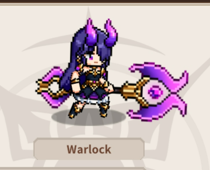 Warlock | Achieve Warlock Level |
 Arcane Mage | Achieve Arcane Level |
 Archmage | Achieve Archmage Level |
 Monster Slayer | Monster Slayer Event |
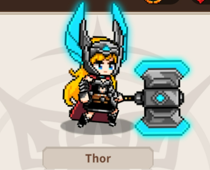 Thor Thor | Final HP 10% – 300,000 Rubies |
 The Chosen One | ATK SPD 5% – 350,000 Rubies |
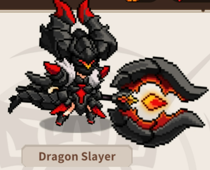 Dragon Slayer | Golden Cave Dungeon Rewards 5% – 400,000 Rubies |
 Druid | Event (Pre-Registration) |
 Dark Battlemage | Grand Opening Event |
 Devine Battlemage | Grand Opening Event |
 Michael | Gold 25% – 500 Diamonds |
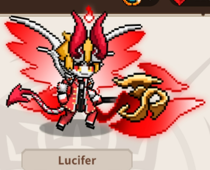 Lucifer | EXP 25% – 500 Diamonds |
 Summer Party Red | Summer Party Event |
 Summer Party Blue | Summer Party Event |
 Summer Party Aloha | Summer Party Event |
Battlemage Idle Codes
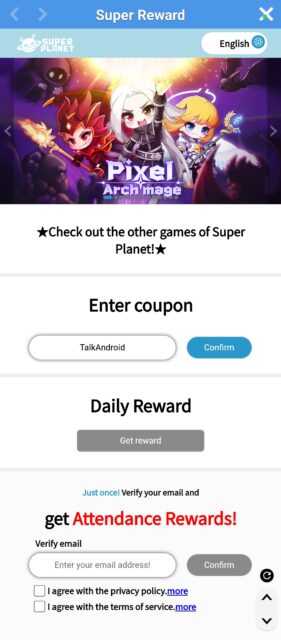
Looking for all the latest Battlemage Idle Codes, look no further than right here! Codes are another way to enhance your mage by getting extra summoning tickets, rubies, and coins. These codes are available for you to redeem. An easy way to get these codes is to visit this linked article for all the latest codes: Battlemage Idle Codes as well as how to redeem them!
How to get more rewards in Battlemage Idle
It is easy to get extra rewards in Battlemage Idle. Just tap on the menu icon on the top right-hand side of your screen. Then tap on the Mailbox. Collect all the rewards that are displayed there. Rewards are given for just playing the game as well as participating in events. You will also get rewards when the game is shut down for maintenance or if the server crashes.
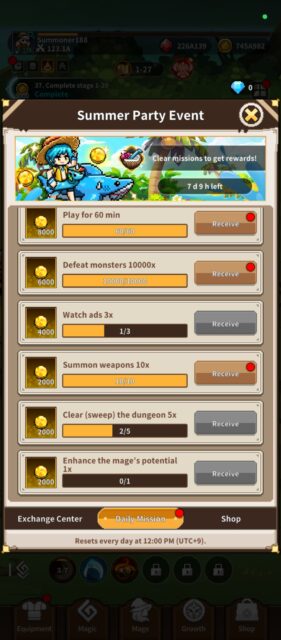
Rewards are also available if you tap on the mission tab. Here you will receive rewards for playing, watching ads, summoning, and much more. Remember to take advantage of all these extra rewards.
Participating in events and doing the daily quests will also give great rewards. Go to the events icon displayed on the left-hand side of your screen. Tap on it to see the current events that are available.
You will need to purchase participation in these events using in-game currency in the Exchange Centre. Daily Missions are available under the daily mission tab. Tap on it to see what events need to be completed for the rewards.
Wrapping Up!
These are the basic steps to follow to play Battlemage Idle. Keep on enhancing your mage, equipment, and magic to make Lea as strong as possible.
That is about all for now in Battlemage Idle. This is a really awesome RPG to play. You will need to think strategically about what equipment and magic will be the best for each battle that your mage fights. With more than 100,000 downloads already this is surely going to be one of the best RPGs that have been released recently.
Check out these for more games like Battlemage Idle: Star Wars: Hunters Ultimate Beginners' guide and Squad Busters Ultimate Beginner’s Guide.