




The days where you fumble with your wallet are slowly thinning. Everything is going digital, and so is your ID. The Department of Motor Vehicles in New York, USA has launched a new app that stores your driver's license on your smartphone. This development is helpful for many reasons.
Although it means you can't use the “left my wallet at home” excuse often, it brings more convenience considering most people have their smartphones on them frequently. You can quickly present your virtual driver's license or registration, speeding up the interaction and reducing misunderstandings.
The New York Mobile ID keeps more than your driver's license
The free New York Mobile ID app has launched and is available for Android and iOS users on their respective app stores. Besides keeping your driver's license safe, the app can also hold your state-issued learner permits and nondriver identification cards.
We’re thrilled to give New Yorkers access to this cutting-edge technology which provides convenience and added security for Mobile ID users and those who accept it. Not only will New Yorkers be able to quickly display their IDs, but they will have control over the personal information they share.
Governor Kathy Hachul
To set it up, you'll register the phone number of the device where your Mobile ID will be stored. Each Mobile ID can only be on one device at a time to protect your identity. So, your second phone numbers don't count. Then you’ll take a photograph of your physical ID within the app. Then it performs a quick facial scan to verify your identity. When that's complete, the app allows you to access your ID information.
You can view your ID number, photo, name, issue and expiration dates, and the class of your ID. Basically, you’ll have a digital copy of your physical ID. Already, you could've easily done it with a scanner app. But there are still perks to using an official app. For one, setting up a PIN keeps your ID secure from prying eyes.
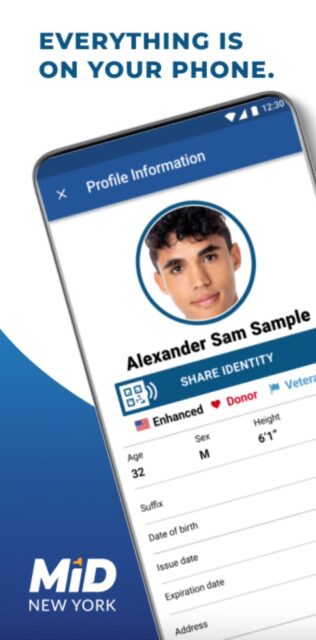
Through a partnership with the Transportation Security Administration (TSA), the New York Mobile ID (MiD) will be accepted at TSA security checkpoints at including all terminals at LaGuardia and John F. Kennedy airports. This partnership allows New Yorkers to verify their identity easily and securely for airport security screening.
Nearly 30 airports support New York Mobile ID app
The New York Mobile ID app is acceptable for security screening at nearly 30 airports in the USA, including LaGuardia and John F. Kennedy.
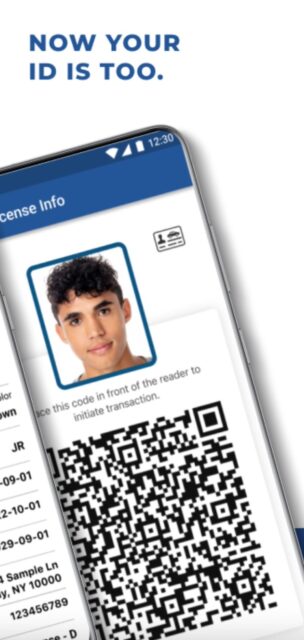
To use your New York MiD at a TSA checkpoint, just scan your smartphone with the identity reader. After authorizing the request, your information is sent to the TSA and there's no need to hand over your phone. TSA verifies your identity and flight status. If you're wondering which terminal is eligible, they'll be clearly marked for identification.
Beyond airports, your digital ID is acceptable by any venue that chooses to participate. For example, nightclubs, banks, and hospitals. Basically, it's not widely recognized yet. So you'll want to have a physical ID backup on you in case the app is not accepted or if there are technical issues with the app.