




AI is the buzzword that we'll continue to hear about throughout 2024 and beyond, and we heard an awful lot about it during Samsung's Galaxy S24 launch event. Galaxy AI touches virtually every area of the Galaxy S24 software experience, with the Circle To Search feature in particular drawing scrutiny.
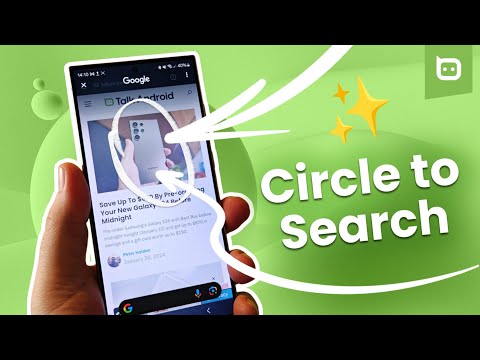
If you've got a Galaxy S24, S24 Plus, S24 Ultra, or one of the Pixel 8 series and are curious about how Circle To Search works, join us after the break for our step-by-step guide on the AI-powered search function in both text and video formats.
Circle to Search – The Video
Step-by-Step Guide
Whether buying, searching for information, or looking for new travel destinations, Circle to Search is a new tool in your arsenal, but how do you use it?
If you use navigation buttons on your Galaxy S24 or Pixel 8 device, it all starts with long-pressing the home button.

Next, it's all about what is on the display and the object you want to know more about. You can tap or scribble on the chosen object despite being called Circle to Search. The AI will then determine what you've selected and search for more information about it. It could be a building in the distance that you've seen in the camera app's viewfinder or a car in a photo on Facebook; whatever it is, Circle to Search will find the information you need.
We've mentioned how you can tap, circle, and even scribble on the object in question, but sometimes it's better to use a particular method over the others. I've found that circling the object yields the most accurate results. Tapping on an object such as a shoe could result in the AI fetching more results on the shoelace you've just tapped instead of where you can find that shoe.
If you have the Galaxy S24 Ultra, you can use the S Pen with Circle to Search, which is more accurate than your fingertip. You can also use it to adjust the search box size to clarify your prompt.
When we said it was simple, we meant it. Hold long-press the home button, circle the object, and look at the search results. That's it.
Circle To Search Is A Quicker Way To Access Google Lens

Circling an image or word shown on your smartphone display and getting search results in a split second, all without moving away from that app? That's bonkers, right? Well, that's the world we are living in right now. Having debuted on the Galaxy S24 series, Circle To Search has also rolled out to Google's Pixel 8 and 8 Pro handsets with a possible launch on other branded smartphones during October, which is a crazy long time for such a feature to remain exclusive to Google and Samsung.
It reminds me of Google Lens, but it's all-encompassing thanks to it working on pretty much everything you can see on your phone's display, whether it is a game, app, something in a show or movie, or even something you can see in the camera app's viewfinder.
I'm not going to say it's opened up new galaxies, but it's certainly come in handy, especially when I'm not quite sure how to describe the thing I'd like to know more about. In the comments below, let us know your thoughts on the AI-powered search feature.


