



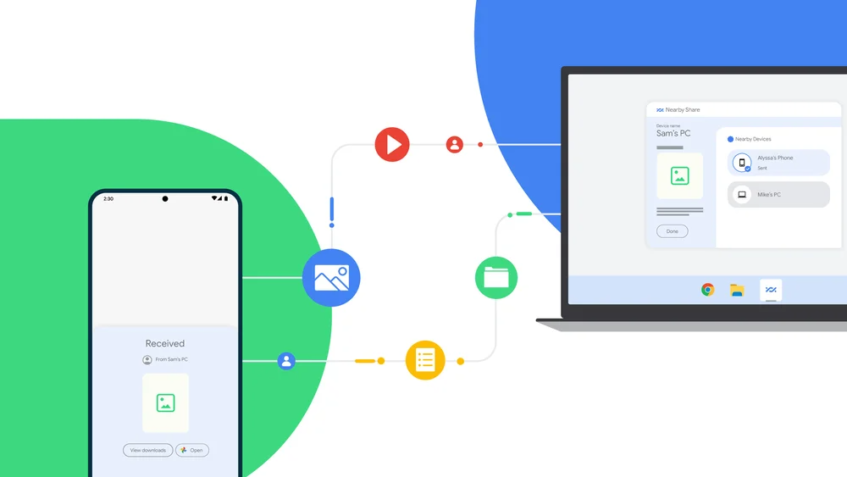
Anyone using an Android smartphone knows how painful it is to transfer files and images from a handset to a Windows PC, often resorting to uploading the content to the cloud or even emailing it to oneself. While several smartphone brands have developed their own solutions, Google has just launched its new Nearby Share Beta for Windows which aims to solve the issue regardless of which Android handset you use.

Google's Nearby Share Beta for Windows will let users send and receive files from smartphones and tablets that support Nearby Share and run on Android 6.0 or higher, as well as Chromebooks and other Windows PCs.
You can send or receive files, images, and videos, including entire folders to and from PCs with the beta application installed – either via drag-and-drop or the right-click of your mouse and choosing to “Send with Nearby Share”. And, if both devices are logged into your Google account, file transfers are automatically accepted – even when the screen is off. For added security, Google says that all Nearby Share transfers are protected by end-to-end encryption.
Your PC will need to be running Windows 10 or 11 and be powered by a 64-bit x86 processor as Google warns that ARM-powered PCs are not supported at the current time. You can download the Nearby Share Beta for Windows app via the link below:

It’s just as painful and obtuse to share files between Android and other Android devices, such as an Android/Google TV devices. Google seems to just want us to send files to the cloud (and pay for the privilege) so it’s just easier these days to either email it to ourselves or share it to our Google Drive to share between devices.