

Back in 2014 Google introduced Google Play Games and it quickly became the fastest growing mobile gaming network of all time. Google was looking to blend many of the great features you get with a traditional gaming setup- leaderboards, achievements, sociability, etc.. -with the convenience and portability of mobile gaming. Since the release they have continued to make Play Games into a robust gaming network, and today it looks like it will be getting even better with the addition of Gamer IDs!
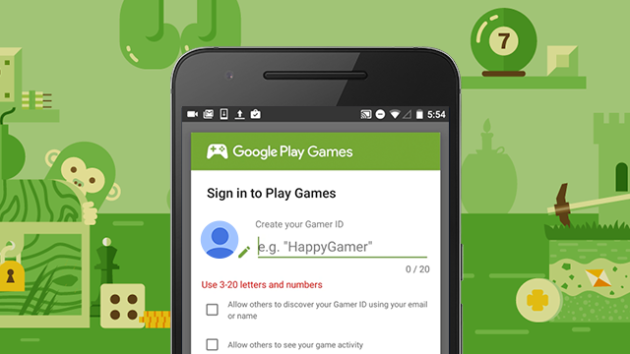
If you have spent any time online gaming with a traditional home console, this will be familiar territory. When the ID tags are launched, upon signing into your next Google Play Games integrated games, you will be prompted to create your unique Gamer ID along with your very own avatar from the 40+ available at launch. Then you can select if you want your gaming activity to be public or private, and if you want other gamers to be able to associate your Gamer ID with your email address or name. I don't know about you guys, but I am pretty excited to pick something cool; present day me regrets 7th grade me's decision to go with Kool_aid_dude27 as my PSN ID (feel free to add me) pretty much every day.
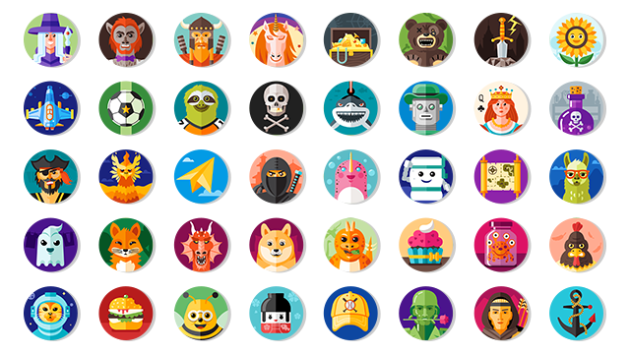
Arguably even better than the addition of Gamers IDs, is the streamlining of signing in to Google Play Games. As it stands right now, every time you download, then start, a new game you have to manually link that game with your Google Play Games account. That will soon be a thing of the past with the new auto sign-in feature being released alongside Gamer IDs. One initial sign-in will be all you need; all future games will be automatically signed-in to your Google Play Games account with your spiffy new Gamer ID. Pretty convenient I'd say.
The Android Blog gave us the vague timeline of a rollout within the next few weeks, but while you wait you can head over to the Google Play Games app right this minute to register your unique tag in advance. Share what your Gamer ID ends up being in the comments, and we will be sure to add you guys!
Source: Android Blog

