




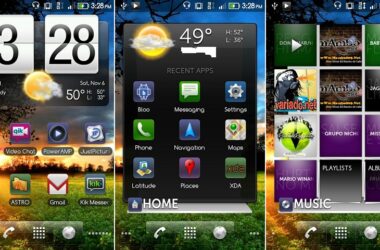
We love a good Apple story (*as plainly seen here, cough cough*) as much as the next person, and this is no exception. You may have already heard that Android had been ported to the iPhone, but now it appears that you can install our favorite little Android on the iPhone 2G and 3G without a computer. The following models are supported:
- iPhone 2G with iOS 3.1.2, 3.1.3
- iPhone 3G with iOS 3.1.2, 3.1.3, 4.0, 4.0.1, 4.0.2, 4.1
And, your device has to be jailbroken with any of the following:
- PwnageTool
- RedSn0w
- BlackRa1n
As long as your device meets these requirements, you can hit the break to find out how to install Android on your iPhone, and steal a small part of Steve Jobs' soul.
- Open up Cydia.
- Tap “Manage” on the bottom, then tap “Sources” in the main menu that comes up.
- Tap “Edit” in the top-right corner, then tap “Add” in the top-left corner.
- Type in: and tap “Add Source”. Your iPhone will update its sources, just tap “Return To Cydia” when it's finished.
- Tap “Search” on the bottom, and search for Bootlace. Install the app.
- You should now have an icon on your home screen for Bootlace. Simply open it up, and install OpeniBoot and iDroid.
Once you complete all these steps, you should be able to dual boot into Android or iOS when you start up your iPhone. As always, be sure to BACKUP! Pretty cool, huh? Be sure to let us know what you think, and if you install, how it all goes in the comments!
Note: TalkAndroid cannot be held responsible for any damage done to your device.
[via iphonedownloadblog]
idroid was not installing on my iphone 2g.. then i tried to boot it into iphone.. nd then my iphone didnt start…..Now what should i do ?
Will this delete my iOS 4.2.4
salve a me va tutto bene ma vi è un piccolo problema. ogni volta che lo metto in stanby cioè blocco la tastiera si riavvia e torna a apple.. come mai??
@sAM this will not work on an iPhone 4.
It so far only works on iPod touch 1 and iPhone and iPhone 3G
THIS NOW HAS A 4.2.1 FIRMWARE UPDATE!
does this work with ipod touches and iphone 4?
many thanks
try the lock button when it is starting up, you can select witch operating system you want and then pres the home button to select…
i’m running on 2g, but can’t get the network service to work; cn’t make a call!
how? thx
I had problem to boot up after all the procedure. My 2G show up the android logo but hang! Anyone can help me to resume back to iPhone 3.1.3
didnt work for jailbreak with redsn0w_win_0.9.6b2 on a 3g phone. bootlace throws out an error on kernel not correct.
got it to work!! redsn0w_win_0.9.6b1
I installed and it runs fine. The problem is that you can’t access the Android Market or any google apps so it is pretty much a regular phone.