




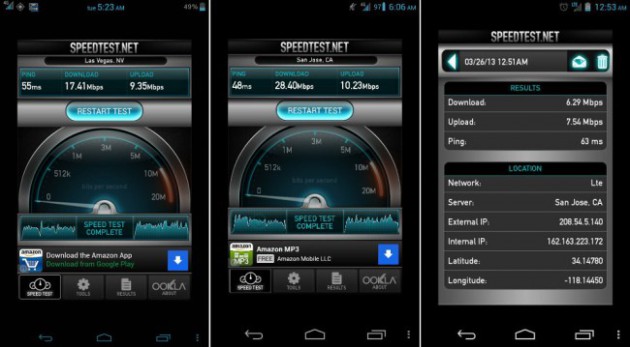
With T-Mobile officially launching their 4G LTE network in seven cities throughout the U.S., their customers may be wondering exactly how to access the new bandwidth. Owners of Samsung Galaxy Note II devices can do so thanks to an update that T-Mobile just pushed out to the devices. Another group that may be able to do so are owners of the LG Nexus 4 if they have done some work. Achieving this feat with a T-Mobile Nexus 4 requires rooting and installing a custom ROM, then flashing the radio back to the previous .33 version.
According to users over on the XDA Developers forums, those who have installed the CM or AOKP ROMs seem to be having the most success, though other ROM should work. Users also have to revert their radio to the older .33 version that was present on the devices before the Android 4.2.2 update was pushed out. The 4.2.2 version of Jelly Bean included an update to the radio to .48, which removed the ability to connect to the LTE network. In addition to the custom ROM and flashed radio, users also have to update their APN settings.
If you are a T-Mobile Nexus 4 owner running a custom ROM in one of the new markets, you may want to hit the source link to start reading through the posts on how to make this happen.
source: XDA Developers
via: Droid Life

.33 radio on 4.2.2 drops calls and when you answer calls sometimes there is no audio
I’ve heard that this happens if you’re on a ROM other than cm or aokp. I’m on cm 10.1 and have been using this fix for the last 3 days without an issue. I found that the. 27