




With the Android L developer preview going live yesterday for the Nexus 5 and Nexus 7 (2013) many have been chomping at the bit for a system dump and their chance to play with new apps. While the developer preview is pretty polished at the moment, it still has its momentary freak outs and bugs that are causing app force closes. As such, there are some who may not feel comfortable flashing an unfinished piece of software but still want to play with the new apps and such. Well you're in luck as a system dump has made a few things available for your downloading and using pleasure.
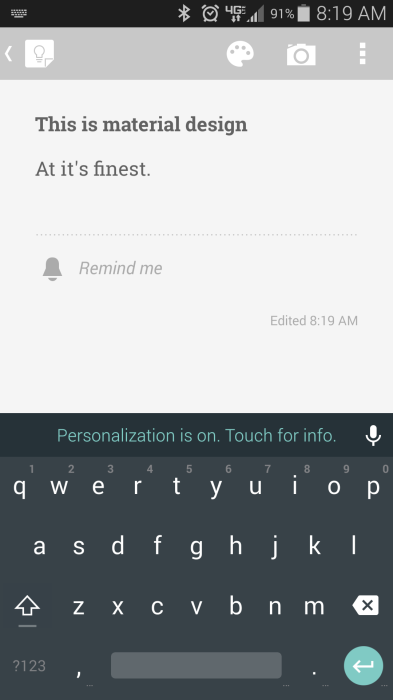
First, all the APKs have been made available, but if you're thinking of checking out the new redesigned Gmail, Chrome, etc. you're in for a bad time as most of the apps are how they look now. On notable exception is the Google Keyboard as it comes with the new material design. I've been using it on my S5 for a few hours now with no hiccups. However before you rush to install it, make sure you uninstall the Play Store version of the APK. Also it's important to note that Nexus phones, tablets, Moto X, G, E phones, etc won't be able to do this (without root) as it's a system app.
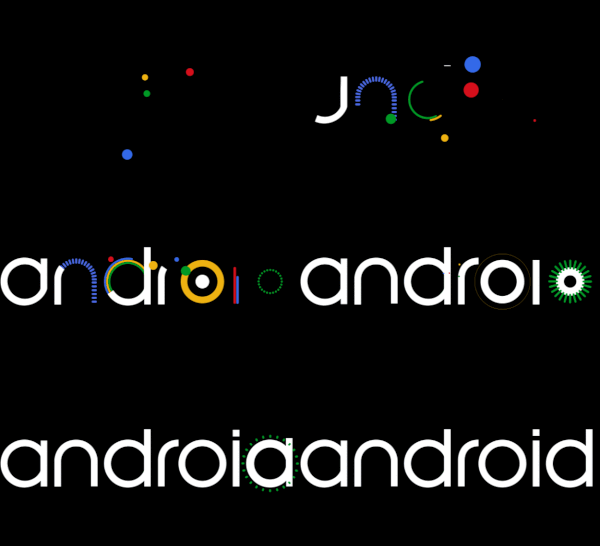
Other goodies include ringtones, alarms, the new Roboto font, and the new boot animation as well. We have a gallery of the wallpapers below, but it's also important to note that they're pretty much the same as the KitKat wallpapers before with one exception. But if you're ready to give any of these goodies a whirl, here you are. As always, you're responsible for what happens to your device.
Full System dump (Nexus 5) – Not a flashable, but if you want the whole shebang, here you go.
Apps – Most apps work, some don't (Chrome, Earth, and the Calculator).
Play Services (Flashable) – In case you haven't received the update or downloaded the APK yet.
Play Store (Velvet) APK
Ringtones/Alarms (non-flashable zip, flashable*)
Boot Animation (non-flashable zip, flashable*)
Fonts (non-flashable zip, flashable*)
* – make a back up first











source: XDA-Developers

Can I install the fonts and play store without root as they look really awesome
Where can I find the lockscreen apk?
the only thing the L keyboard is missing is the ability to long press and access the different emotion faces…if it’s there I haven’t found it…
the only thing the L keyboard is missing is the option to oing press to get the happy faces..if its there I haven’t found it. it’s a pain having to type the symbols
That keyboard is just awesome using it right now and its way better than the previous stock google keyboard
Agreed, I’m pretty happy with the keyboard.
Did guys notice you can swype more than one word at once like swift key?