




Chromecasts used to come as basic models that were affordable and could simply cast online content from your phone, tablet, or computer to the TV. Since they didn't have a user interface, you couldn't run apps natively on them. That meant, no direct streaming from Netflix or other streaming media. Also, they didn't have remote controllers, which made sense considering the absence of a UI to navigate.
Then came the Chromecasts with Google TV in two variations; HD and 4K. They supported the same features as the older models with the addition of remote controllers And a UI for App support. Now you have broader options to choose from. If you’ve decided to buy a Chromecast, here are the best ones.
Note: Google has discontinued official sales for older Chromecasts released before 2023, including the 1st Generation model. They're out of stock at every major US retailer, including the company's store, it's possible that you'll find them on Amazon. You may want to consider other brands with active support and wider availability.
Overview: Which Chromecast is best for you?
- Best overall Chromecast: Chromecast with Google TV (4K)
- Best runner-up Chromecast: Chromecast with Google TV (HD)
- Best value Chromecast: Chromecast Ultra
- Best Chromecast for minimalists: Chromecast 3rd gen
- Best budget Chromecast: Chromecast 2nd Gen
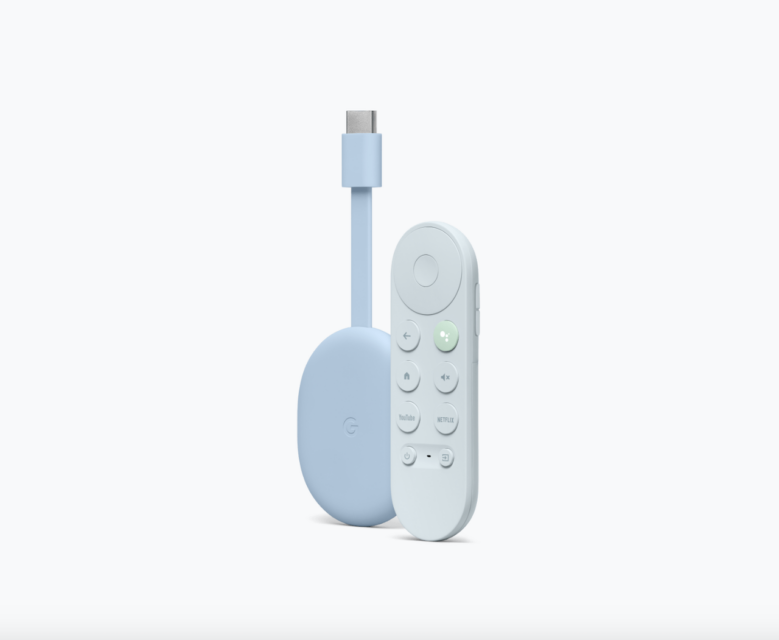
Chromecast with Google TV (4K)
Pros
- 4K streaming.
- Multi-color design choices.
- Dolby Vision support.
- Affordable.
Cons
- Most expensive Chromecast.
- Small RAM & storage space.
Supported resolution: 4K | HDR Compatibility: HDR10, HDR10+, HLG, Dolby Vision | Processor: Amlogic S905X3 | OS: Android TV | Form factor: Oval-shaped device + remote control | RAM: 2GB | Storage: 8GB | Connectivity: Wi-Fi 802.11ac (2.4 GHz & 5 GHz), Bluetooth | Price: $50
This Chromecast supports Netflix, Disney+, Hulu, and many other streaming services — surprisingly, Amazon Prime Video is on the list, considering that they're among its top competitors. It also supports the WiFi 802.11ac standard across both 2.4 GHz and 5 GHz frequency bands, and will automatically select the best one for optimal performance. The presence of bluetooth support means you can connect your Chromecast to headphones and other accessories.
The device runs on Android TV OS, which should feel familiar if you've used, or are currently using, an Android phone or tablet. You'll have access to Play Store, YouTube, and other apps from Google. One thing we love is the integration between your mobile devices and the Chromecast. You could use your phone in place of the remote, as well as install apps on the Chromecast’s behalf and send it to Google TV. Of course, you'll need a Google account, otherwise you can't use most of the features.
We can't forget the remote part, which is something older Chromecast models never had. Here, we have a small controller with basic buttons for powering, muting, and returning to the UI's home menu. There are also dedicated buttons for YouTube, and Netflix, and the Google Assistant. There's an integrated microphone on the remote, so pressing the button activates the virtual assistant. When you hold down, you can voice search content easily.
In terms of design, it still looks like its predecessors. It's a slightly longer, yet lightweight, oval device with an HDMI dongle that you can plug into your TV. However, it can't draw enough power on its own. Hence, the 5V 1.5A USB power adapter that comes with it in the box. It more than meets the minimum requirements to power the Chromecast and allow it to function normally. The 4K Chromecast is available in sky blue, sunrise (or pastel pink), and snow white colors.
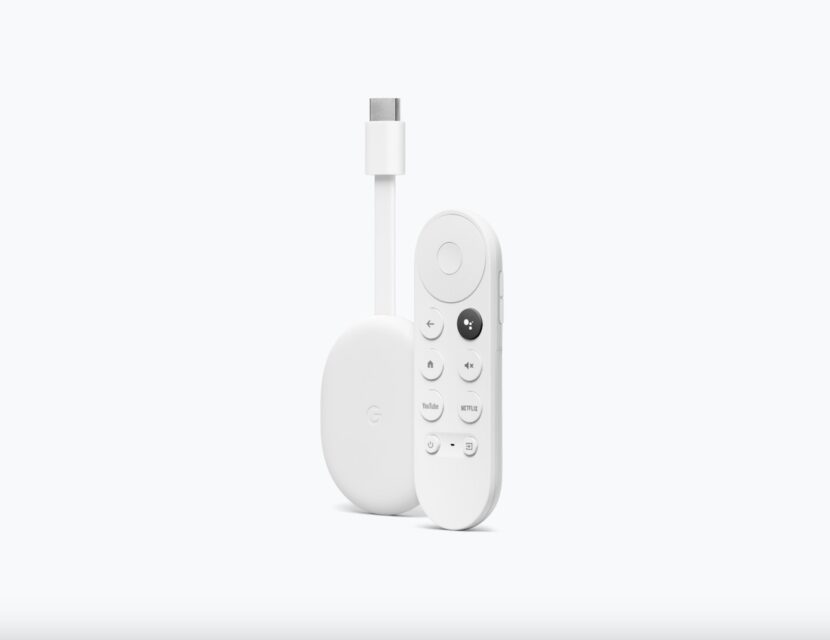
Chromecast with Google TV (HD)
Pros
- High-quality streaming.
- Affordability.
- Remote controller.
- Portable design.
Cons
- No 4K & Dolby Vision support.
- Small RAM & storage space.
- Only one design color.
Supported resolution: 1080p | HDR Compatibility: HDR10, HDR10+, HLG | Processor: Amlogic 805X2 | OS: Android TV | Form factor: Oval-shaped device + remote control | RAM: 1.5GB | Storage: 8GB | Connectivity: Wi-Fi 802.11ac (2.4 GHz & 5 GHz), Bluetooth | Price: $50
Like its predecessor, this Chromecast has the Google TV UI built-in, which is a key distinction from the earlier Chromecast models. In fact, both devices share many similar features with only a few differences.
For one, the resolution offered is a drop from 4K to 1080p. Video format support also excludes Dolby Vision, which isn't surprising considering the major price cut targeted at more budget-conscious users.
Unarguably, Dolby Vision does make a difference — we're talking wider color gamut, and increased brightness and sharper contrasts. But you won't perceive the difference between the present HDR10+ and Dolby Vision unless you're intentionally and actively peering at your screen for minute details in picture quality.
Also, the HD variant is only available in the snow white color. While it's elegant and bright, it'd be nice to have more options like the 4K model. Dirt and dust become more visible because of the higher reflectivity, creating sharper contrast where even minimal amounts of dirt become more noticeable compared to darker colors.
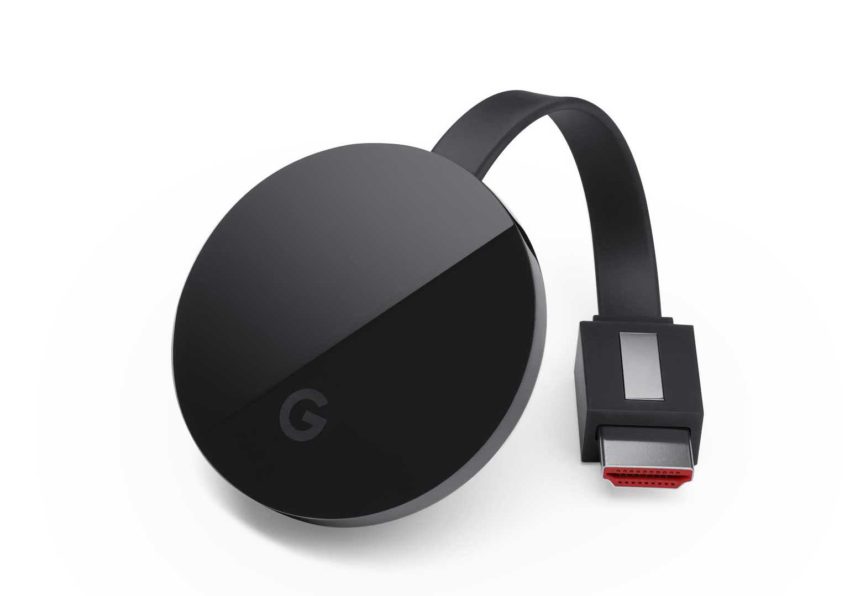
Chromecast Ultra
Pros
- 4K streaming.
- Affordability.
- WiFi 5 support.
- Portable design.
Cons
- No Bluetooth.
- Small RAM & storage space.
- No remote controller.
Supported resolution: 4K| HDR Compatibility: HDR10, Dolby Vision | Processor: Marvell Armada 1500 Mini Plus | OS: Chromecast firmware (based on Chrome OS) | Form factor: Oval-shaped device | RAM: 1GB | Storage: – | Connectivity: Wi-Fi 802.11ac (2.4 GHz & 5 GHz), Ethernet | Price: $55
The Chromecast Ultra is a watered down version of the HD Chromecast with Google TV. Though it offers impressive 4K HDR streaming, there's no remote and UI, being one of the older models of Google's streaming devices. While that seems like a disadvantage for many, it's a blessing for anyone who wants to keep things simple.
All it does is help you cast content on your device to the bigger TV screen, and cuts out distractions associated with app installations and managing storage. It's a good choice for anyone who has a TV without built-in cast features.
Unlike its more modern siblings, the Chromecast Ultra supports Ethernet connectivity. You'll experience less interference from other wireless devices or signal fluctuations common in Wi-Fi networks.
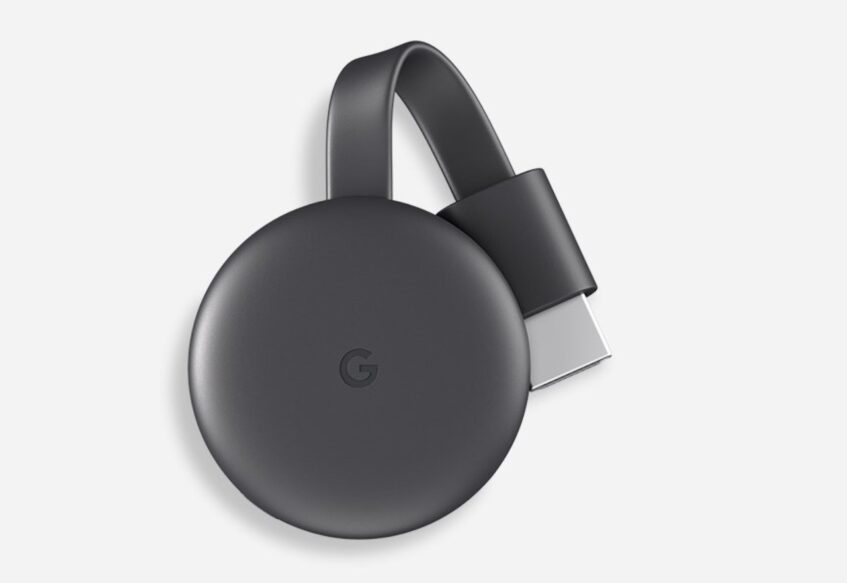
Chromecast 3 (3rd gen)
Pros
- Affordability.
- WiFi 5 support.
- Portable design.
- High-quality streaming.
Cons
- No 4K support.
- No remote controller.
- No Bluetooth.
Supported resolution: 1080p | HDR Compatibility: HDR10 | Processor: Marvell Armada 1500 Mini Plus | OS: Chromecast firmware (based on Chrome OS) | Form factor: Oval-shaped device | RAM: 1GB | Storage: 8GB | Connectivity: Wi-Fi 802.11ac (2.4 GHz & 5 GHz), Ethernet | Price: $44
This Chromecast is going for $30, a significantly lower price than the others on the list. It's a minimalist's dream, delivering a simple yet powerful way to turn any TV into a smart TV. It uses a MicroUSB port instead of the more popular USB Type-C, and it has a reset button. An LED indicator tells you whether your Chromecast is active or not.
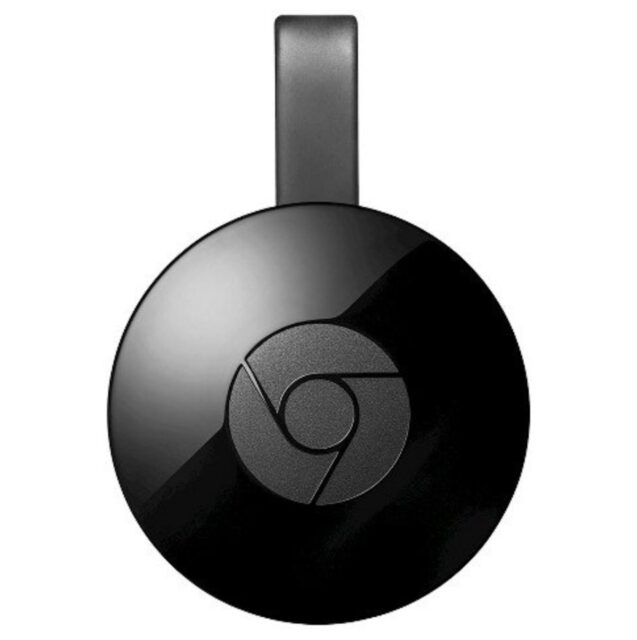
The resolution is a decent 1080p, and the frame rate has gotten a bump up from 30fps on the 2nd Gen model to 60fps. The design is a matte black finish, which does a good job at hiding dirt your chromecast will attract behind the TV.
While the device requires your phone for casting, it doesn't necessarily mean that it's streaming content from your phone to the TV. Rather, it receives the command to cast from your phone, then streams directly from the source. Afterward, you can turn off your phone, and the Chromecast will continue streaming.
Chromecast 2nd gen
Pros
- Affordability.
- WiFi 5 support.
- Portable design.
- High-quality streaming.
Cons
- No 4K support.
- No remote controller.
- No Bluetooth.
Supported resolution: 1080p | HDR Compatibility: – | Processor: Marvell Armada 1500 Mini Plus 88DE3006 | OS: Chromecast firmware (based on Chrome OS) | Form factor: Oval-shaped device | RAM: 512MB | Storage: 256MB | Connectivity: Wi-Fi 802.11ac (2.4 GHz & 5 GHz), Ethernet | Price: $20
Frankly, the 2nd Gen Chromecast is not that different from the 3rd Gen model. The major benefit is in the cheaper price as it's only $20. The resolution is 1080p at 30fps, less than its successor's 60fps. Also, it comes with a magnet. It's not exactly a life saving feature, but it helps you tuck the wires away carefully while it's cramped in your bag and you're on the move.
Enjoy varieties of streaming options
Google's Chromecasts are great options for casting content from your mobile device when your TV lacks direct streaming functionality. If you buy the models with Google TV, you have the extra perk of keeping multiple streaming services in one central hub. However, if you want to make comparisons with other brands before making your choice, Amazon's Firesticks are equally affordable and provide broader model selections. But most modern smart TVs now come with these services built-in anyway, and cast from your phone without needing an extra device. So if you already have such TVs, a Chromecast is unnecessary.

