




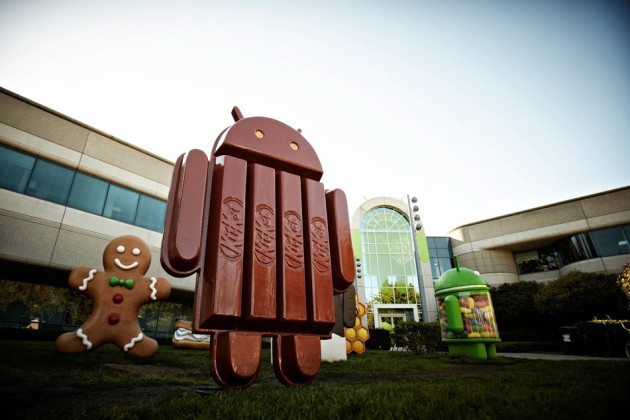
Android 4.4 Kit Kat is finally official folks and will be rolling to devices soon. Google is calling it Beautiful and Immersive and says it has a more polished design, improved performance, and new features. What are those features. Well lets get started.
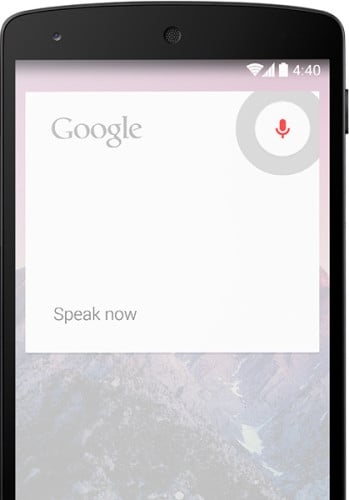
You can now say “OK Google” from your home screen or in Google Now. This will launch voice search and also allow you send a text, get directions or play a song. For now, this will only be available on the Nexus 5
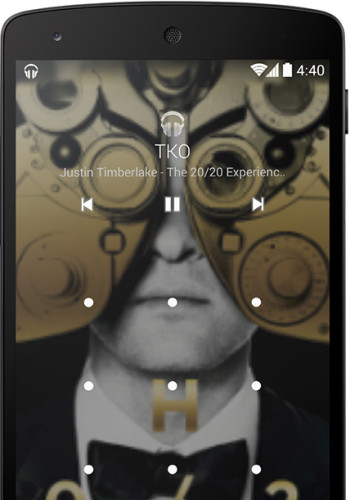
When your device is locked, you will see full-screen album art when you are listening to music or projecting movies to Chromecast. You will also get Play, Pause, and Seek.

Immersive Mode – automatically hides your navigation buttons and status bar when playing a game or reading. Developers need to implement this with their app. When you're ready to navigate, just swipe the edge of your screen.
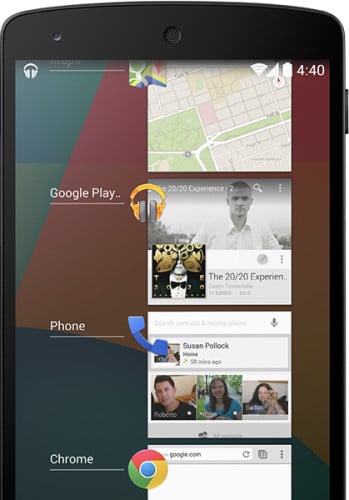
Faster Multitasking – Android 4.4 has optimized memory better and improves the touchscreen.
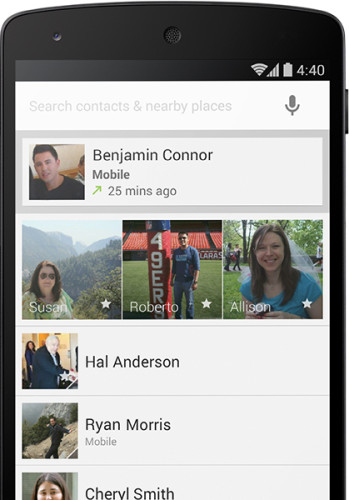
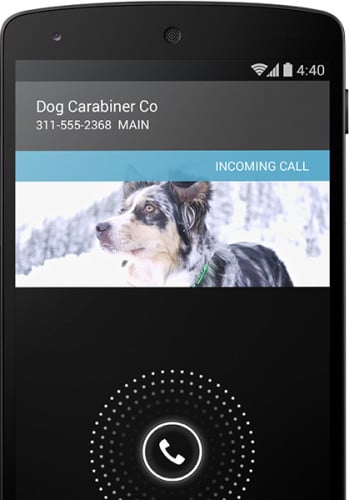
New Phone App – automatically prioritizes your contacts based on how frequently you talk to them. Searching for nearby places, contacts, or people in your Google Apps domain has been added. Google will search through local listings in Google Maps for those callers that are not in your Caller ID.
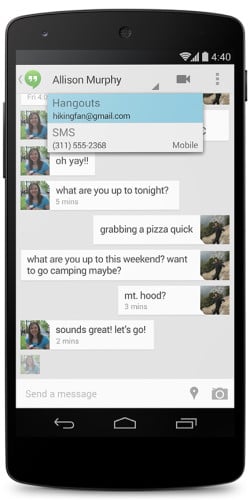
Hangouts updated – SMS and MMS integration within Hangouts. You can even share your location as well as send animated GIFs.
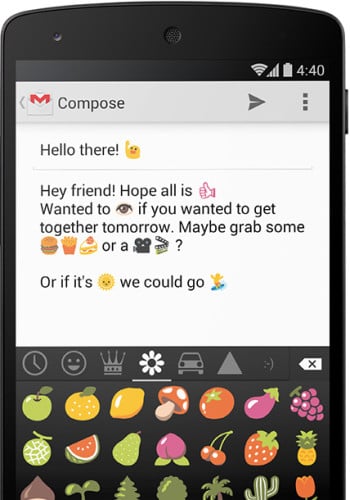
Emoji support now available in the Google Keyboard
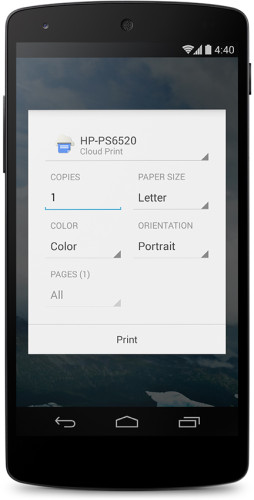
Print whenever or wherever – Print photos, documents, and web pages directly to Google Cloud Print, HP ePrint printers, or to other printers that have apps in the Google Play Store.
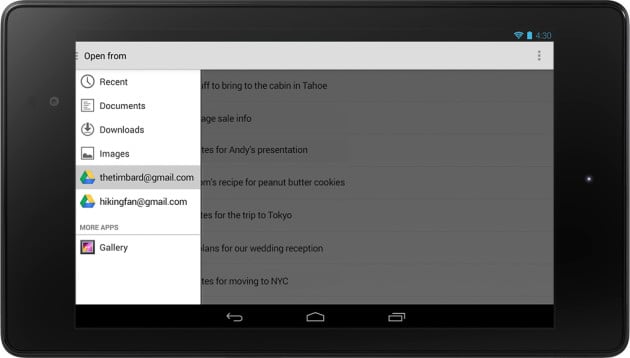
Quickoffice has been redesigned – You can now open and save files on Google Drive, other cloud storage services, or your device.
Bluetooth MAP support – Android now supports the Message Access Profile (MAP) so Bluetooth-enabled cars can exchange messages with your devices.
Applications that embed web content now use Chrome to render web components accurately and quickly.
Closed captioning now supported
The Downloads app has been redesigned, giving you new sorting options and list and grid views for all the files you’ve downloaded.
Easy home screen switching – If you love to customize your device and have installed one or more home screen replacements, you can switch between them easily in Settings > Home.
Email app refresh – The redesigned Email app has a fresh new look with nested folders, contact photos and better navigation.
Full-screen wallpapers with preview – Your wallpaper now extends through the notification tray and system buttons. And when you change your wallpaper, you can preview just how it will look before you set it.
Camera – HDR+ mode on Nexus 5 automatically snaps a rapid burst of photos and combines them to give you the best possible single shot. Daytime pictures are vivid with clean shadows, and nighttime photos are sharp with less noise.
Infrared blasting – On devices with an infrared (IR) blaster, Android now supports applications for remote control of TVs and other nearby devices.
Location in Quick Settings – Access your location settings from anywhere with a new tile in Quick Settings.
Location modes and monitoring – If you want to conserve battery, go to Settings > Location to switch between high accuracy and battery-saving location modes. There’s no need to toggle GPS, Wi-Fi, and mobile network settings. And to see which apps have recently requested your location, go to Settings > Location.
Low-power audio playback – Android 4.4 on Nexus 5 lets you listen to music for longer – up to 60 hours of audio playback.
Secure app sandboxes – Application sandboxes have been hardened with Security-Enhanced Linux.
Step counting built-in – When you use fitness apps like Moves on Nexus 5, the phone acts as a pedometer to count steps. Android 4.4 and updated hardware make this a more battery-friendly way to measure your activity.
Tap to pay, built a new way – Android 4.4 introduces a new, open architecture for NFC payments that works with any mobile carrier, and lets apps manage your payment information in the cloud or on your device. Now you can tap to pay with Google Wallet or other apps at more than a million stores.
So there you have it. Lots of new stuff. What are your favorites?
source: Android

hopefully samsung and verizon doesn’t counter balance these new features by their bloatware that slow down the phone, remove default features, and add annoyances—like not being able to use the phone in USB mode in my car, not being able to zoom in on pictures in text messages, not sensing when headphones are in and automatically muting the external speaker (or the annoying pausing of music to play a DING whenever I get a new message,text, email, etc…i mean seriously, this S3 can’t play more than 1 sound at a time?).
New Phone App – automatically prioritizes your contacts based on how frequently you talk to them. Searching for nearby places, contacts, or people in your Google Apps domain has been added. Google will search through local listings in Google Maps for those callers that are not in your Caller ID.
Great features overall. Much looking fwd to it
“Low-power audio playback – Android 4.4 on Nexus 5 lets you listen to music for longer – up to 60 hours of audio playback.”
This, I use my SGS3 T999 almost exclusively for music.
It’s god to see a really major update to Android considering Jelly Bean first came out July 2012, I like all these features especially the always on microphone. I was going to purchase the Samsung Galaxy Note 3 but now I am seriously considering the Nexus 5
There isn’t an always on microphone. It only listens while the screen is on the launcher or in Google Now.