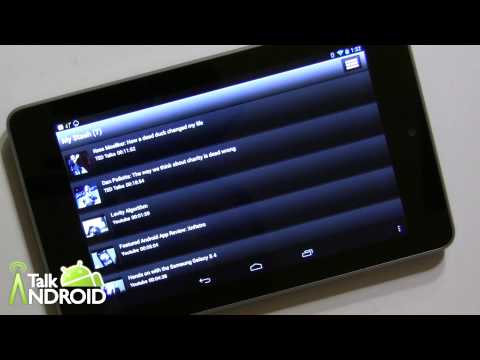


If you like to watch a lot of online videos from various sites, you will want to check out DivX Stash. DivX Stash lets you create a “stash” or locker of all your favorite videos so you can quickly call them up at anytime from your desktop or Android device. You can do something similar with YouTube favorites, but DivX stash lets you add videos from not only YouTube, but also Hulu, Vimeo, TED, CollegeHumor, Dailymotion, Howcast, BREAK, Funny or Die, The Daily Show w/John Stewart, and The Colbert Show. You can even categorize them in your own playlists. For example, you could create a playlist for all funny videos and one for music videos. The possibilities are endless.
All you need to do is install and enable the Chrome extension and sign in via Facebook. When you see a video that you want to “stash”, just click the “Stash It” icon just below the video.

You will be given the opportunity to add it to an existing playlist or create a new one. You can access your stash at anytime from your browser, but you can also grab the app in the Play Store that enables access from your smartphone or tablet. For now, you can only add videos from the desktop, but the developers are working hard at bringing that feature to the app. You can see all your videos uncategorized or by playlist. Just tap on any of the videos to play them. If you're on the desktop, the videos will play from within the DivX Stash webpage, but if you're using the app on your Android device, the appropriate app will open. If you don't have one installed, it will ask you to download it. YouTube videos will play in the YouTube app, but other videos can utilize other third party video players such as MX Video.
By logging into Facebook, you will also see all the videos that your friends recently shared in a separate tab. This way you will never miss a thing. You can also quickly share any of your own favorite videos from your personal stash. In talking with the developers, they are going to add support for Twitter, Google+, and others.
This is one of those apps that already gives you a lot of features, but it will continually evolve. I had a conversation with the team, and they told me about a number of stuff in the works. Among the enhancements that I already mentioned, they plan to bring support for TV's, the ability to play videos directly in the app, and to play a playlist continuously. For example, you could have a bunch of music videos playing if you're having a party.
DivX Stash is completely free, so give it a shot. It will make your life so much easier in that you will know exactly where to go to find that cool new video you saw last week. Check out my hands on video below as well as the trailer video, and hit one of the download links to get started. As always let me know what you think. Click here for more information and to install the Chrome Extension.
![Featured Android App Review: DivX Stash [Media & Video] 4](https://www.talkandroid.com/wp-content/uploads/2013/03/Divx_Stash_04.jpg)
![Featured Android App Review: DivX Stash [Media & Video] 5](https://www.talkandroid.com/wp-content/uploads/2013/03/Divx_Stash_03.jpg)
![Featured Android App Review: DivX Stash [Media & Video] 6](https://www.talkandroid.com/wp-content/uploads/2013/03/Divx_Stash_02.jpg)
![Featured Android App Review: DivX Stash [Media & Video] 7](https://www.talkandroid.com/wp-content/uploads/2013/03/Divx_Stash_01.jpg)