





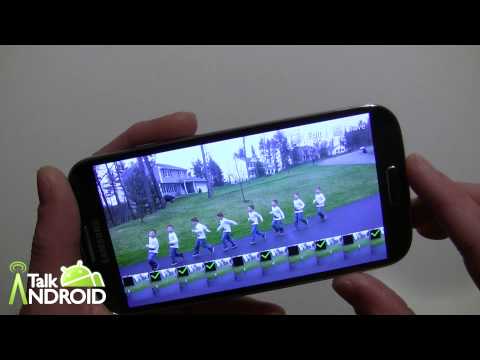
Samsung continues to enhance their camera functionality with the Galaxy S 4, and Drama Shot and the Eraser are just the tip of the iceberg. Drama Shot allows you to take consecutive shots of something moving and put multiple images in one picture. For example, you could take a picture of a motorcyclist going over a jump, and the finished product might include five or six images of the jump itself.
Then there is Eraser mode, which lets you erase unwanted subjects from a photo. Say you are in a crowded park and trying to take a picture of the family. It's hard to get a shot in which there isn't somebody walking into the picture. With Eraser mode, you can easily remove these people. Both are fairly easy to use, but we put together a hands on tutorial of how they work so you can use them more effectively.
Skip on past the break to see the video and don't forget to check out all our Samsung Galaxy S 4 guides.

Is this possible on the S3?