



I've had my Gmail account for a very long time now. I'm not sure exactly how long, but I was a preteen or an early teenager, which is why my email address sounds so juvenile (no, I won't be sharing it). When you've been using an email address for that long, you've signed up and subscribed to so many different things and those emails start to come in daily.
That's the story of my life, but it seems like a new feature that's set to be introduced in Gmail will make it a lot easier for you to manage all email subscriptions from a single location.
A New Subscriptions Page In Gmail Will Make Managing Email Lists A Lot Easier

Look, I don't think there's anyone who doesn't want an inbox that is free of unread messages — yes, even those people whose Gmail badge shows a ridiculous number like 954. However, it can be hard to manage amidst an onslaught of incoming emails for social media platforms, products, retailers, mailing lists you've joined, and so on.
Well, it looks like things might be a lot easier soon, as there seems to be a section in the Gmail app for viewing all your email subscriptions in the works. We know this is coming thanks to the guys at PiunikaWeb, who was able to enable a “Manage subscriptions” section that you can access under the “All labels” section in the sidebar of the Android app. There's nothing there at the moment, so even if you tap on it, you're met with a blank page.
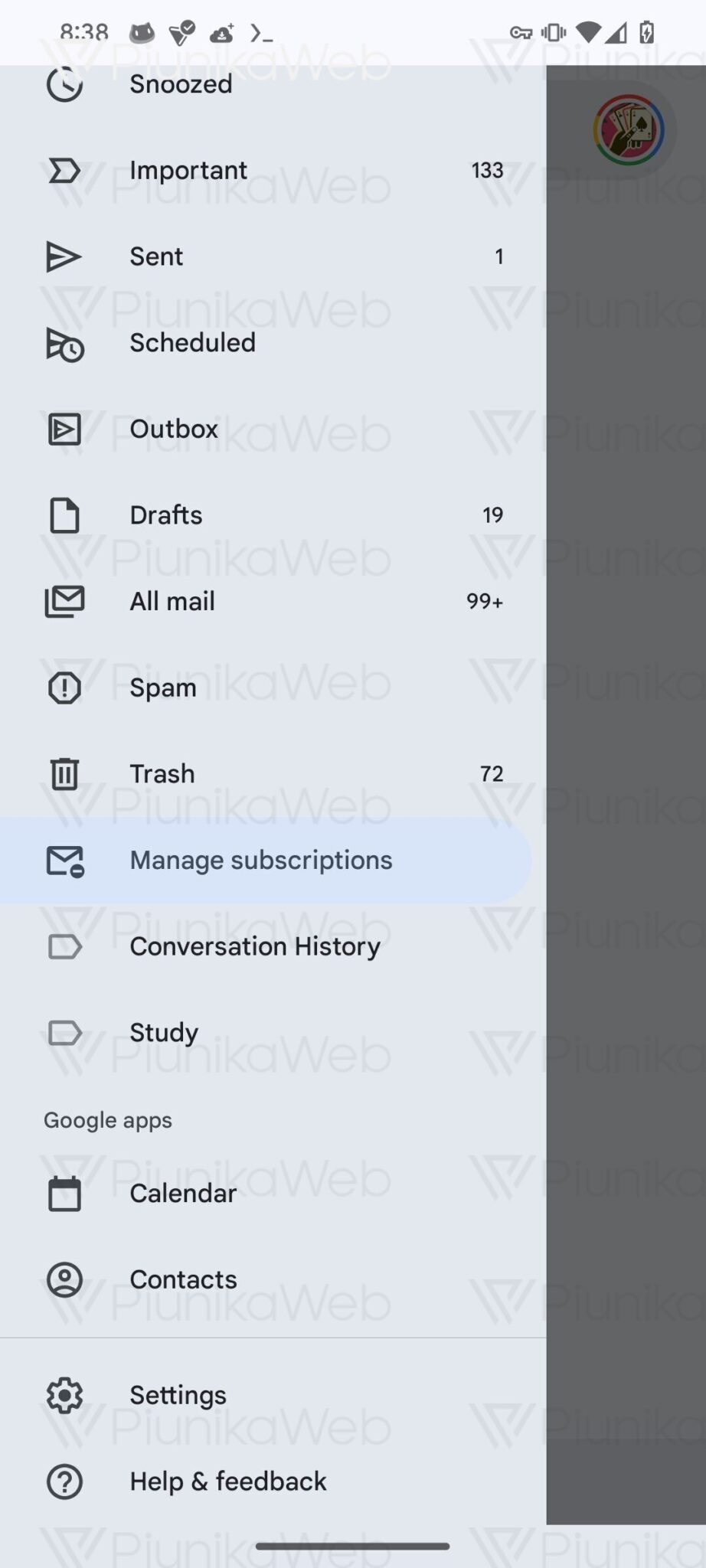

While it isn't active yet, some code gives a hint about how we can expect this page to look. It seems you'll be able to filter subscriptions based on whether they send less than 10, 10 to 20, or more than 20 emails every quarter. If deployed exactly like this, the feature will be extremely handy for figuring out the worst offenders and banishing them to the shadow realm.
Some Users Are Already Seeing The Subscriptions Tab (Though It Still Isn't Active)
Users on Reddit have reported seeing the “Manage subscriptions” button in the sidebar of the app, even without having done any digging into the app. However, even after tapping on the option, they're still met with a blank screen. This might have been an accidental rollout but it surely shows that this feature isn't too far off.
Whenever it shows up for me though, I'll be sure to use it to the fullest extent. My inbox needs to be cleaned up post-haste.
Gmail Already Makes It Pretty Easy To Unsubscribe From Email Lists
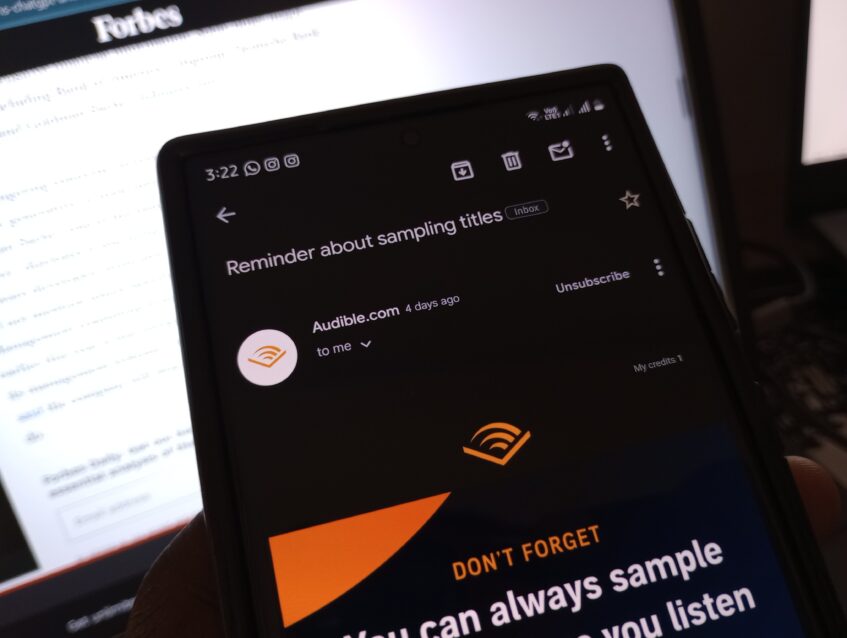
Although this new Subscriptions Manager will provide an ultra-easy means to manage subscriptions, Gmail already has one way to unsubscribe from email lists without needing to scroll to the bottom and find that minuscule “unsubscribe” text.
On compatible emails, as soon as you open them, you'll see a big “Unsubscribe” button very close to the top of the screen. All it needs is one tap, and then another tap to instantly unsubscribe or to be taken to the appropriate webpage to do the same.