Not all of us like phone calls, especially when they're from numbers we don't recognize. It's not like spam texts where you can ignore and move on because a call demands your attention in real time. Surprisingly, not a lot of people realize that scammers can fake caller IDs entirely, making a call look like it's coming straight from your bank.
Plus, scammers are getting smarter. They know that if they can get you on the line and panic about your account, you're more likely to hand over information you shouldn't.
Android will soon be able to drop calls on them if the number turns out to be spoofed. Your phone's system will check with your bank's actual app in the background to confirm whether they're really trying to reach you. It's just one of many features Google is introducing to the operating system.
Android is becoming a non-nonsense zone
A blog post from Google's Director of Android Security and Privacy, Eugene Liderman, laid out everything the company is building into Android for the rest of 2026. By the looks of it, there's a lot to unpack and the most interesting bits are as follows.
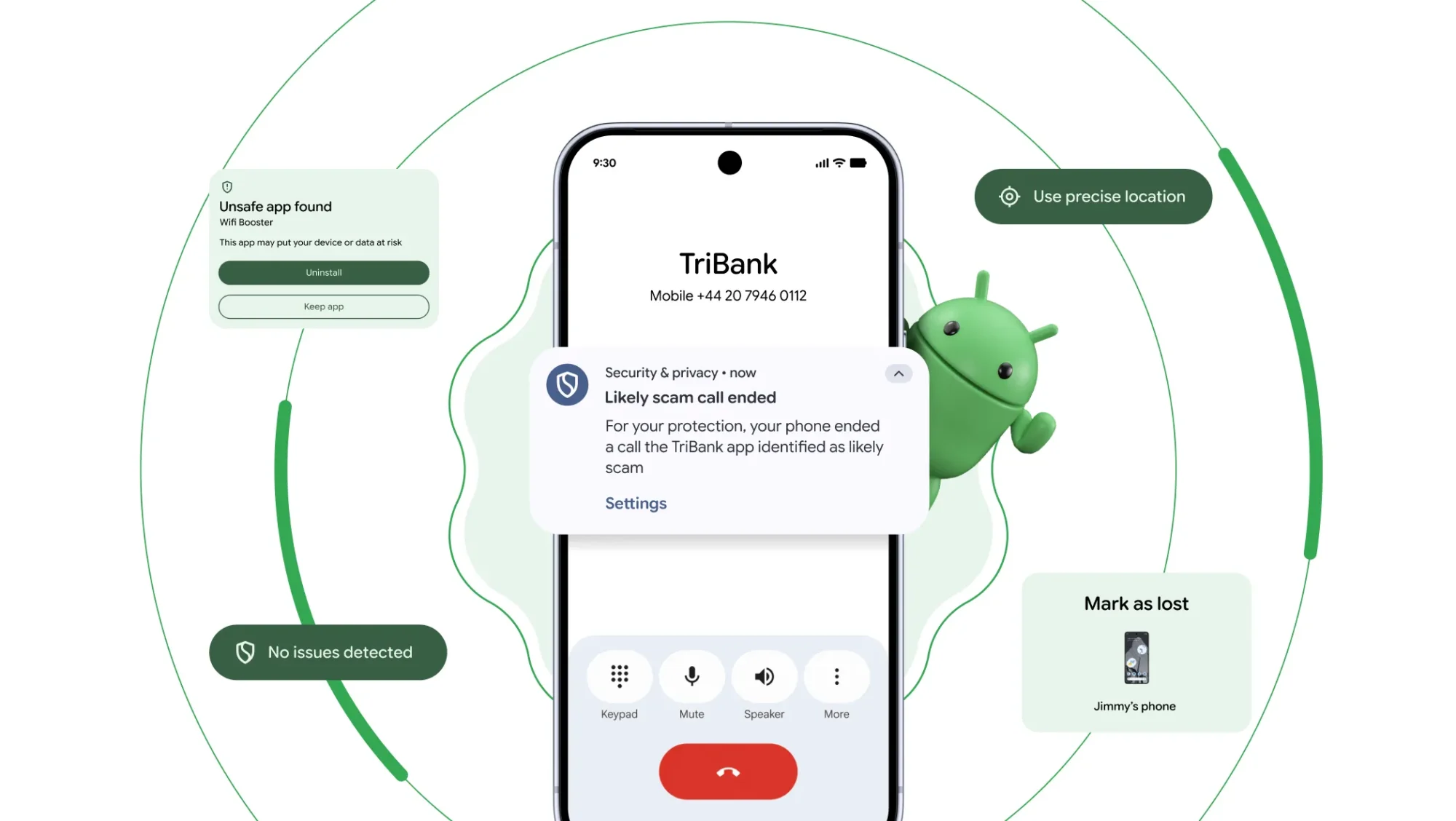
The company is working directly with banks and financial institutions to bring a feature called verified financial calls to Android. When a call comes in claiming to be from your bank, the software checks with your bank's actual app in the background to confirm whether a call is genuinely being made.
If the app denies it, the call will end automatically. Banks can also flag certain numbers as inbound-only, so that they never use those numbers to call you again. The feature is rolling out first on Android 11 and above, with Revolut, Itaú, and Nubank as the launch partners, before expanding to more institutions later in the year.
Google is also introducing dynamic signal monitoring with Android 17, which watches for patterns like apps that suddenly hide or change their icon and then launch themselves from the background. The company can now push new detection rules to devices and update protections against emerging threats without you waiting for a full OS update.

Meanwhile, if you have Safe Browsing enabled and attempt to download an app through Chrome, Android will now scan the APK file for known malware before the download completes. It should stop harmful apps before they land on your device.
Security will only get tighter
Advanced Protection is a feature many are torn about. It's a highly protective feature, yet at the same, a headache for people who like their freedom on Android's open source infrastructure. A single toggle enables your device's strongest security settings simultaneously, and it's only getting more powerful with Android 17.
Advanced protection will block all apps that aren't designated accessibility tools from accessing the accessibility service entirely, closing off one of the most commonly abused permissions on Android. Device-to-device unlocking and Chrome WebGPU support will also be disabled under the feature, and scam detection is being integrated into chat notifications.
That means the convenience of your Chromebook unlocking because your Android phone, when it's nearby, can't be used as a potential way in. Meanwhile, Chrome WebGPU support is a browser technology that gives websites deeper access to your device’s graphics hardware for AI tools, games, 3D apps, and heavy visual processing in Chrome.

Though powerful, it also expands the browser’s risks to attacks if there is a memory-handling bug. A malicious website might trigger it through commands that can cause the browser to crash or leak data.
Later in the year, Google is bringing Advanced Protection support to Android Enterprise, allowing organizations to enforce it across managed devices by policy.
Additionally, you can now see your device's IMEI number from the lock screen on Android 12 and above. Law enforcement and carriers have a quick way to verify ownership and help return a stolen device to its rightful owner.