




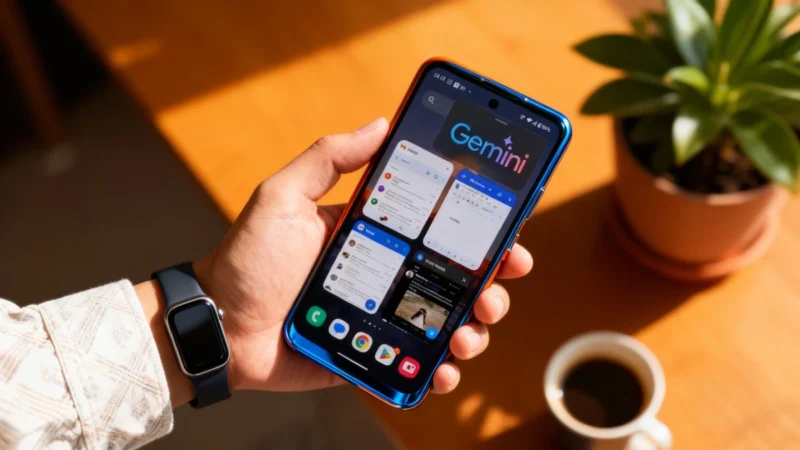
Picture this: You finally ask Gemini to do something truly important, like synthesizing a massive batch of PDFs, and instead of sitting around twiddling your thumbs while your screen is held hostage by a single app, you’re free to do… literally anything else on your phone. Multitasking bliss, here we come.
The End of AI Screen Hijacking on Android
For a long time, interacting with Gemini on Android has felt like making a frustrating deal: you get the smarts of an AI but pay the price by surrendering your screen. As soon as you made a request to Gemini, the interface would promptly take over, dominating everything and making even basic actions on your smartphone tedious, if not flat-out impossible. In other words, your phone’s display was practically taken “hostage.” According to recent analyses by Digital Trends, though, this era is coming to an end.
Gemini Behind the Scenes: A Productivity Revolution
Google, perched atop its Mountain View headquarters, is engineering a structural overhaul for how Gemini coexists with the rest of your apps. The stakes are high: the mission is to transform an overly intrusive assistant into a true productivity companion—one that can quietly juggle tasks while you dash off an email or scroll through your socials. In short, Google is aiming to let you have your cake (Gemini’s power) and eat it too (full access to your device, uninterrupted).
But the magic isn’t just invisible, tucked away in lines of code. There’s a major visual update coming as well, particularly in how Gemini overlays itself on your screen. Early clues in the app code suggest Google is experimenting with a more compact floating action button (FAB). Android Police highlights that this new, reduced footprint should let you keep tabs on what Gemini’s doing without letting it invade every pixel of your view.
- Compact overlay: No more full-screen interruptions, just a small FAB keeping you in the loop.
- Sleek notifications: Get discreet updates—no more waiting and watching.
- Multitasking enabled: Run Gemini in the background and handle other business like a true power user.
One of the Most Anticipated Features Arrives
Among the updates, maybe the most eagerly awaited is Gemini’s ability to handle long-running jobs in the background, uninterrupted. Imagine telling the AI to digest an entire series of PDF documents or organize your next travel itinerary. Now, with the upcoming update, you can launch a complex command, shrink Gemini down, and get on with your day—keeping your phone fully functional. A discreet notification or icon will tap you on the shoulder once the task is done. No more babysitting AI workflows—Gemini quietly gets things done, and you just move on.
This approach nudges the mobile Gemini experience closer to what users enjoy on computers, where multitasking is second nature and overlapping windows are the norm. On a compact smartphone screen, intelligent use of space is absolutely critical. Allowing the AI to “work behind the scenes” answers a long-standing complaint from advanced users, who felt the existing system was far too rigid compared to the days of the old Google Assistant.
Transparent, Natural, and Ready for Professional Use
Make no mistake, this evolution for Gemini is more than a simple update—it’s a pivotal moment in Google’s strategy. By making its AI capable of melting away physically while staying active, Google is turning Gemini into a tool that feels more natural and less intrusive in daily life. The endgame? Gemini as a transparent software layer, empowering you behind the scenes without ever blocking your usual workflow.
- No more workflow disruptions
- Smoother interactions for professionals and power users alike
- AI that adapts to you, not the other way around
It’s a vision of mobile AI that’s actually useful rather than obstructive. For anyone who relies on their smartphone as a professional-grade tool, this means one big promise: fluidity.
In conclusion, Gemini’s new background processing and compact design overhaul could finally let Android multitasking live up to its promise. Keep an eye out for these changes—they’re set to make working and living with your phone much, much smoother. Now if only Gemini could do our laundry, too…

