





Searching for files or folders on the cloud is usually only as good as the terms you are typing in, which means if you are incorrectly spelling a word, the results may not show what you are looking for. For Google Drive users at least, the act of searching for an item has just become a little easier thanks to Google integrating its search technology with it, enabling users to find files or document with greater speed and ease.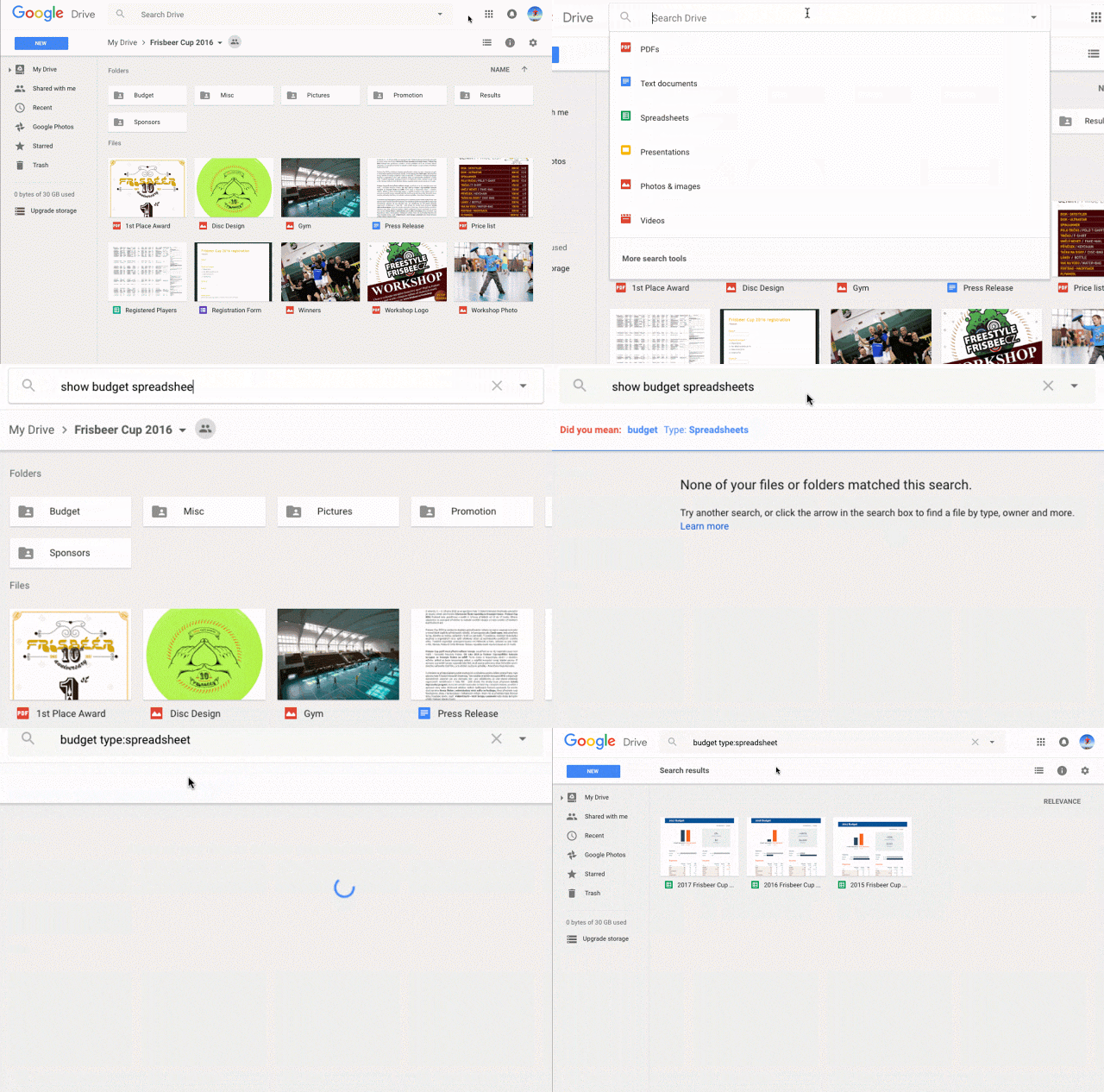 By adding in its Natural Language Processing technology (NLP), Google has made it possible for users to type in normal phrases such as “find my spreadsheets from last December” or “presentations from Annissa”, without having to type cold, inhuman search terms. Google has also improved Drive's auto-correct function, that should aid users further by offering improved suggestions to misspelled search terms.
Other new features include the ability to split a document into multiple columns by selecting “Columns” in the “Format” drop-down menu. Non-Google files that are opened in Docs, Sheets or Slides will automatically have a copy saved, with the original format available to be viewed or downloaded via the Revision History function.
The new features will roll out globally from today onwards. What do you think of the new features in Google Drive? Will the auto-correct function prove handy when you next search for a file or document in Google Drive?
Source: Google

